ASUS V470 AIO PC Quick Review — a minimalist dream with a couple of hitches

ASUS V400 AiO PC (V470VA)
If you're looking for an AIO PC that excels in design and will make your current setup look super minimalist and clean, it's a winner.
What's Good?
- Slim, minimal aesthetics
- AI ExpertMeet is a pretty cool addition
- Popup camera with Windows Hello support
- Great screen, awesome audio
What's Not?
- Quirky US International keyboard
- No HDMI-in port
My goal was simple: reclaim my desk from cable clutter. An All-in-One PC seemed like the perfect solution, and the ASUS V470 immediately caught my eye. Setting it up, I was thrilled with its clean look and how it instantly modernized my space. But after settling in, I discovered a few design choices that keep it from being the perfect machine.

ASUS V470VA AIO PC — What’s Good?
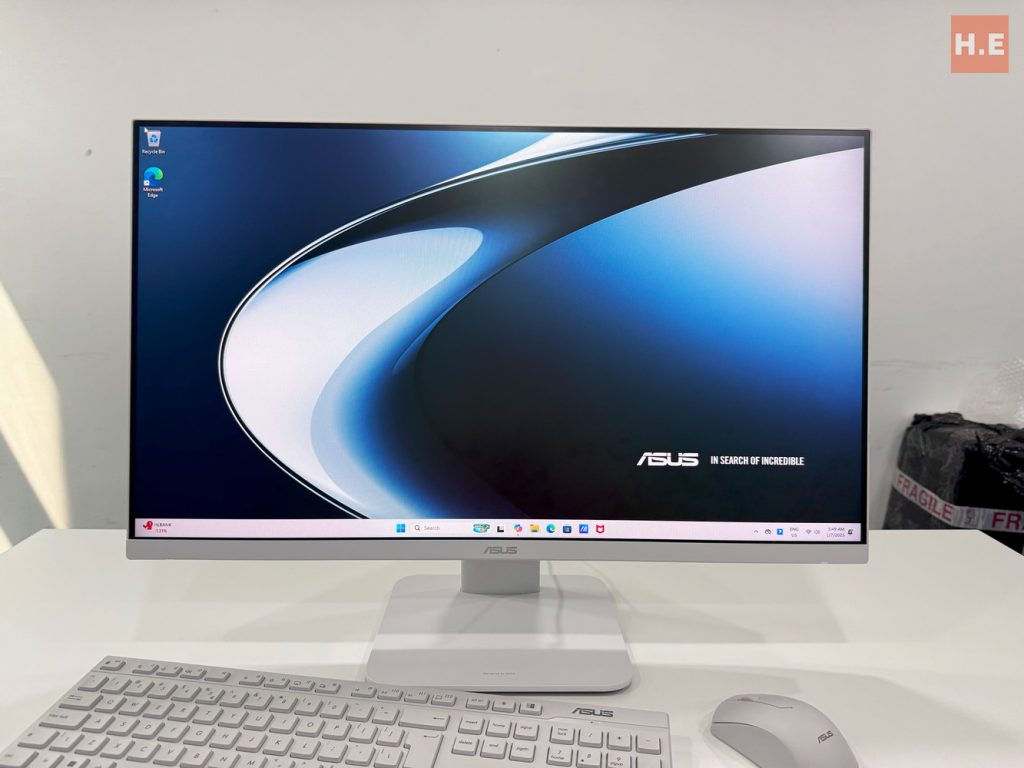
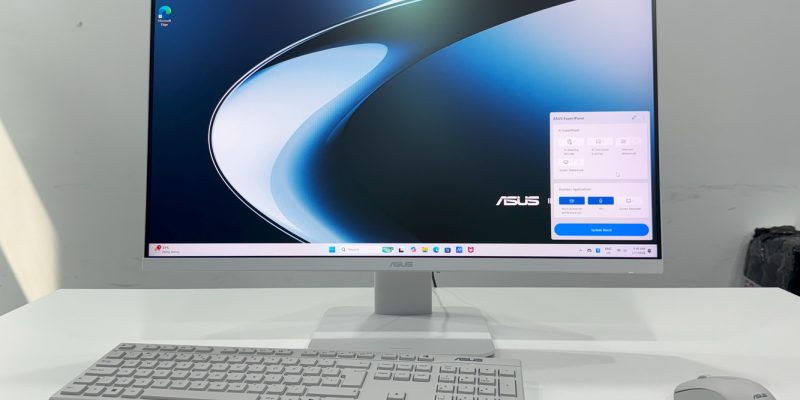
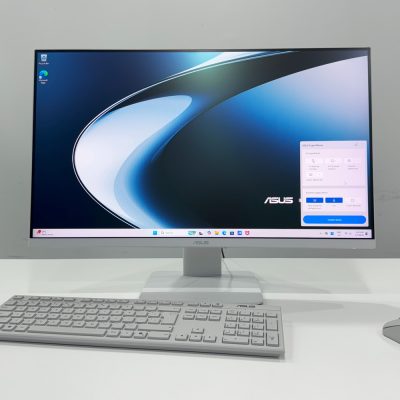
First off, the aesthetics are spot-on. The V470 is impressively slim and its stand has a tiny footprint, which freed up a surprising amount of desk real estate. The NanoEdge display with its barely-there bezels makes for a great viewing experience, whether I’m working or watching videos. It truly is a pleasure to use.
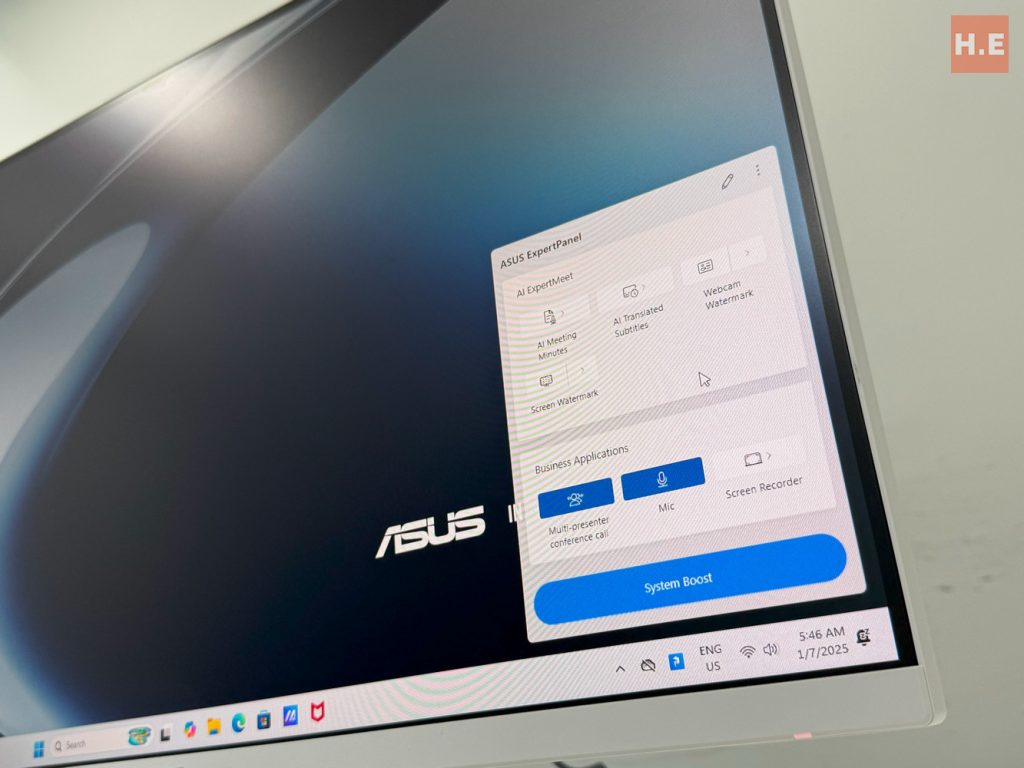
Another feature that has proven invaluable is the ASUS AI features baked into this AIO PC. The ASUS V470VA comes with their exclusive ASUS AI ExpertMeet software, which can transcribe and summarize your meetings. Also included are the ASUS two-way AI noise cancellation which can magically remove noise from not just you, but also the person from the other end.
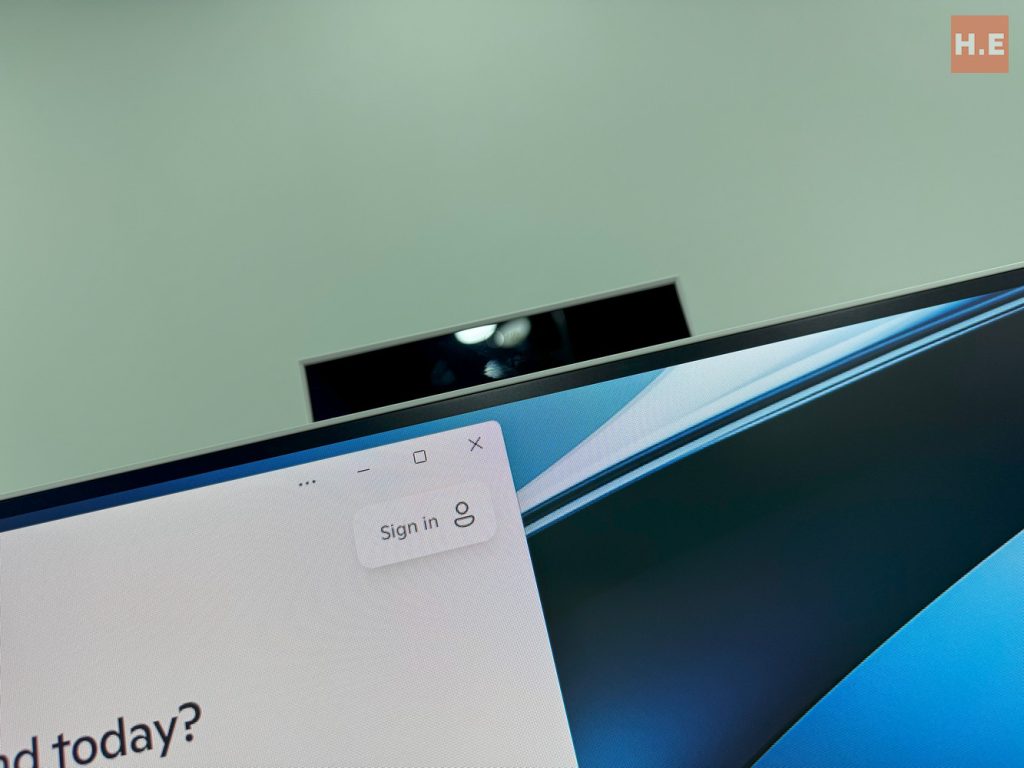
I also have to give a shout-out to the clever pop-up webcam. It integrates Windows Hello support with a rather decent webcam. I also love the security of knowing the camera is physically blocked when I’m not using it. It’s a simple, elegant solution that keeps the monitor’s profile sleek and gives me one less thing to worry about.
ASUS V470VA AIO PC — What’s Not?
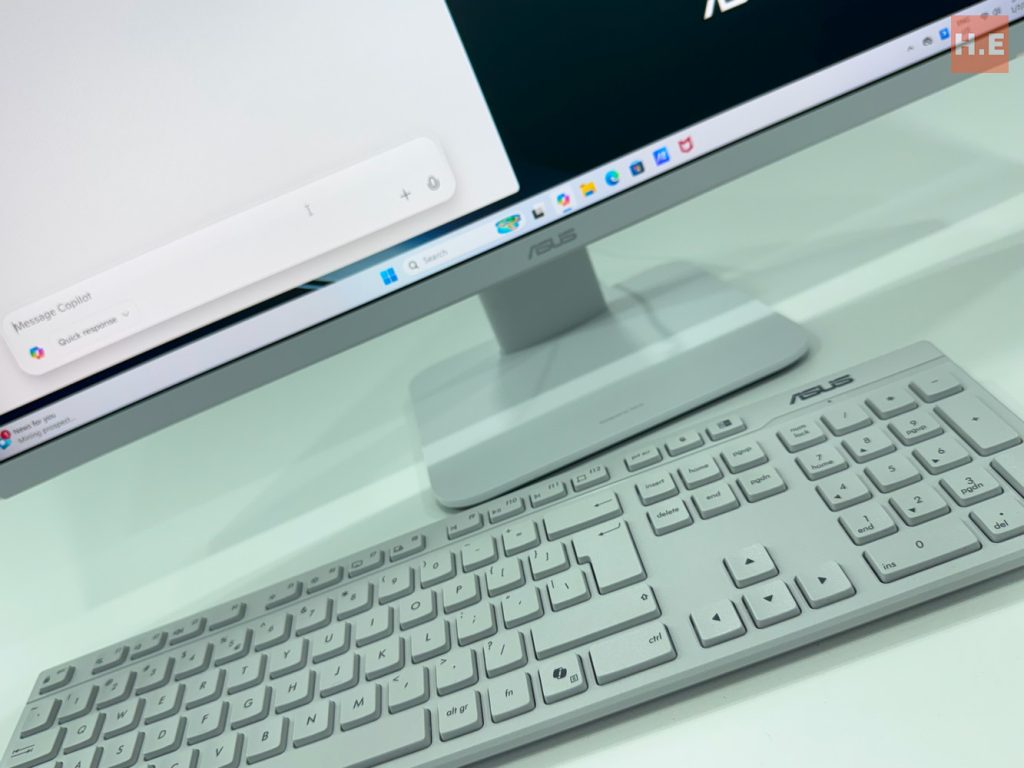
Now, for the parts that didn’t quite hit the mark. As a user in Malaysia, the keyboard has been a source of constant frustration. The “US International” layout is just different enough from the standard one I’ve used for years that it throws off my typing. It’s a baffling choice for the local market and an unexpected hurdle to overcome.
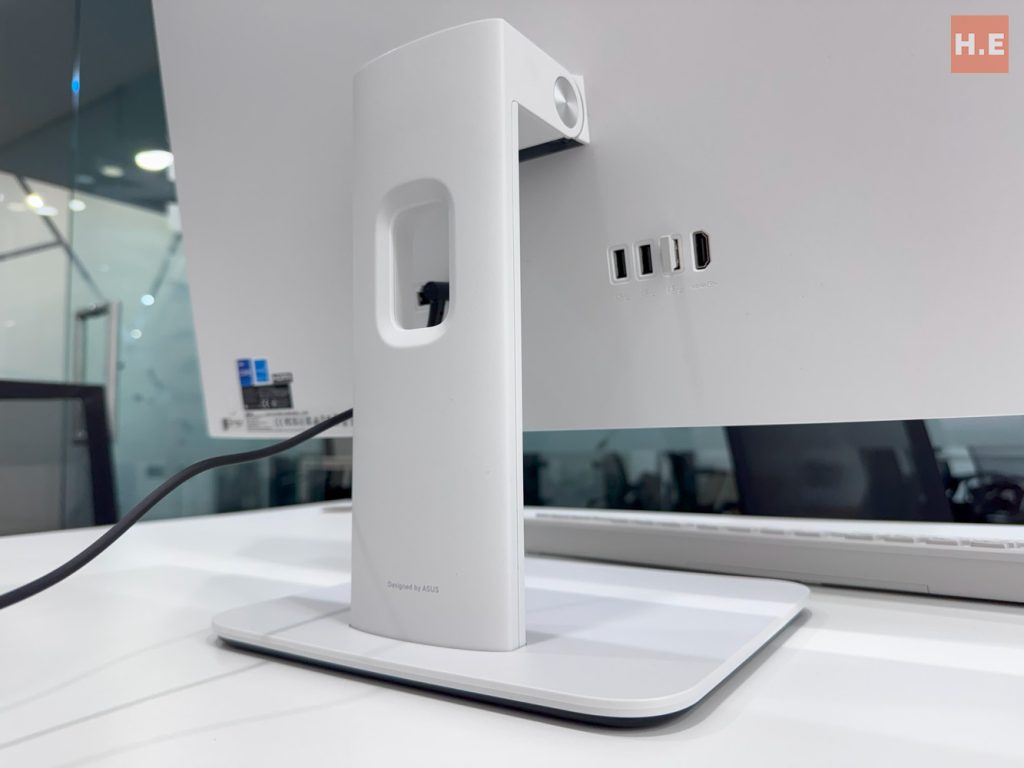
My other major concern is about the V470’s future. The screen is gorgeous, and I would have loved to repurpose it as a monitor for another device down the line. However, the absence of an HDMI-in port makes that impossible. This design choice effectively means that once the internal computer is obsolete, the entire unit, screen and all, is destined for the recycling bin, which feels incredibly wasteful.
ASUS V470VA AIO PC Specifications
| Processor | Intel Core i7-13620H, 10C/16T (6P+4E) @ up to 4.9GHz 24MB L3 cache 45W TDP Intel 7 |
| Memory | 16GB DDR5-5200 SO-DIMM, 64-bit dual-channel 1x DDR5 SO-DIMM slot vacant |
| Graphics | Intel UHD Graphics, 64 EU @ up to 1.5GHz |
| Storage | 1TB WD PC SN5000S SSD (M.2 PCIe 4.0 x4 NVMe SSD, NVMe 2.0) |
| Display | 27-inch FHD 16:9 (1920 x 1080) 75Hz LG Phillips-sourced IPS display 300 nits max brightness, 100% sRGB gamut 93% screen-to-body ratio |
| Connectivity | WiFi 6E + Bluetooth 5.4 (Intel Wi-Fi 6E AX211) 1 x GbE LAN (Realtek RTL8168) 1 x USB-C (USB 3.0, 5Gbps) 3 x USB-A (USB 3.0, 5Gbps) 1 x USB-A (USB 2.0, 480Mbps) 1 x HDMI 1.4 1 x 3.5mm combo jack |
| Audio | 5W stereo speaker system Dolby Atmos Built-in array microphone Two-way AI Noise Canceling |
| Power | 120W AC adapter, barrel connector |
| Dimensions | 613 x 447 x 210 mm |
| Weight | 9kg |
| Included Accessories | Wireless chiclet keyboard Wireless optical mouse |
ASUS V470VA AIO PC — should you buy this?
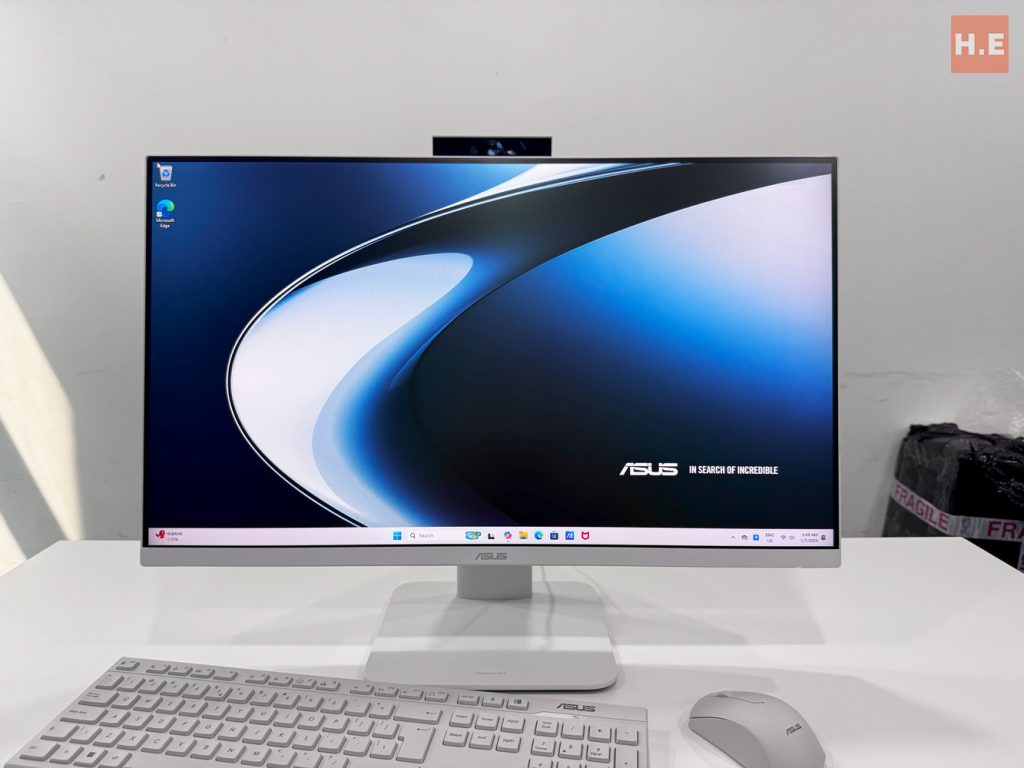
I’d give the ASUS V470 AIO PC a conditional recommendation. If you’re looking for an AIO PC that excels in design and will make your current setup look super minimalist and clean, it’s a winner. Especially with its price tag of just RM4,499 — If you don’t need the Core i7 processor, the Core i5 options start from just RM3,799 — which is very reasonable for the performance and audiovisual quality served up. But you have to go in knowing you’ll either need to adapt to a non-standard keyboard or buy a replacement, and you’re accepting that its beautiful screen can’t be given a second life.