

Samsung Positions Galaxy Tab as a Teacher’s Sidekick in the War on Distracted Classrooms

TLDR
- Samsung positions Galaxy Tab as a teaching companion that turns one-way lectures into interactive, visual lessons
- S Pen annotation, real-time content sharing and Split View multitasking aim to replace the whiteboard-and-projector stack
- Note Assist converts handwritten scribbles into organised bullet points, cutting teacher prep time
- Galaxy AI features help students summarise study material and search notes faster
- Malaysian students and teachers get 20% off the Galaxy Tab Series under the Samsung Student & Teacher programme, plus an extra 5% off for minimum RM100 spend until 30 September 2026
- Lineup spans the flagship Galaxy Tab S11 Ultra for power users through to the Galaxy Tab S10 FE for everyday learning
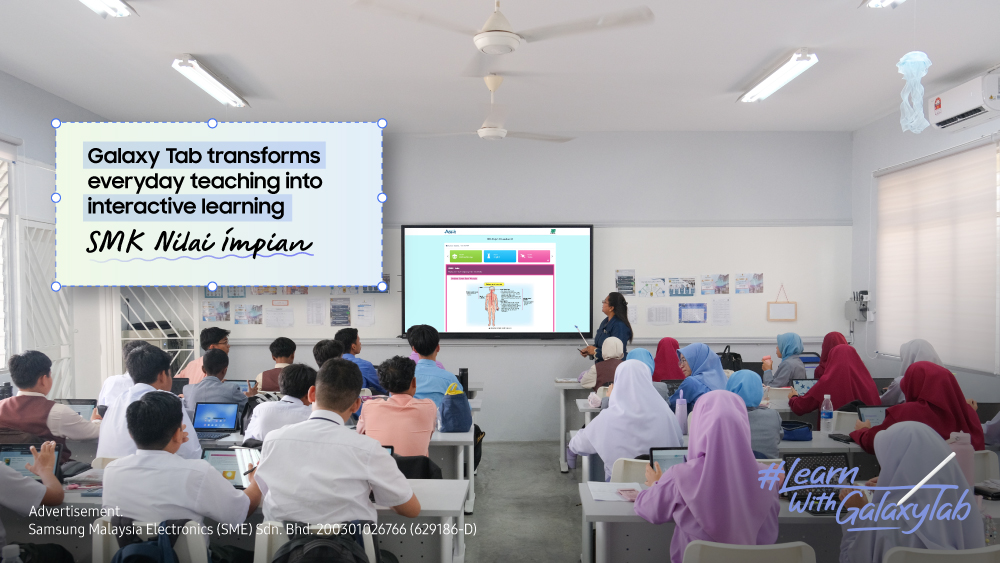
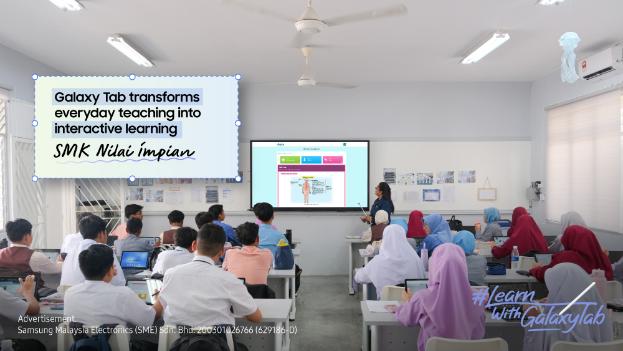
Every teacher in Malaysia knows the moment: a well-rehearsed lesson collides with a classroom full of glazed eyes, half-finished notebooks, and the gravitational pull of every smartphone notification a kilometre away. In response, Samsung is positioning its Galaxy Tab lineup as more than a consumer device — pitching it instead as a classroom companion designed to turn passive listeners into active participants, with features tuned for the realities of Malaysian schools and the post-pandemic shift toward blended learning.

The push comes through Samsung’s AI-Powered Classroom initiative, which the company says is already showing educators how a single tablet can replace stacks of worksheets, whiteboards and presentation kits. The pitch is straightforward: equip teachers with the same kind of always-on, app-rich device that students are already carrying in their pockets, and rebuild lesson delivery around interactivity rather than monologue.
What’s actually in the Galaxy Tab for educators?
At the heart of Samsung’s pitch is the S Pen. Teachers can annotate slides, PDFs and live web pages in real time without leaving the presentation, then save the marked-up version as a handout for students who missed the nuance. Combined with the tablet’s large, immersive display, lessons stop being a single static slide at the front of the room and become a working canvas the class can follow along with on their own devices or a shared screen.
Split Screen multitasking lets a teacher keep a lesson plan on one half of the display and a browser, video call or student-response app open on the other, removing the awkward app-switching that breaks flow during a class. Note Assist, part of Samsung’s on-device Galaxy AI suite, takes handwritten notes and reorganises them into clean bullet points — useful both for lesson planning the night before and for students rewriting their own scribbles into something study-ready.
Connectivity across the wider Galaxy ecosystem matters too. A teacher can start marking a worksheet on a Galaxy Tab in the staff room, pick it up on a Galaxy Book laptop at home, and share the result with students through Samsung Notes or Microsoft 365 without breaking stride. For schools already invested in Android or Windows, that cross-device continuity removes one of the historic headaches of going 1:1 with tablets.
How Galaxy Tab is changing the student side of the classroom
Samsung is equally focused on what students do with the device. Galaxy AI summarisation tools can condense long readings into digestible study guides, while Circle to Search and on-device translation help learners dig into unfamiliar material without leaving the app they’re working in. For Malaysian classrooms where English, Bahasa Malaysia and Mandarin content often sit side by side, that kind of in-context translation is a practical win rather than a marketing bullet.
The portfolio is also being readjusted for different learners. The Galaxy Tab S11 Ultra is aimed at advanced productivity and creative work — think design students, video editing and large-format reading — while the Galaxy Tab S10 FE is positioned as the everyday option for note-taking, research and media-rich lessons. Samsung says the range is designed so that a school, parent or university student can pick a model that matches the workload rather than overspending on flagship specs they won’t use.
Malaysia pricing and the Student & Teacher programme
For Malaysian buyers, the timing lines up with the back-to-school season. Through the Samsung Student & Teacher programme, verified students and educators can claim discounts starting from 20% off the Galaxy Tab Series, with an additional 5% off for a minimum spend of RM100 running until 30 September 2026. The promotion covers the bulk of the lineup, including the higher-end Tab S11 Ultra and the more approachable Tab S10 FE, and is redeemable through Samsung’s authorised channel in Malaysia.
Samsung is also using the launch to remind schools and parents that the device is built to last a school day — long battery life, MIL-STD-810H-rated durability on key models, and Samsung Knox security baked in for institutions that need to manage a fleet of devices centrally. For Malaysian schools weighing whether to invest in tablets over traditional laptops, those operational details may matter more than headline specs.
Our Take
The classroom-attention problem Samsung is describing is real, but it’s worth being honest about what a tablet can and can’t fix. Hardware doesn’t create engagement on its own — it amplifies whatever teaching practice is already in the room. The Galaxy Tab’s combination of S Pen, Split View, Note Assist and Galaxy AI is genuinely useful for teachers who are already running flipped, project-based or blended lessons, because it removes friction from those workflows. For a teacher still working primarily through chalk-and-talk, the device is more of a sidegrade than a transformation.
What Samsung has done well here is the Malaysia-specific commercial layer. The 20% Student & Teacher discount plus the extra 5% off until September 2026 meaningfully narrows the price gap between a mid-range tablet and a Chromebook or entry-level laptop, which is the comparison parents and school procurement teams are actually making. Knox manageability and the durability ratings also address the unspoken question every principal asks first: can it survive a Form 4 student for three years?
The bigger question for 2026 is whether Samsung can keep the Galaxy Tab ecosystem compelling against increasingly capable iPads and a new wave of AI-native Android tablets from Chinese OEMs. The AI features are a genuine differentiator today, but on-device AI is rapidly becoming table stakes. The hardware and the in-class experience are solid; the next 12 months will be about whether Samsung keeps pushing the software forward fast enough to justify the premium.




[…] 📖 Baca versi English: Samsung Positions Galaxy Tab as a Teacher’s Sidekick in the War on Distracted Classrooms […]