The Flagship: The GIGABYTE Aorus Master 16 Laptop Review

Table of Contents
GIGABYTE has been consistently launching specialized laptops, targeting specific user needs across the performance spectrum. Today, we review what happens when GIGABYTE engineers decide to combine the best of everything into a single, cohesive unit. This is a deep dive into the GIGABYTE Aorus Master 16 Laptop, a machine designed to offer perhaps the ultimate gaming experience on the go.

Aorus Master 16 Overview
Build and Design
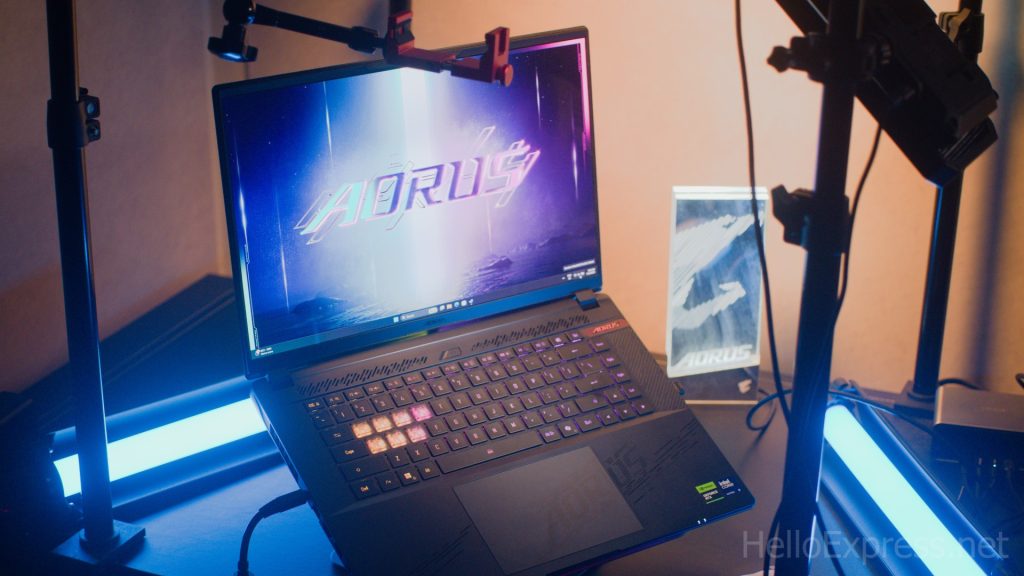
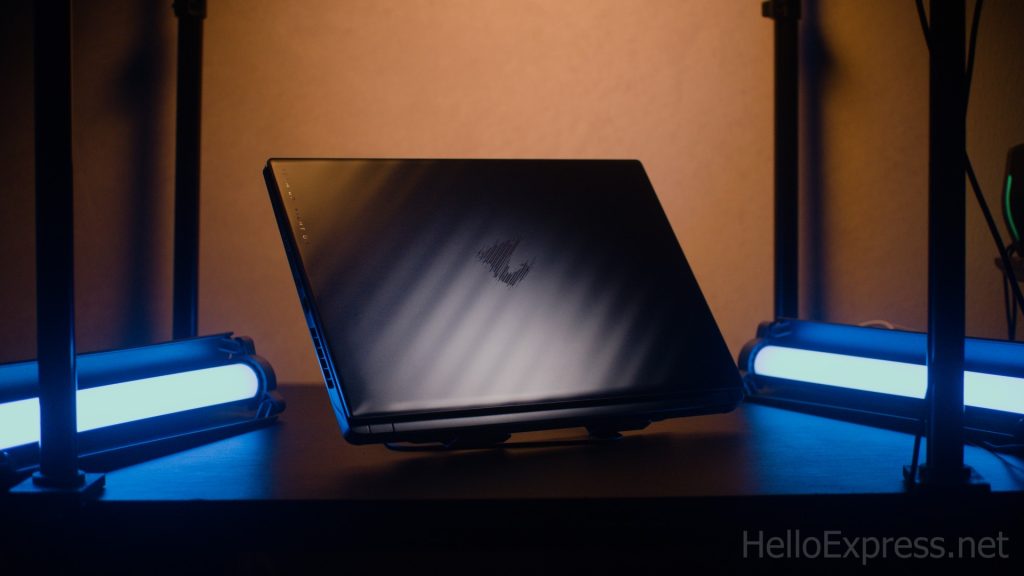
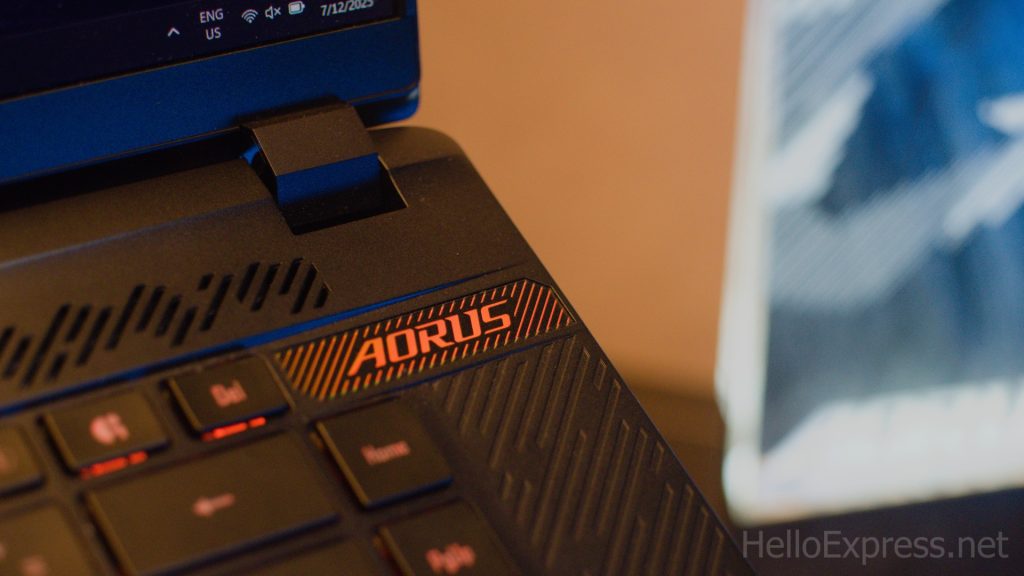
The GIGABYTE Aorus Master 16 Laptop is presented in a sophisticated Dark Tide color scheme. Physically, the chassis measures 14.06 x 1.18 x 10 inches (LxWxH) and weighs in at 5.52 pounds. Its aesthetic incorporates a unique 12-layer nanoimprint Lithography (NIL) optical lamination.
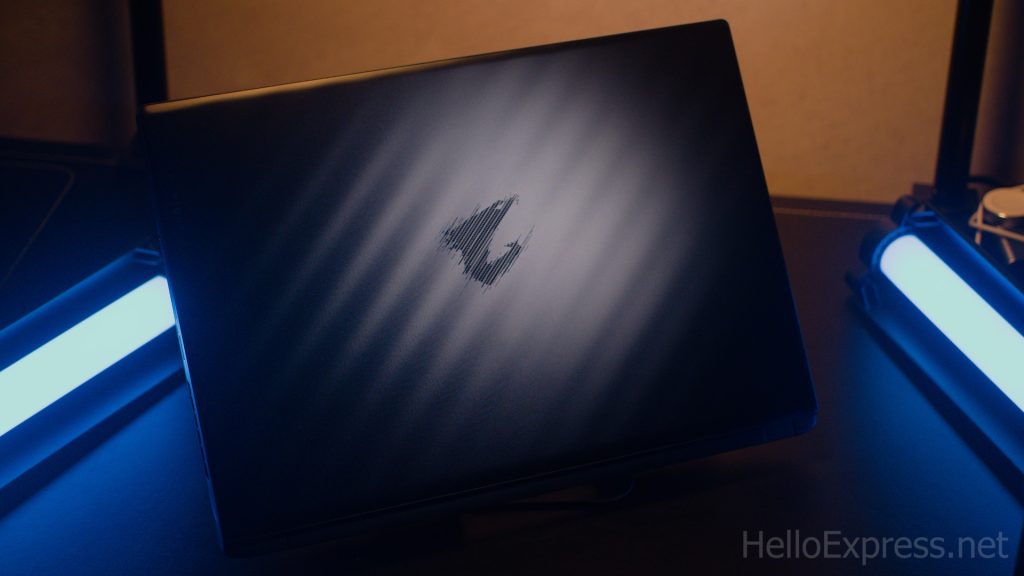
This silicon-grade craftsmanship allows the surface to glow and refract light, giving it a stunning, crystalline appearance. The metal top panel features a nice dark blue color with a subtle wavy pattern, contributing to a sturdy, premium feel comparable to top-tier competitors like the MSI Raider.
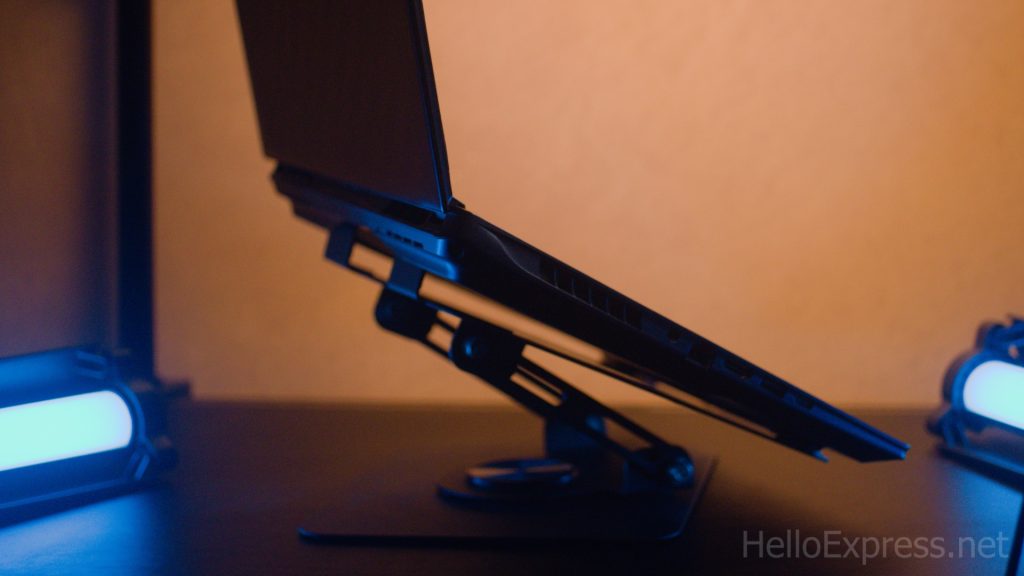
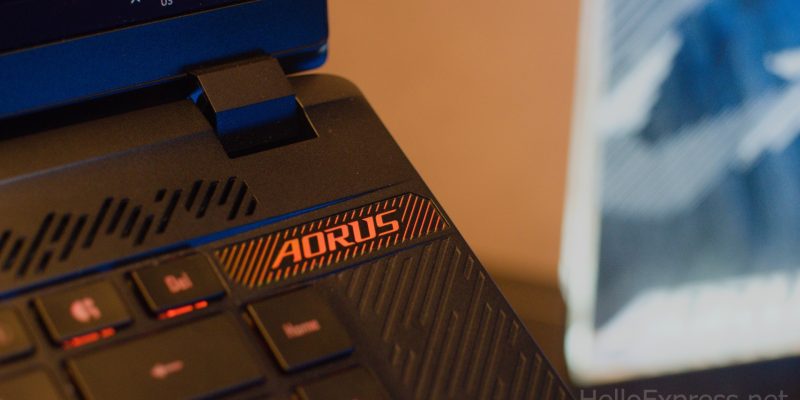
Crucially for heavy typists, the laptop exhibits zero screen wobble during use. Personalization is handled by extensive RGB lighting, including the unique AORUS Beacon logo projector, customizable RGB lighting on the cover, and a dynamic 3-zone RGB backlit keyboard. The overall build quality looks and feels fantastic.
Display
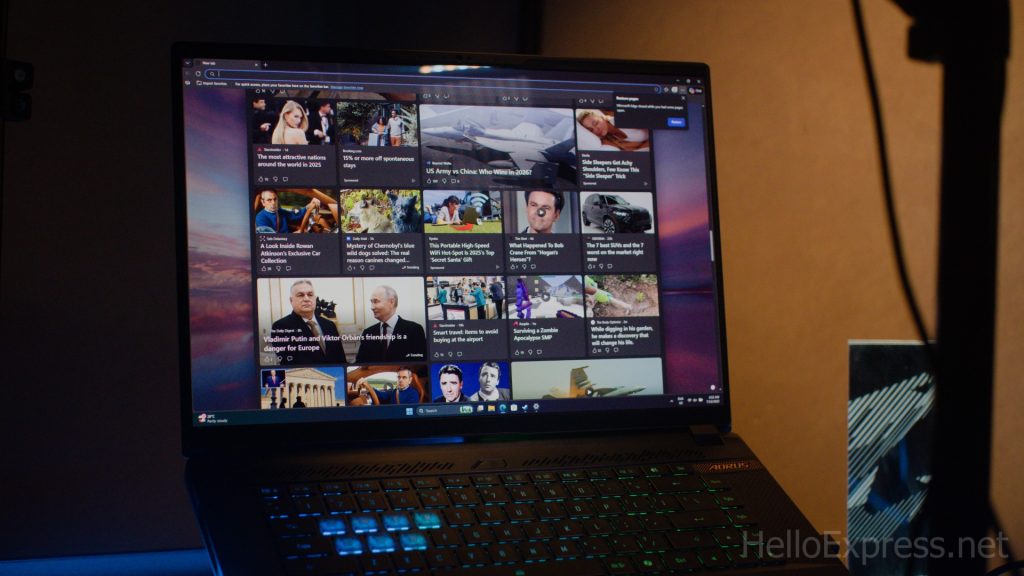
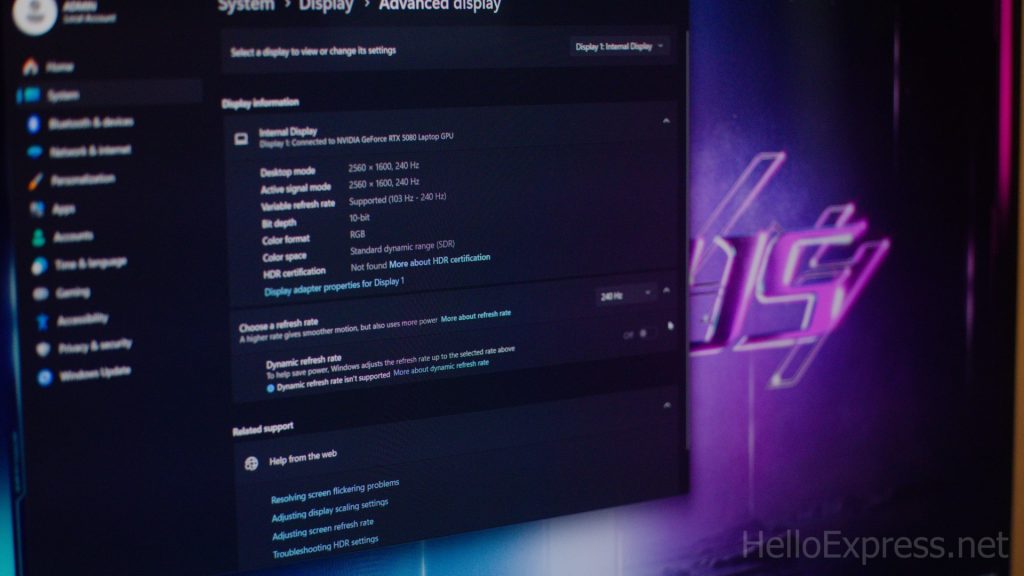
The AORUS MASTER 16 features a premium 16.0-inch OLED display with a modern 16:10 aspect ratio. This WQXGA resolution panel (2560×1600) delivers life-like colors, perfect contrast, and a lightning-fast response time thanks to the OLED technology.
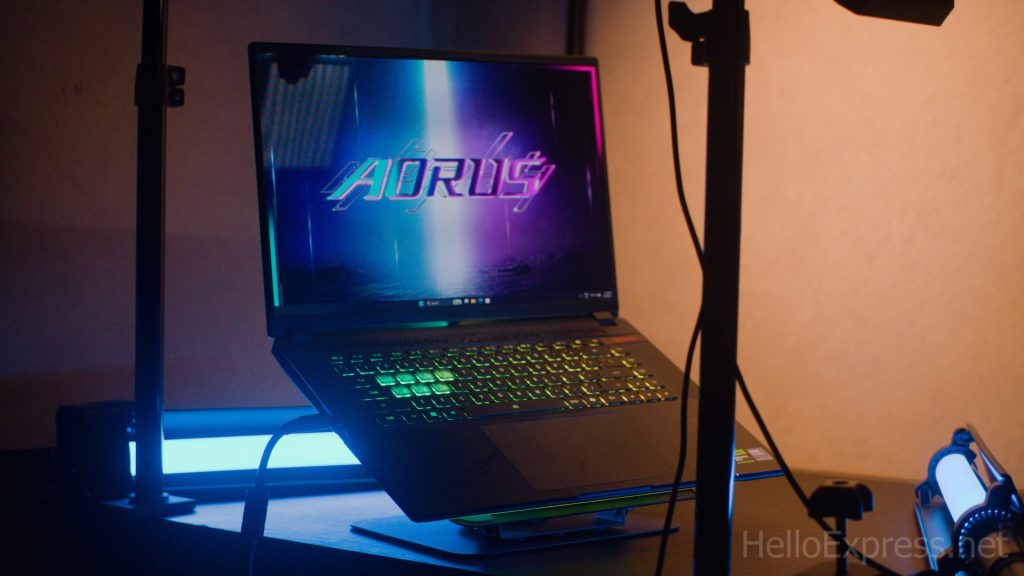
Key specifications include a blistering 240Hz refresh rate and a 1ms GTG response time, granting a significant visual advantage in competitive games. Color professionals benefit from 100% DCI-P3 color gamut support, Pantone Validation, and factory pre-calibration.
The screen also supports both Dolby Vision for media and NVIDIA G-SYNC for gaming fidelity. For efficiency, NVIDIA Advanced Optimus DDS Technology allows intelligent switching between the integrated and discrete GPU, extending battery life when needed.
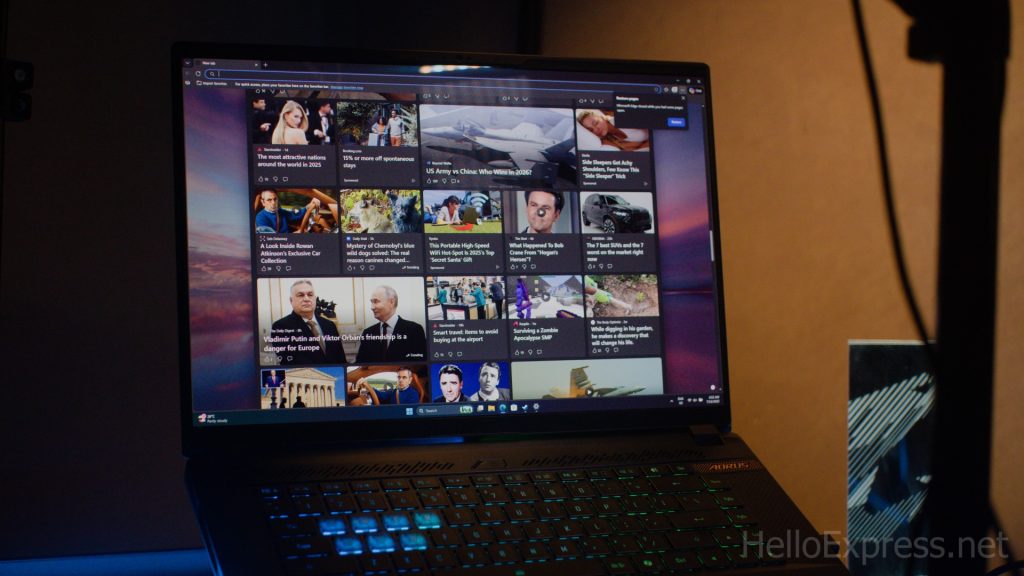
Home User Experience: The 16:10 aspect ratio provides more vertical space for web browsing and general productivity. The OLED panel ensures fantastic contrast, making casual media viewing a pleasure with deep, true blacks.
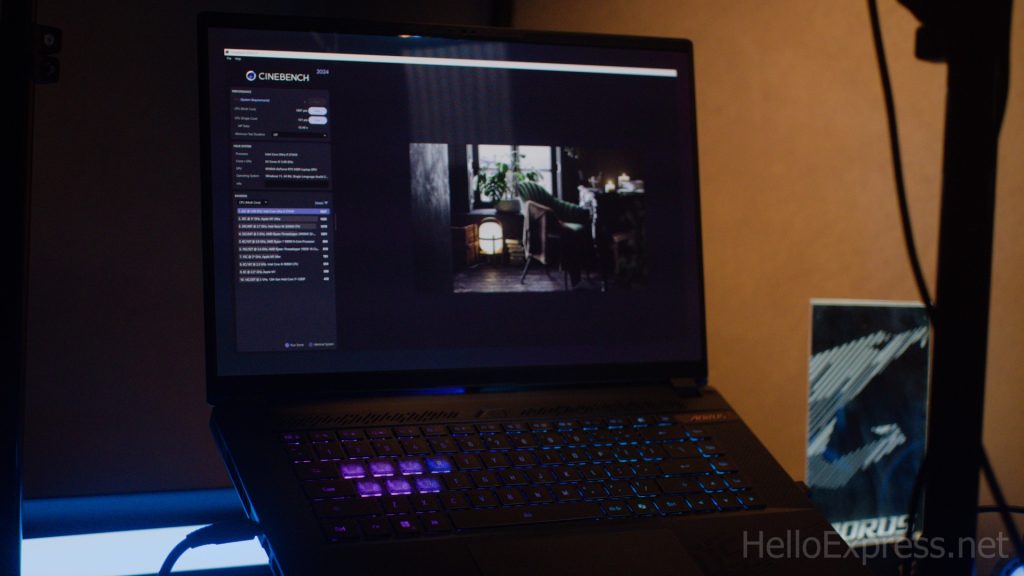
Professional User Experience: The high WQXGA resolution ensures sharp text rendering and provides ample screen real estate, which is excellent for intensive multitasking, administration, and financial analysis.

Movie Watcher Experience: With native OLED technology, WQXGA resolution, and Dolby Vision support, this screen delivers a truly cinematic experience, boasting stunning HDR and unmatched contrast levels perfect for high-quality streaming.

Gamer Experience: The combination of a 240Hz refresh rate, 1ms GTG response time, and NVIDIA G-SYNC technology eliminates screen tearing and motion blur, providing competitive gamers with the smoothest and most responsive visuals available.

Content Creator Experience: 100% DCI-P3 gamut coverage and factory calibration ensure exceptional color accuracy. This makes the display perfect for professional video editing and graphic design, allowing creators to trust that their work will display correctly across all devices.
Display Benchmark
We performed calibration using DisplayCal and observed strong color fidelity results. The laptop achieved 99% sRGB coverage, 95% DCI-P3 coverage, and 87% Adobe-RGB coverage.
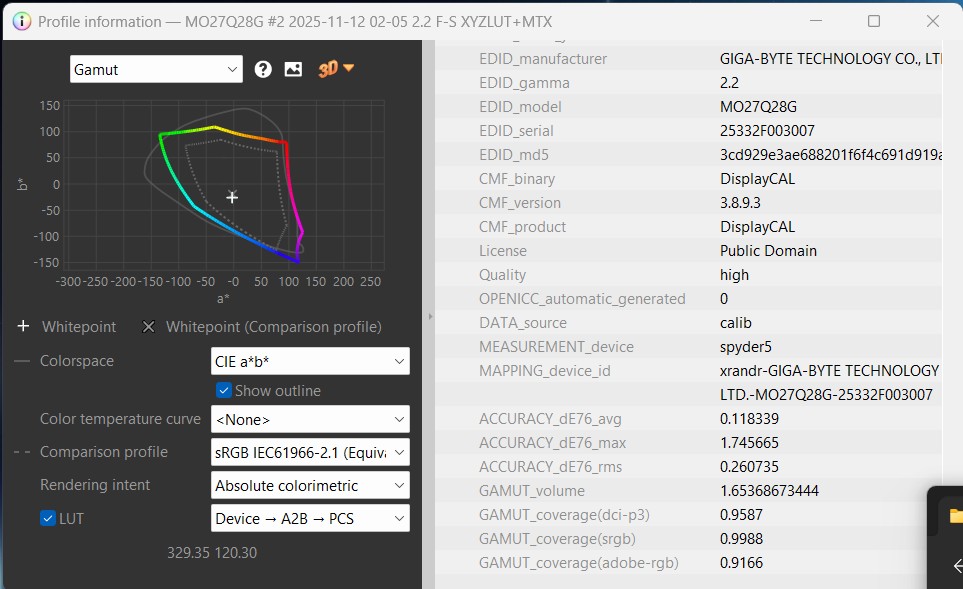
Home User Experience: With nearly full sRGB coverage (99%), all standard digital content, including web images and home photos, renders with complete accuracy and vibrancy, making the everyday viewing experience pleasant.
Professional Admin User Experience: The strong sRGB coverage is more than adequate for typical office applications, document preparation, and data analysis. These tasks do not require the widest color spaces, and the results are excellent for this user group.

Gamer Experience: The high 95% DCI-P3 coverage allows game developers’ intended color palettes to shine through. This leads to a richly saturated and deeply immersive visual experience, making game worlds more vibrant and realistic.
Content Creator Experience: The high DCI-P3 and Adobe-RGB coverage makes the AORUS MASTER 16 highly versatile. 95% DCI-P3 is critical for modern video workflows, while 91% Adobe-RGB is a strong result for professional photographers and print designers needing a wider color palette.
Audio
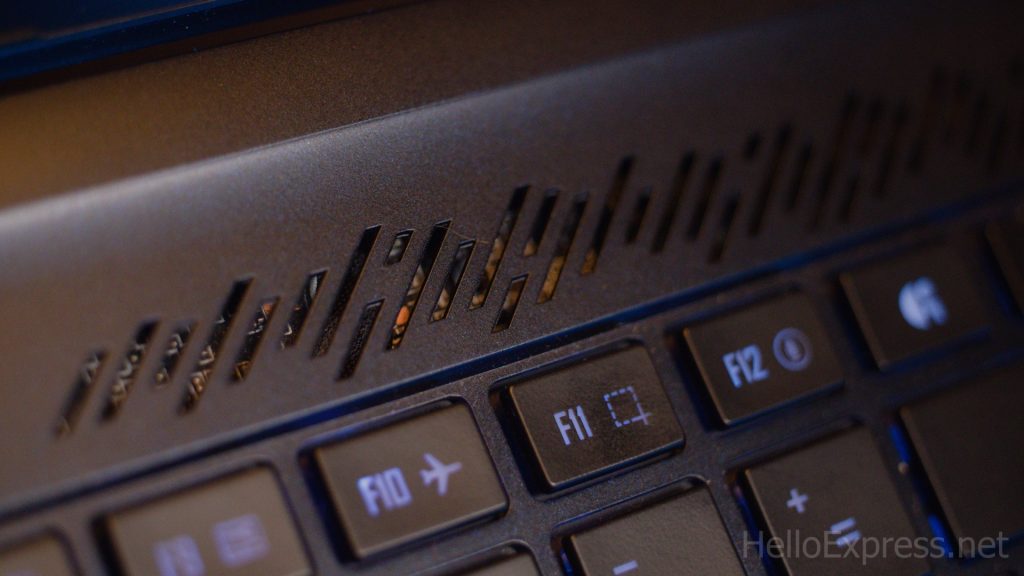
The AORUS MASTER 16 is engineered to deliver a truly immersive cinematic gaming experience. This is significantly boosted by the inclusion of Dolby Atmos support. While specific details on speaker configuration (number, wattage, and placement) were not provided, the spatial audio capabilities ensure a rich and directional soundscape for both movies and games.
Keyboard
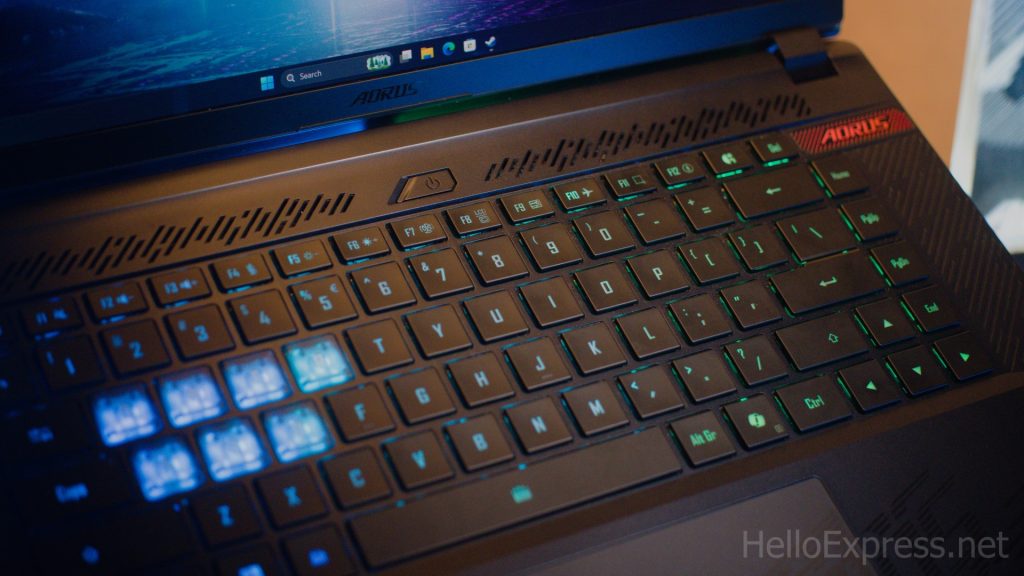
The included keyboard is a comfortable and responsive unit, featuring 3-zone RGB backlighting. This dynamic lighting across key sections allows users to personalize the look. Beyond aesthetics, the lighting enhances immersion during intense gaming sessions by making key visibility excellent in any environment.
I/Os and Connectivity
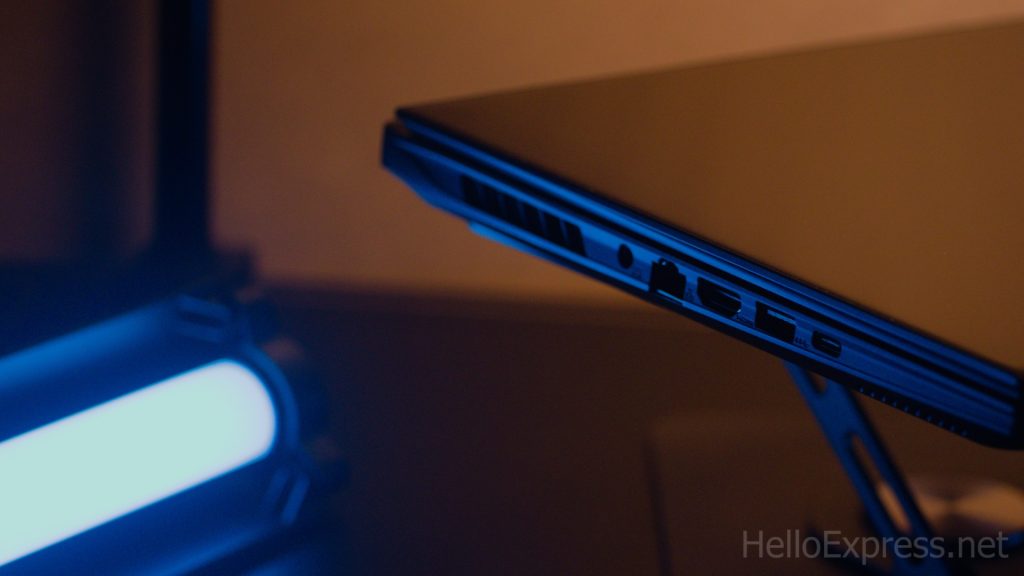
The GIGABYTE Aorus Master 16 Laptop features a comprehensive set of ports on its chassis. On the left side, you find the DC-in port, an RJ-45 Ethernet port, an HDMI 2.1 port, one USB 3.2 Gen2 Type-A port, and a standout Thunderbolt™ 5 (USB4, DisplayPort™ 2.1, Power Delivery 3.0) port.
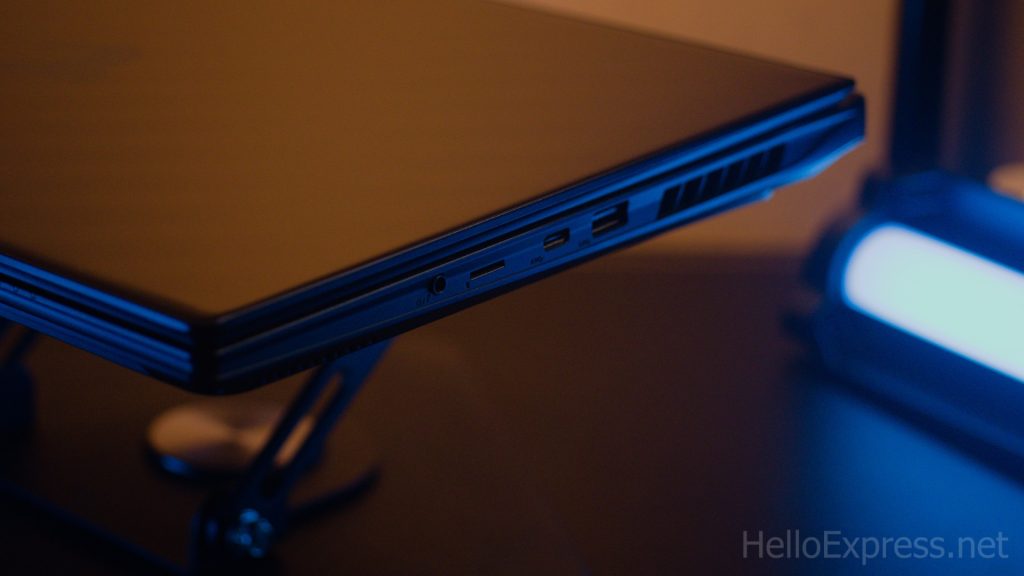
The right side hosts another USB 3.2 Gen2 Type-A port, a second Type-C port utilizing Thunderbolt™ 4 (USB4, DisplayPort™ 1.4, Power Delivery 3.0), a MicroSD UHS-II slot, and a single combo Audio Jack. The inclusion of Thunderbolt 5 is a major future-proofing feature.
Battery Life and Charging
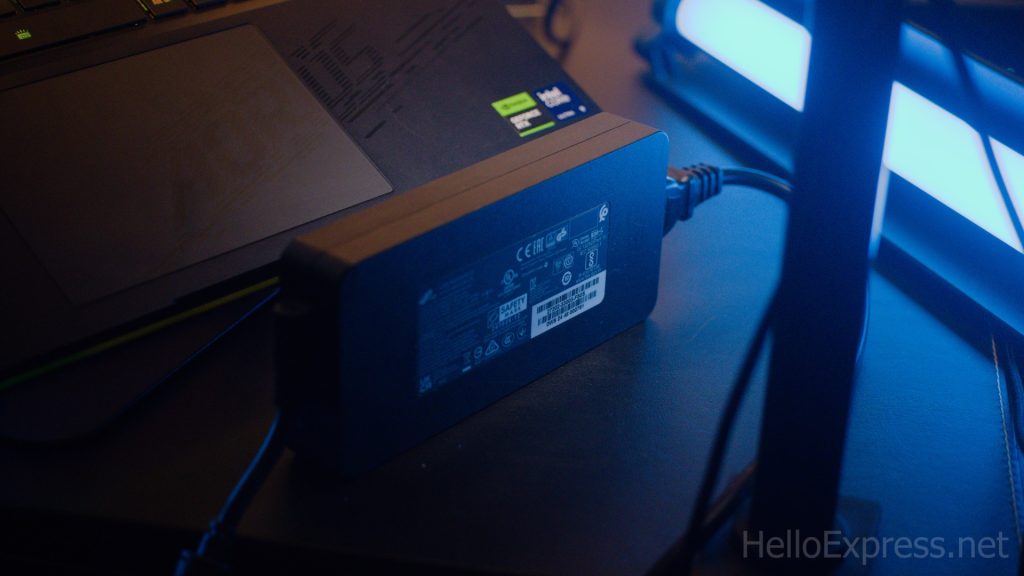
The laptop is powered by a Lithium Ion battery, though the specific capacity is not listed. Longevity is improved by NVIDIA Advanced Optimus DDS Technology, which intelligently switches graphics power for better endurance. A massive 330V AC power brick is provided for full performance charging. A notable inconvenience is that while both Type-C ports support Power Delivery 3.0, the laptop will not charge via USB-C, forcing reliance on the proprietary brick.
Battery Benchmark

Using the UL Benchmark PC Mark battery test, we managed to achieve approximately four hours of battery life. This is an acceptable result for a high-powered gaming machine, especially one housing such a potent CPU and GPU. We are happy to trade off a few hours of endurance for the available raw performance. We did note that the laptop was overly aggressive in defaulting to sleep mode during testing, which required a manual override in Windows settings to complete the benchmark.
Aorus Master 16 Internal
CPU
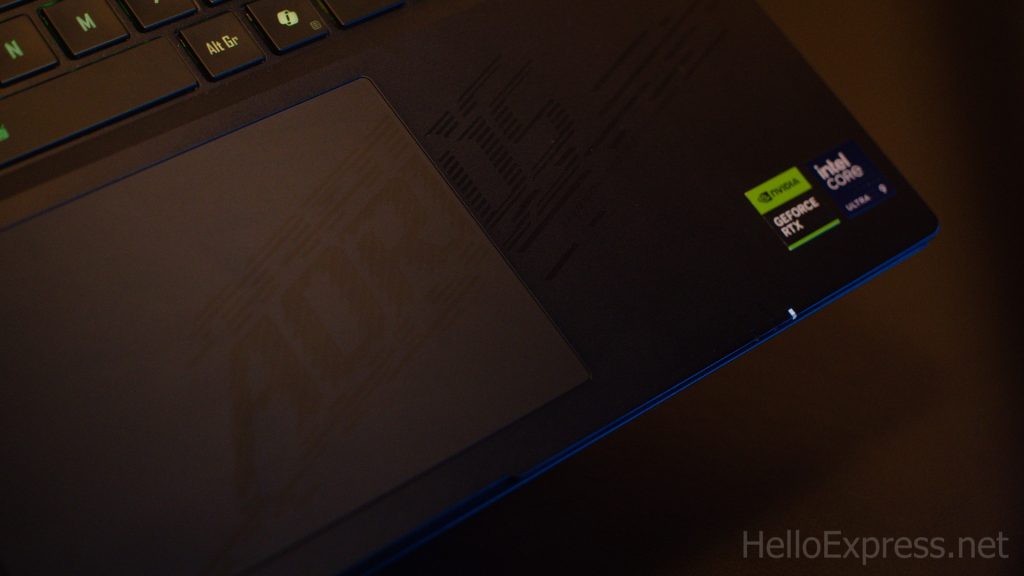
The AORUS MASTER 16 is equipped with the Intel Core Ultra 9 Processor 275HX. This CPU boasts an impressive 24 Cores and can reach a maximum clock speed of up to 5.40 GHz. This configuration provides true desktop-tier gaming performance in a portable format, along with extra overclocking headroom for enthusiasts. As part of the latest Core Ultra 200HX Series, it includes a new-generation NPU. This NPU is specifically designed to handle sustained AI workloads with superior power efficiency, marking this machine as a true AI PC. The system’s performance is intelligently managed by GIGABYTE GiMATE, an advanced AI agent.
GPU
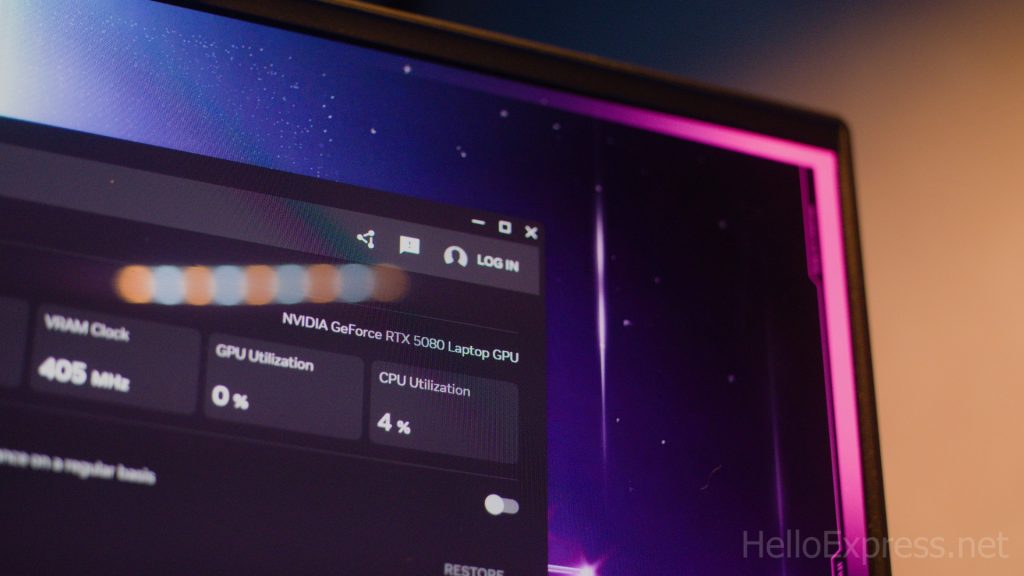
Driving the graphics is the NVIDIA GeForce RTX 5080 Laptop GPU, complete with 16GB of GDDR7 dedicated graphics memory. This GPU leverages the power of the NVIDIA Blackwell architecture, delivering massive AI horsepower. This capability enables new experiences and next-level graphics fidelity. The GPU excels at generating images rapidly and multiplying performance through NVIDIA DLSS 4. The combined CPU and GPU cooling capacity supports a total thermal power of up to 230 watts, with the GPU operating at a full 175W. NVIDIA’s Max-Q technology optimization results in a powerful yet relatively thin and long-lasting RTX laptop.
RAM
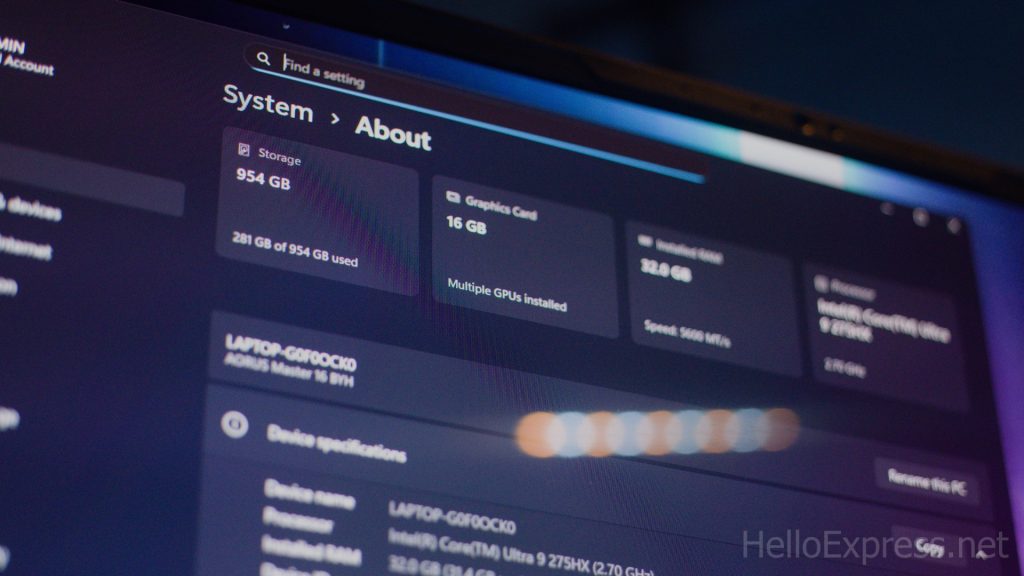
The AORUS MASTER 16 comes equipped with 32GB of DDR5 RAM. This memory is configured using two 16GB SO-DIMM sticks, ensuring a high-speed, dual-channel configuration. The memory operates at a fast 5600 MHz speed. Both of the laptop’s SO-DIMM sockets are utilized in this 32GB setup.
Performance Benchmarks
We ran standard 3DMark tests to gauge raw graphical capability. The GIGABYTE Aorus Master 16 Laptop scored 5068 in 3Dmark Steel Nomad and 13534 in 3Dmark Port Royal.
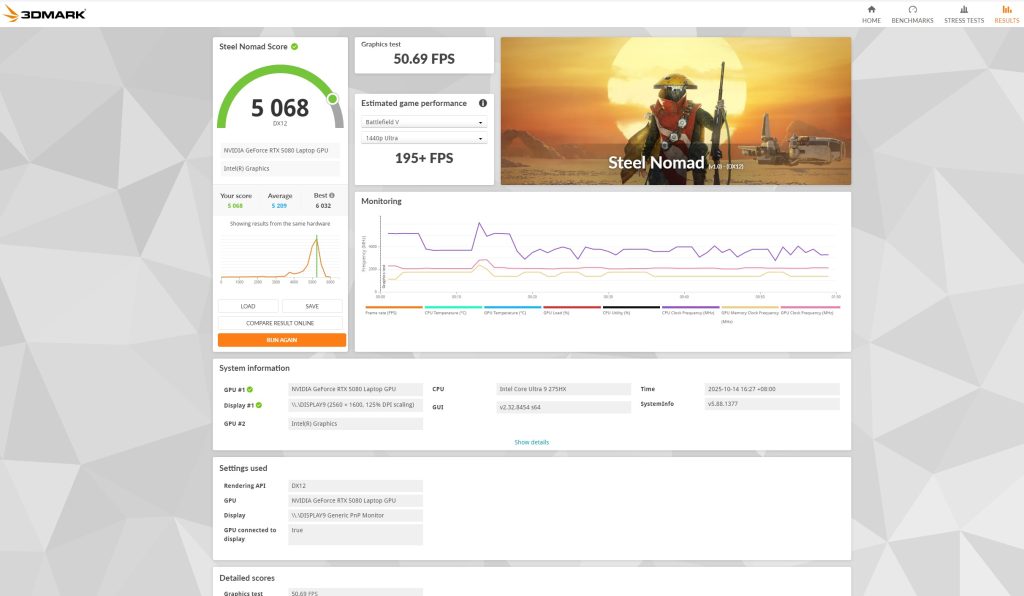
Home User Experience: While extreme overkill for basic tasks like web browsing or streaming, this powerful score guarantees that the system is incredibly responsive. It will run demanding applications and maintain smooth operation for years without struggle.
Professional Admin User Experience: This high score reflects a system that can handle complex data sets, advanced visualization software, and simultaneous high-load applications instantly. This drastically improves workflow efficiency compared to standard professional laptops.
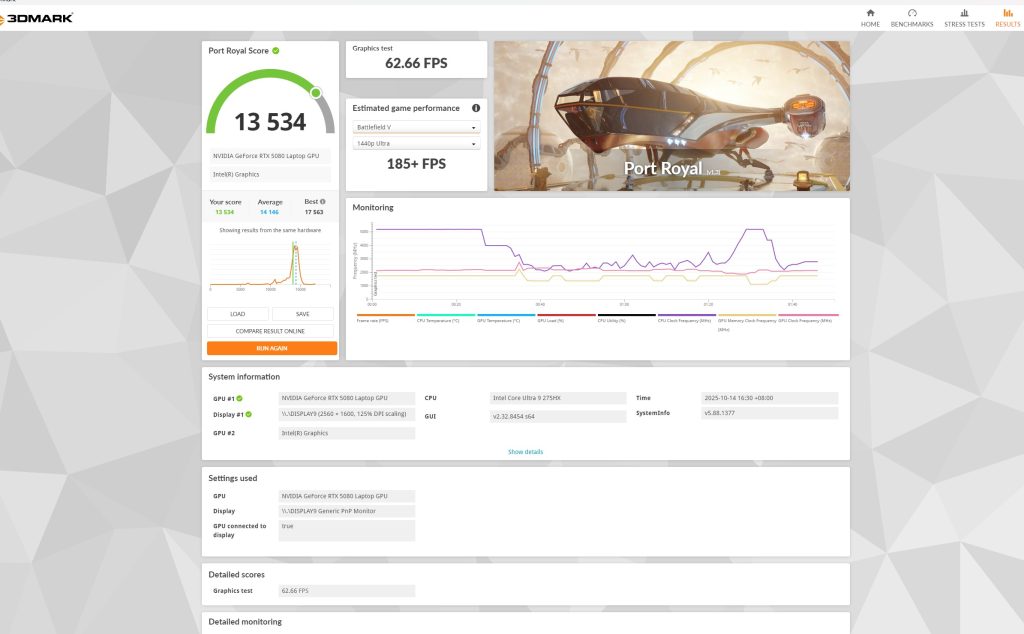
Gamer Experience: A Port Royal score of 13534 is elite. This confirms the laptop’s ability to play the most graphically intensive titles at high resolutions (2K or 4K) with maximum detail and ray tracing settings enabled, ensuring competitive performance.
Content Creator Experience: The high benchmark results translate directly to superior processing and render times. Whether using GPU-accelerated video editing software or 3D rendering engines, this power drastically reduces waiting times for complex, large-scale projects.
Gaming Benchmarks
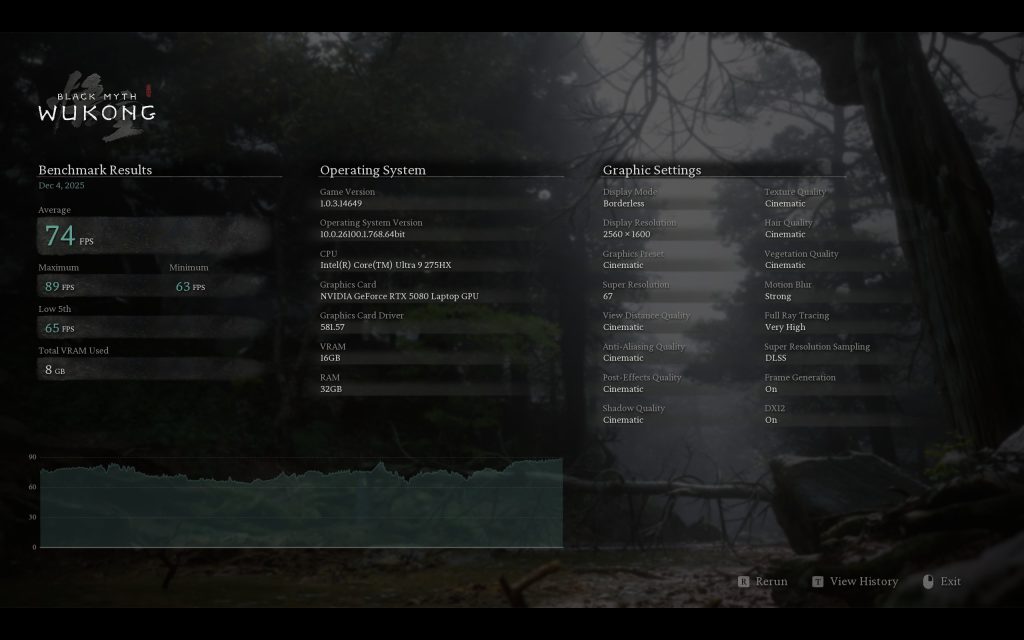
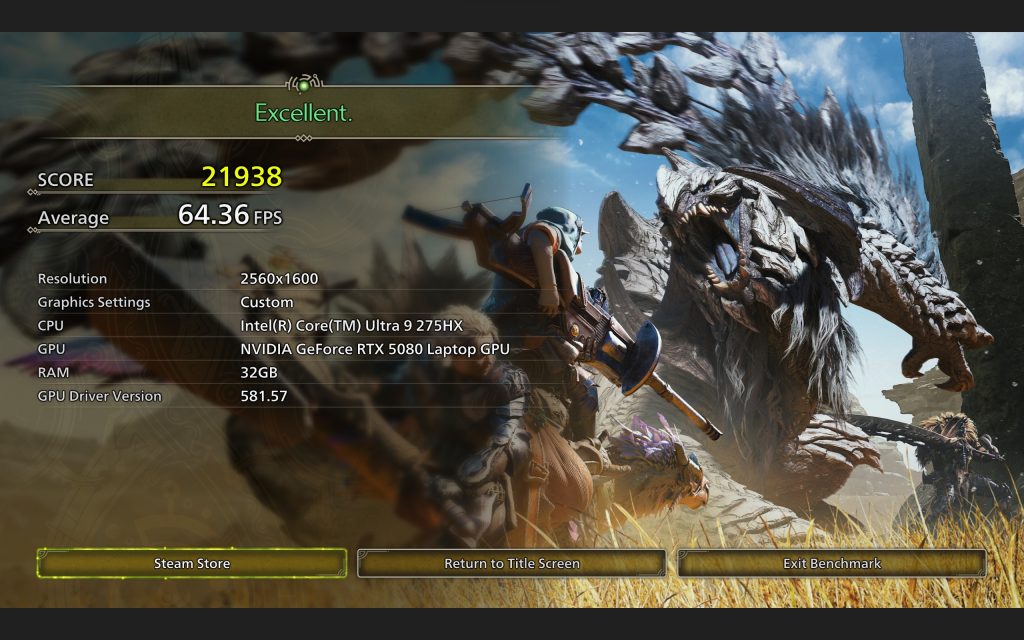
To illustrate real-world performance for the GIGABYTE Aorus Master 16 Laptop, we tested two demanding titles at 2K resolution with maximum settings and high ray tracing enabled.
Gamer Experience:
These frame rates demonstrate the machine’s exceptional capability. In Black Myth Wukong, it achieved an average of 74fps with Frame Generation (FG) on.
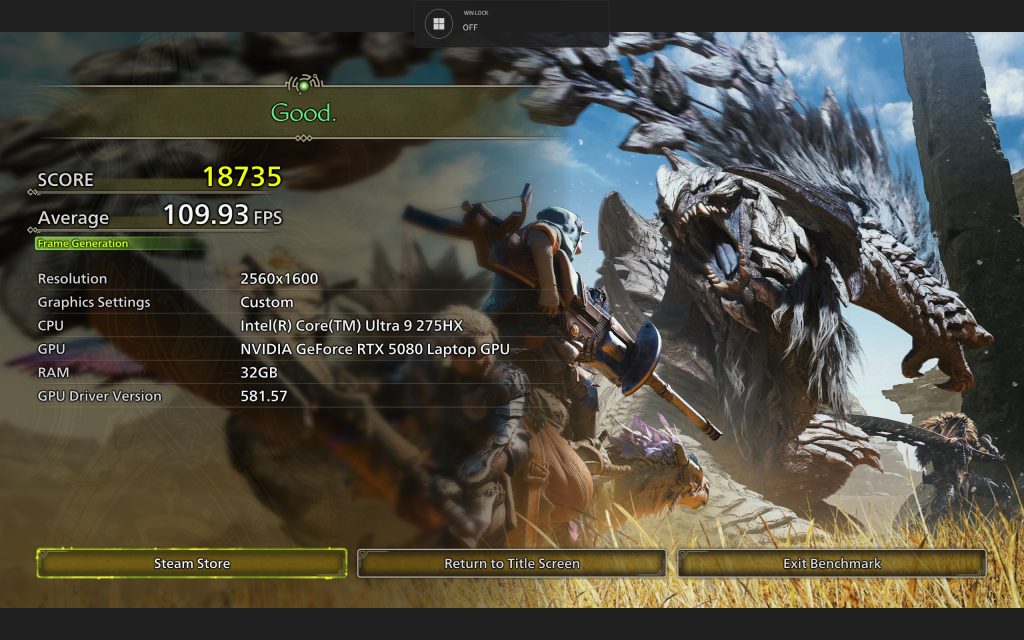
Monster Hunter Wild hit a fantastic average of 109fps with FG on, dropping to 64fps when FG was disabled.
The significant boost from Frame Generation allows the Aorus Master 16 to utilize its high refresh rate 240Hz screen fully. This performance confirms desktop-class fidelity and frame rates in a portable chassis.
Aorus Master 16 Cooling
WINDFORCE Infinity EX
Cooling is handled by the WINDFORCE Infinity EX Cooling Technology, GIGABYTE’s most capable solution to date. It is rated to handle up to 230-watt total thermal power. The system features a dual frost fan design, a redesigned lateral housing, and noise-cancelling technology. This advanced cooling allows the new-generation CPU and GPU to unleash their full performance potential while maintaining a friendly cool zone on the chassis. For low workloads, the design is capable of achieving 0dB silent operation.
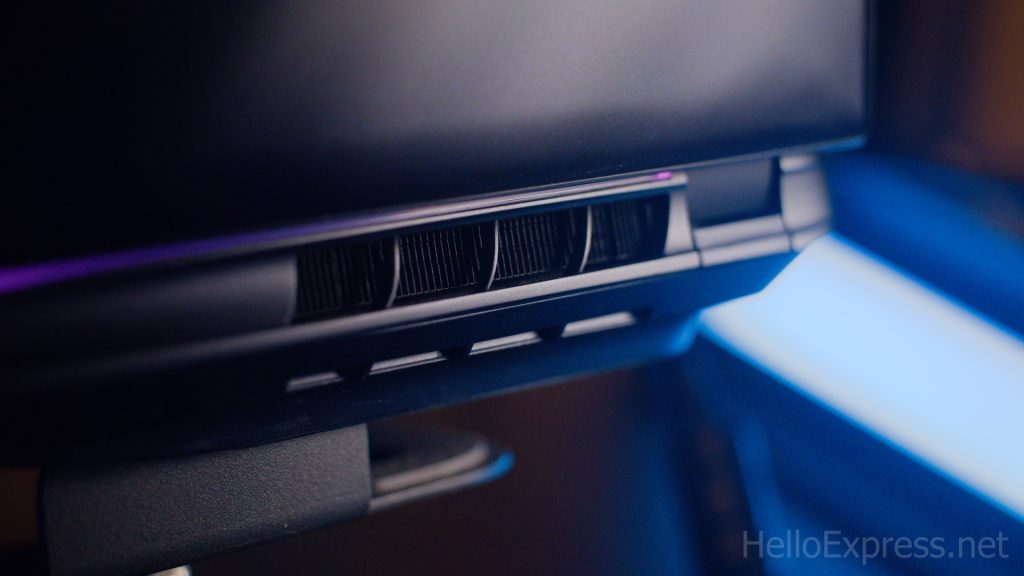
In our full-load experience, the fans are noticeably loud, which is expected for a machine handling this level of performance. However, the powerful airflow ensures the system runs efficiently and cool under pressure. Based on the Cyberpunk 2077 performance data, where Game Mode (Performance Fan) delivered 162 fps at 47dB and Balance Mode delivered 151 fps at 45dB, we recommend Balance Mode as the excellent default profile for mixed general use. It provides a near-flagship experience with a minimal noise penalty. For critical gaming sessions, switch directly to Game Mode.
Aorus Master 16 Software and AI Features
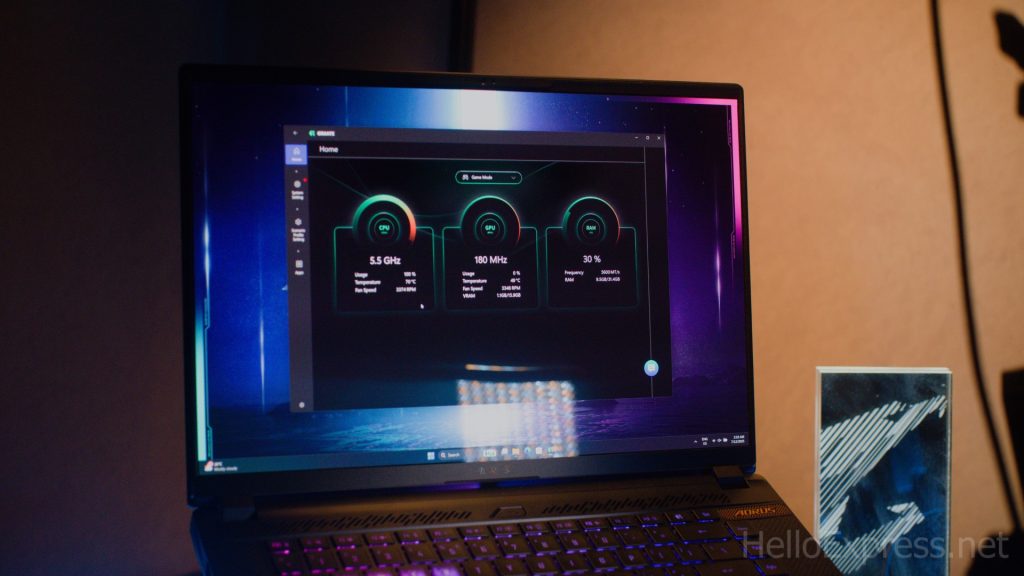
The AORUS MASTER 16 runs on Windows 11 Home and ships with commendably minimal bloatware. Its designation as an AI PC is supported by the Intel Core Ultra 200HX NPU, which efficiently handles AI workloads. The unique feature set is centered around the GIGABYTE Intelligence system, managed by the intelligent AI agent called GiMATE. GiMATE acts as a smart AI PC suite, allowing performance personalization through various modes, including Game Mode, Balance Mode, Creator Mode, and Power Saving Mode. It even includes a chat function, allowing users to communicate preferences to the agent for optimal performance adjustments.
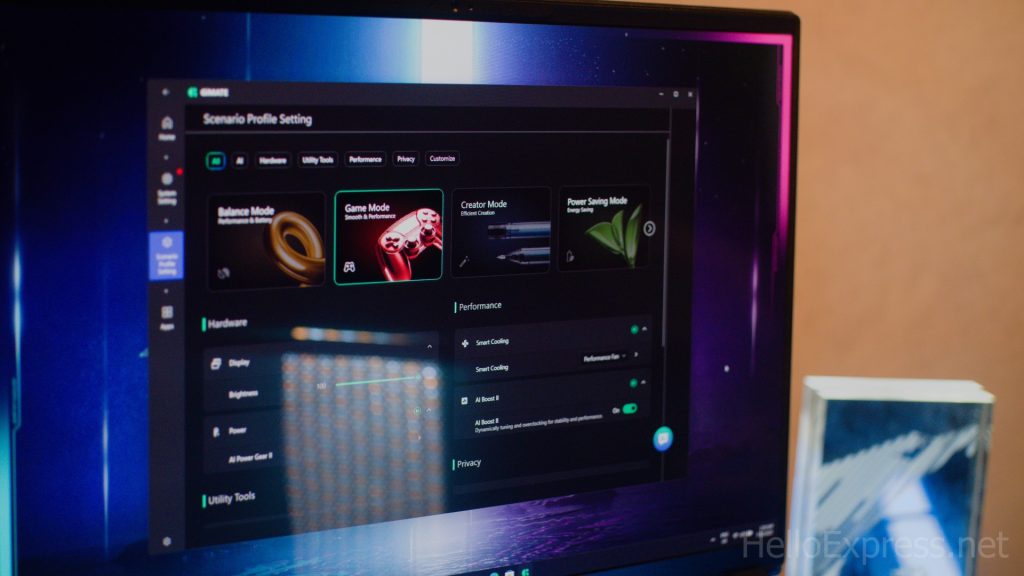
We tested the performance profiles in CyberPunk 2077 (1440p, RT Overdrive, DLSS FG):
- Game Mode (Turbo Fan): Avg 165.01 fps, 50 dB fan noise.
- Game Mode (Performance Fan): Avg 162 fps, 47 dB fan noise.
- Balance Mode (Normal Fan): Avg 151.27 fps, 45 dB fan noise.
- Eco Mode (Normal Fan): Avg 123.73 fps, 43 dB fan noise.
However, our experience with the GiMATE application was buggy initially. We encountered an infinite update loop that froze the PC suite. This required a full software reset to resolve. We have reported this issue to GIGABYTE, and we anticipate an update will quickly address this initial instability in the intelligent control software.
Aorus Master 16 Conclusion
The GIGABYTE Aorus Master 16 Laptop is priced at RM13,499.00, placing it squarely above the normal price bracket for most gaming systems. Considering the hardware, this premium positioning is understandable. On the one hand, the laptop’s Pros are undeniable: it delivers truly desktop-class performance from the Core Ultra 9 and RTX 5080, boasts a stunning 240Hz OLED display with professional color coverage, and features future-proof I/O like Thunderbolt 5. On the other hand, the Cons are minor but present.
The cooling fans can be loud under heavy load, the GiMATE software proved buggy in our initial testing, and the inability to charge via USB-C is a small inconvenience given the advanced ports. Ultimately, the GIGABYTE Aorus Master 16 Laptop is built for those who demand the absolute best in mobile gaming and creation without compromise.

We recommend this machine for users seeking a definitive flagship experience. Furthermore, with current market trends showing significant increases in memory prices, we advise securing this unit early to potentially avoid higher costs in the coming months. For its exceptional performance and cutting-edge feature set, we are pleased to award the GIGABYTE Aorus Master 16 Laptop our hello express silver award.

Help support us!
If you are interested in the GIGABYTE Aorus Master 16 Laptop, we would really appreciate if you purchase them via the link below. The affiliate links won’t cost you any extra, but it will be a great help to keep our lights on here at HelloExpress.
Lazada: https://s.lazada.com.my/s.Gickb
Shopee: https://s.shopee.com.my/6AdoSmRKrv
Aorus Master 16 Laptop
You'll need this Master 16 powerhouse now. Get it early; future-proof your game with maximum speed. Great price for this ultimate power!
Positives
- Desktop-tier performance (Core Ultra 9 / RTX 5080).
- Stunning 240Hz OLED display with 1ms response.
- Future-proof Thunderbolt™ 5 I/O port.
- Excellent color accuracy and robust build quality.
Negatives
- Cooling fans can be very loud under full load.
- GiMATE software experienced initial instability/bugs.
- Inability to charge the laptop via USB-C port.