
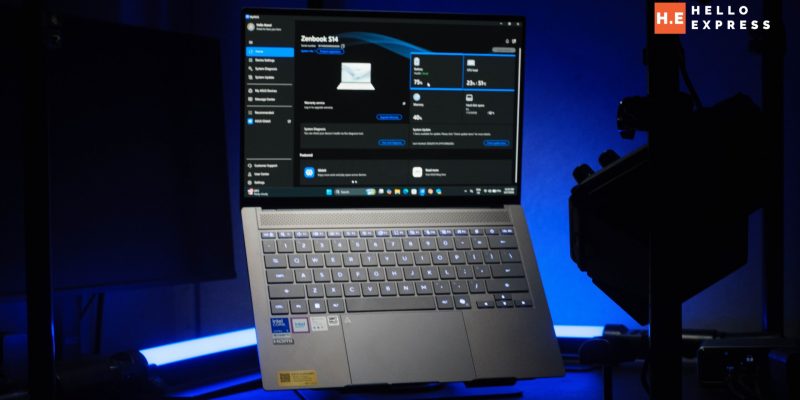
ASUS Zenbook S14 Review: Styled Like Granite, Built Deceptively Tough

ASUS Zenbook S14
The ASUS Zenbook S14 makes a rare argument in the ultrabook space: that design and performance don't have to trade off against each other.
Positives
- Ceraluminum chassis — genuinely distinct design
- Core Ultra 9 388H + 32GB RAM — serious performance
- Extremely compact for a 14" — 1.1cm / 1.2kg
- 3K 120Hz OLED, wide colour coverage (98% sRGB)
- 12h battery at full brightness — real-world tested
- Windows Hello + Pluton — enterprise-grade security
- 2-year international warranty
Negatives
- Bundled software (Norton, StoryCube) can't be opted out at setup
Table of Contents
Most 14-inch ultrabooks solve for one of two things: they look premium, or they perform. Rarely both. Spend enough time reviewing laptops in this bracket and a pattern emerges — the ones that photograph beautifully tend to run modest Core Ultra 5 or U-series chips to keep the chassis thin and the fans quiet, while the ones with real performance headroom default to the same brushed-aluminium or plastic-composite look every other brand ships. You end up choosing a lane.
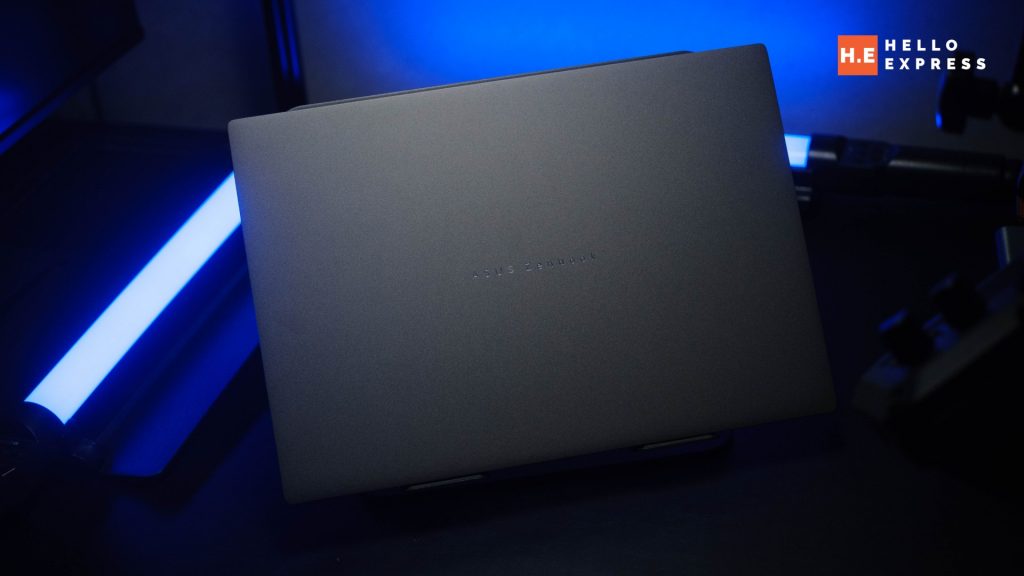
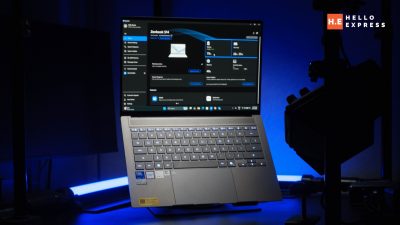
The ASUS Zenbook S14 argues you shouldn’t have to. The Ceraluminum-clad chassis — our review unit in Zumaia Gray — looks and feels like polished stone rather than brushed metal, the kind of finish that gets a second glance across a boardroom table. Underneath sits a Core Ultra 9 386H and 32GB of RAM, a specification tier that has no business being paired with a design this considered. Usually one of those two things gives way to the other.
We spent time with it running a genuine corporate workload — document-heavy multitasking, video calls, the kind of all-day usage pattern that actually stress-tests a work laptop rather than a synthetic benchmark loop — to see whether the design ambition holds up once the novelty wears off.
What We Like
A Chassis That Actually Looks Different
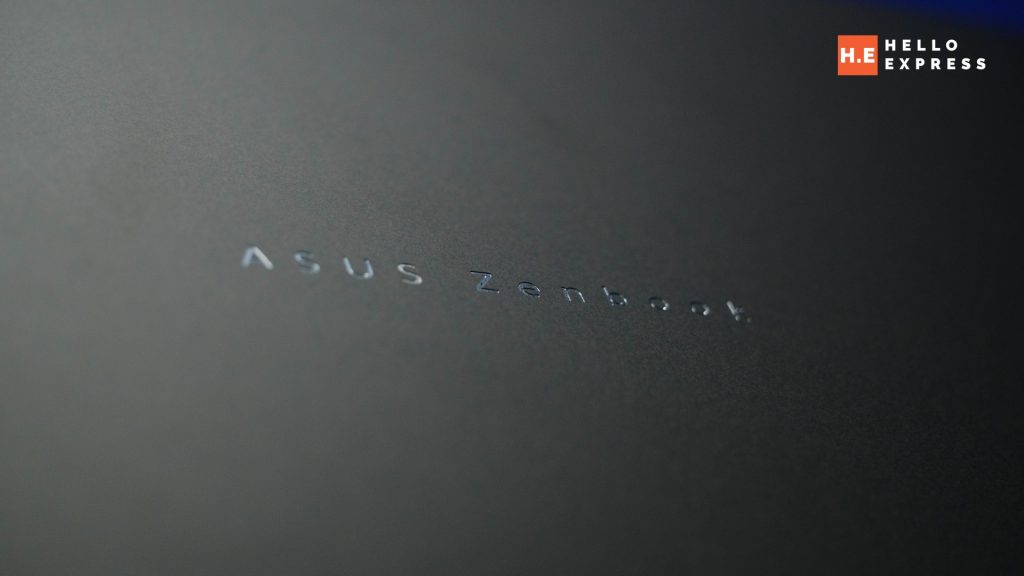
The all-metal Ceraluminum build in Zumaia Gray reads like hardened granite rather than the usual brushed-aluminium ultrabook finish most manufacturers default to. Ceraluminum is ASUS’s ceramic-infused aluminium alloy — a manufacturing process that bonds a ceramic layer into the metal surface, which is what produces the stone-like texture and matte depth rather than the reflective, fingerprint-magnet sheen typical of anodised aluminium. It doesn’t just look different in product photos; it feels different under the hand, with a slightly cooler, denser touch than standard metal unibody laptops.
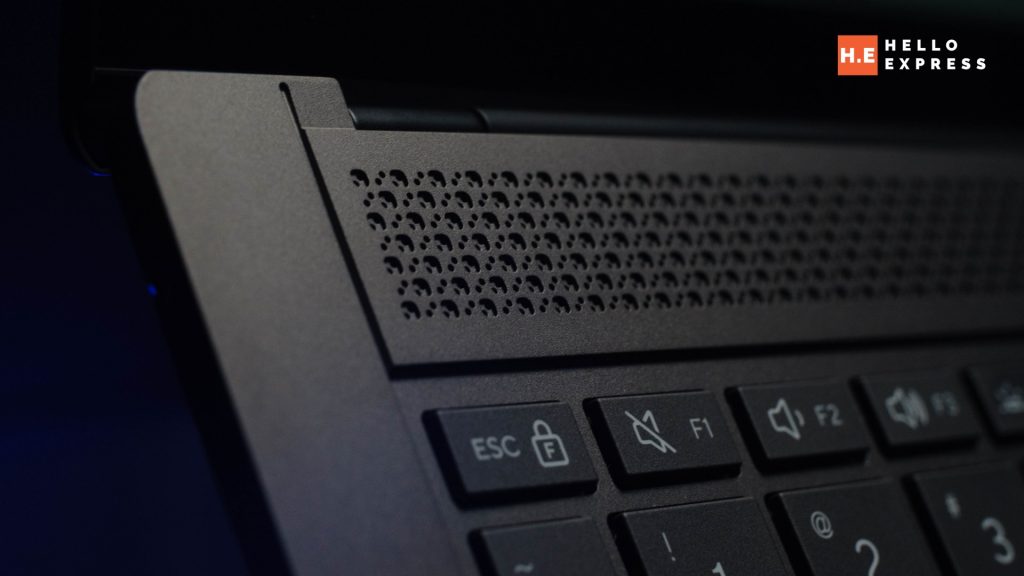
A Scandinavian White variant is also available for buyers who want the same material story in a lighter finish — useful context if Zumaia Gray doesn’t suit your office aesthetic. For a category where most laptops are visually interchangeable the moment the lid closes — you could swap the badge on half the ultrabooks in any Malaysian electronics store and few people would notice — this is a genuine standout. It’s the kind of design choice that gets noticed and commented on, which matters more than spec sheets suggest for anyone using this laptop client-facing.
Genuinely Compact for a 14-inch
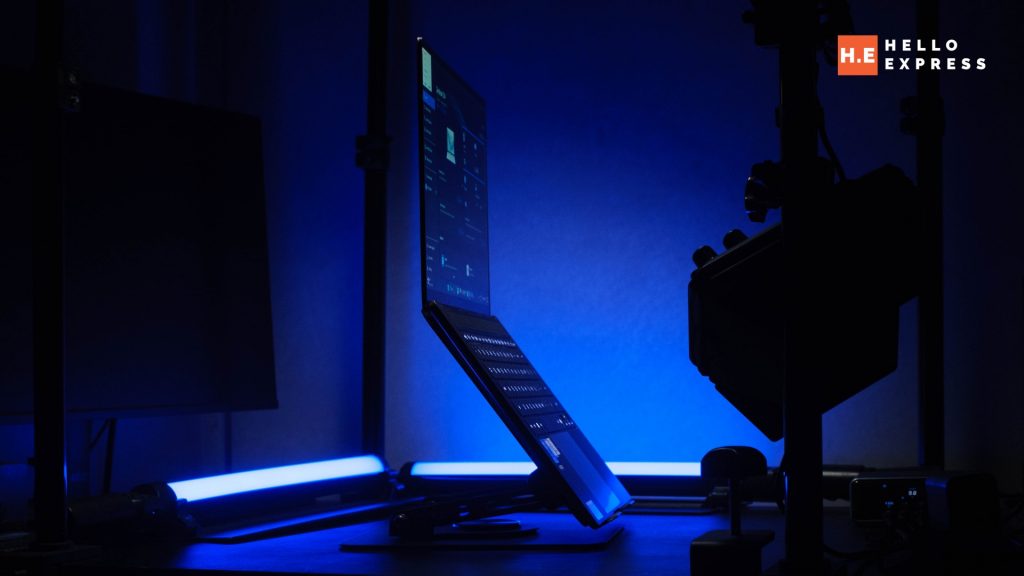
At 1.1cm thick and 1.2kg, this is among the most compressed 14-inch chassis we’ve handled. For context, that thickness is in the same territory as 13-inch ultra-portables, not typical 14-inch workhorses — most 14-inch laptops in this performance tier sit closer to 1.5–1.8cm to accommodate cooling for a Core Ultra 9-class chip. ASUS has managed to keep the thermal headroom without inflating the footprint, which is not a trivial engineering trade-off.
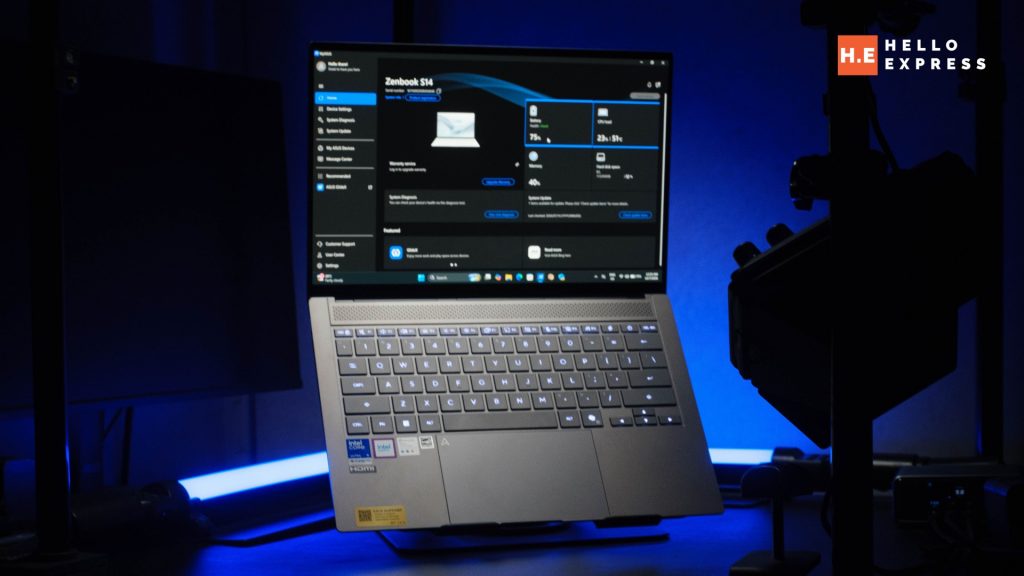
The combination of size, weight, and the stone-like finish gives it a density that feels deliberate rather than accidental — picking it up, there’s a sense of mass concentrated correctly rather than a laptop that feels hollow or flexes under grip. For Malaysian professionals who carry a laptop between client meetings, co-working spaces, and home daily, that 1.2kg figure is the difference between a laptop that lives in the bag and one you actually want to carry.
A Display That Punches Above Its Bracket
The 3K 120Hz ASUS Lumina OLED panel covers 98% sRGB, 90% Adobe RGB, and 93% DCI-P3. Those numbers matter more than they might first appear: sRGB coverage in the high-90s is the baseline for genuinely accurate general-purpose colour reproduction, but 90% Adobe RGB and 93% DCI-P3 push this panel into territory usually reserved for content-creation-focused laptops costing considerably more. That is colour coverage suited to photo editing and light video grading work, not just spreadsheets and email — a meaningful step up from the standard corporate-issue 60Hz IPS panel most executives are handed by IT.
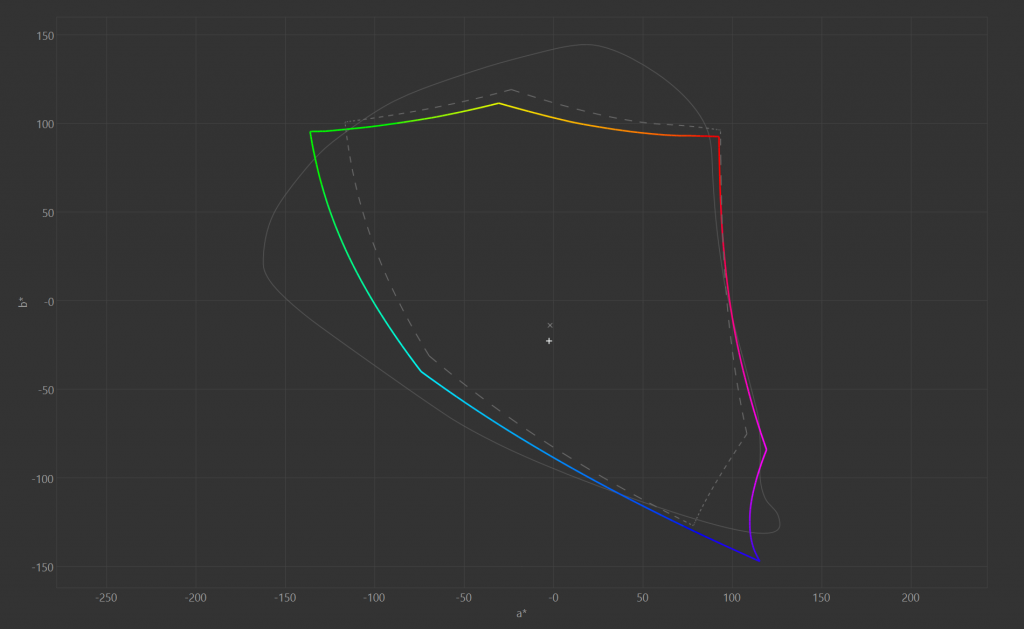
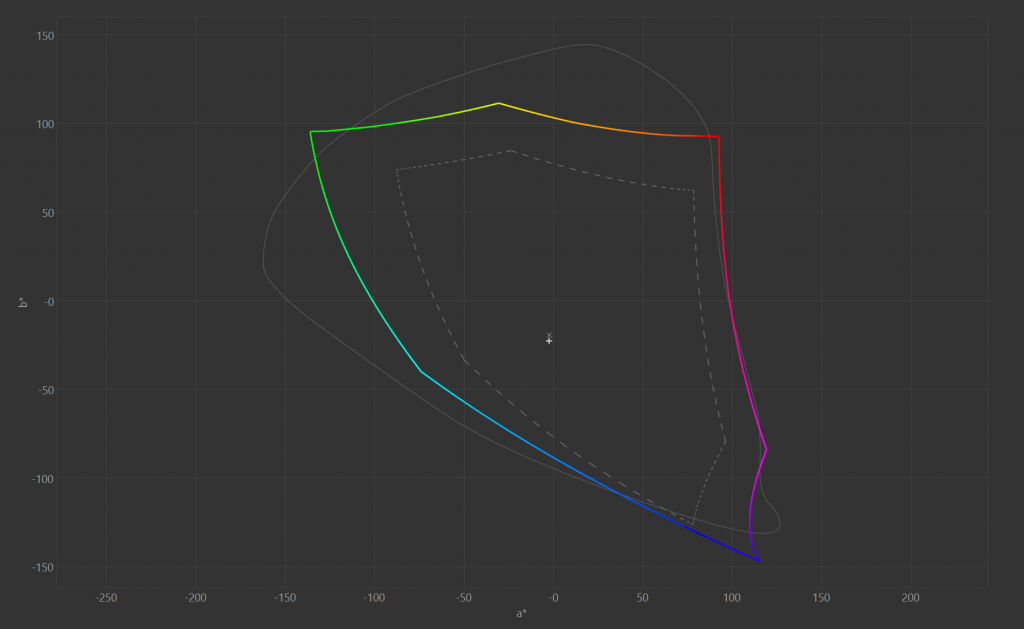
The 120Hz refresh rate is a secondary but genuinely useful addition on top of the colour story — scrolling through long documents and switching between windows feels noticeably smoother than the 60Hz panels still standard on most business laptops. It’s not a spec that shows up on a feature checklist during procurement, but it’s felt every single day of use.
Enterprise Security, Properly Done
Windows Hello facial recognition and Microsoft Pluton’s hardware-to-cloud protection give this a genuinely corporate-grade security posture out of the box. Pluton in particular is worth understanding for IT buyers: it’s a security processor built directly into the silicon rather than a separate chip, which closes off a category of physical attack vectors that traditional TPM (Trusted Platform Module) implementations remain exposed to — credentials, encryption keys, and identity data are isolated from the OS and firmware layer entirely.
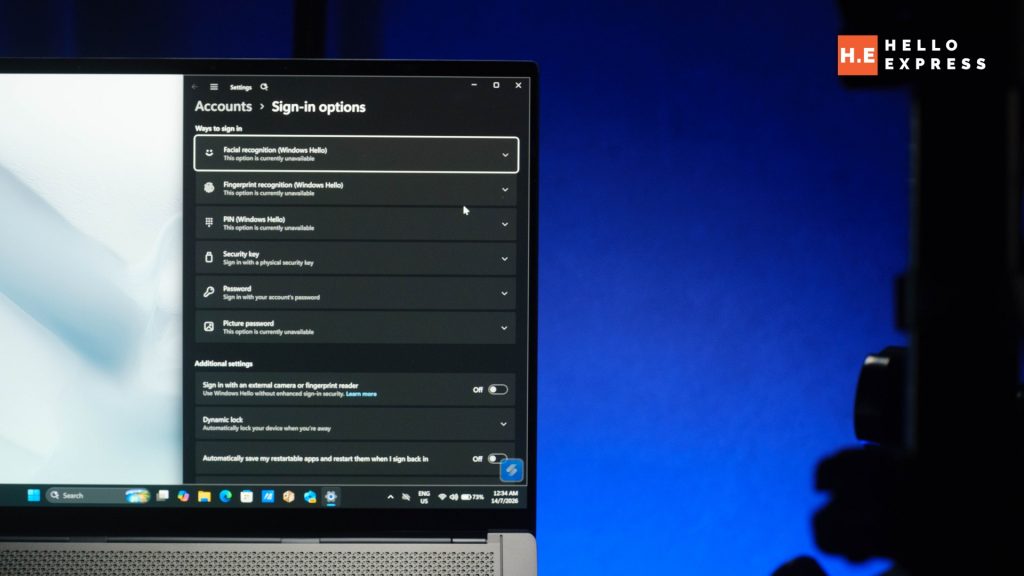
For any Malaysian business evaluating fleet laptops under PDPA-relevant data handling obligations, or any professional handling client-sensitive material, this isn’t a checkbox feature. It’s the difference between a laptop that meets baseline enterprise security requirements and one that was actually engineered with corporate deployment in mind from the silicon up.
Battery Life That Holds Up at Full Brightness
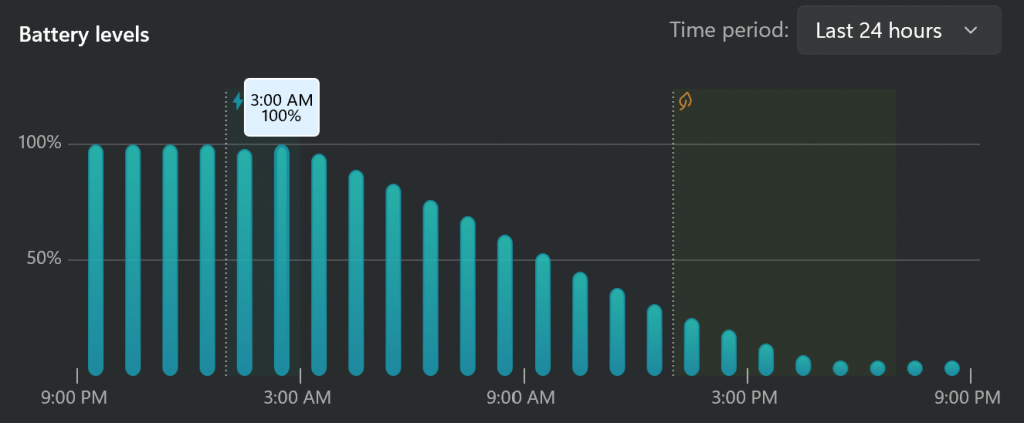
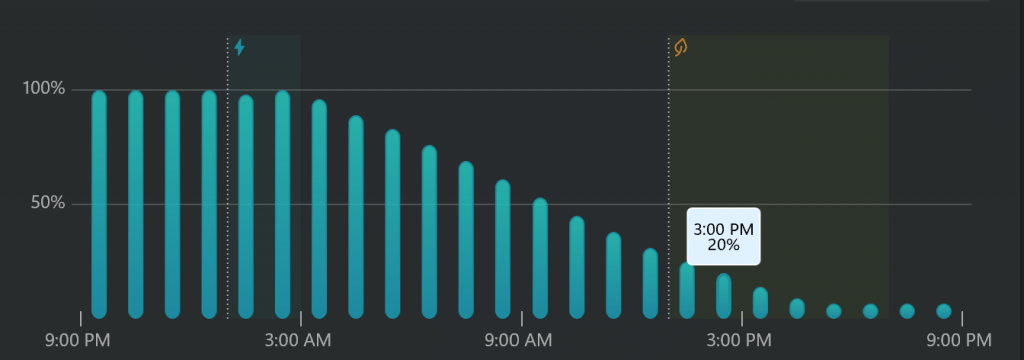
12 hours from 100% to 20% on PCMark 10 Modern Office at full brightness. Full brightness is the harshest realistic condition to test under — it’s not a dimmed-screen best-case scenario, it’s closer to how the panel will actually be run in a bright Malaysian office or client site. The result holds up well against that bar, and for a laptop carrying a 3K OLED panel at 120Hz — both of which are meaningfully more power-hungry than a standard 60Hz FHD panel — 12 hours is a genuinely strong outcome rather than a spec-sheet number that collapses under real conditions.
65W Type-C charging is on board, which covers a full top-up over a working lunch or a commute, though it’s not a standout fast-charge speed in this bracket — buyers expecting the aggressive 20-minutes-to-50% charging some gaming-adjacent ultrabooks now offer should temper expectations here. For a laptop positioned around all-day corporate use rather than rapid top-ups between meetings, that’s a reasonable trade-off rather than a genuine shortfall.
What We Don’t Like
Bundled Software You Can’t Opt Out Of
MyASUS is a well-built, genuinely useful PC suite — driver updates, system diagnostics, and battery health management in one clean interface, the kind of first-party software other manufacturers should be taking notes from. ScreenXpert and GlideX effectively replace paid third-party utilities once you start using them: ScreenXpert handles multi-window and multi-display management with a polish that rivals dedicated window-manager software, and GlideX turns a tablet or second device into a wireless secondary display without the usual latency complaints.
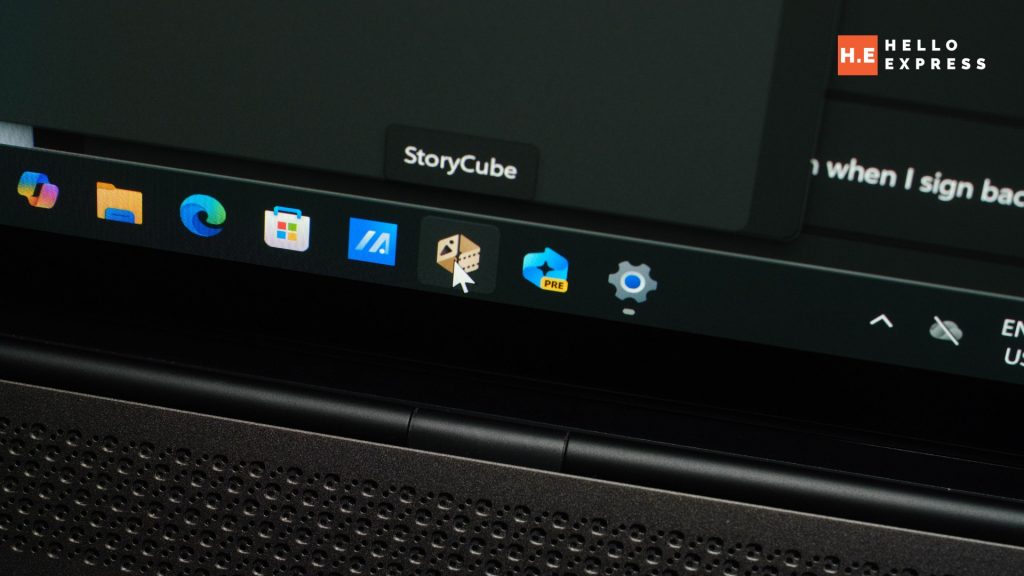
But StoryCube — the AI-powered media sorter that automatically categorises photos and videos by location, scene, and face — are bundled without a lean-install option. Buyers who want a clean Windows setup on day one, particularly IT departments provisioning laptops at scale, don’t get that choice at unboxing. It’s all-or-nothing, and for a laptop otherwise positioned as a premium corporate tool, a first-boot option to select which utilities to install would have been the more professional touch. This is a minor gripe rather than a dealbreaker — everything can be manually uninstalled — but it’s friction on a machine that gets almost everything else right.
Specification
| Processor | Intel Core Ultra 9 388H |
| Graphics | Intel Graphics (integrated) |
| NPU | Up to 50 TOPS |
| RAM | 32GB LPDDR5X |
| Storage | 1TB PCIe 4.0 NVMe SSD |
| Display | 14″ 3K 120Hz ASUS Lumina OLED — 98% sRGB / 90% Adobe RGB / 93% DCI-P3 |
| Connectivity | Wi-Fi 7, Bluetooth 5.4 |
| Ports | 2× Thunderbolt 4, 1× USB 3.2 Type-A, 1× HDMI 2.1 |
| Battery | 77Wh, 68W Type-C fast charging |
| Weight / Thickness | 1.2kg / 1.1cm |
| Warranty | 2 years international with 1st year Perfect Warranty |
| Price (MY) | RM9,499 |
Verdict
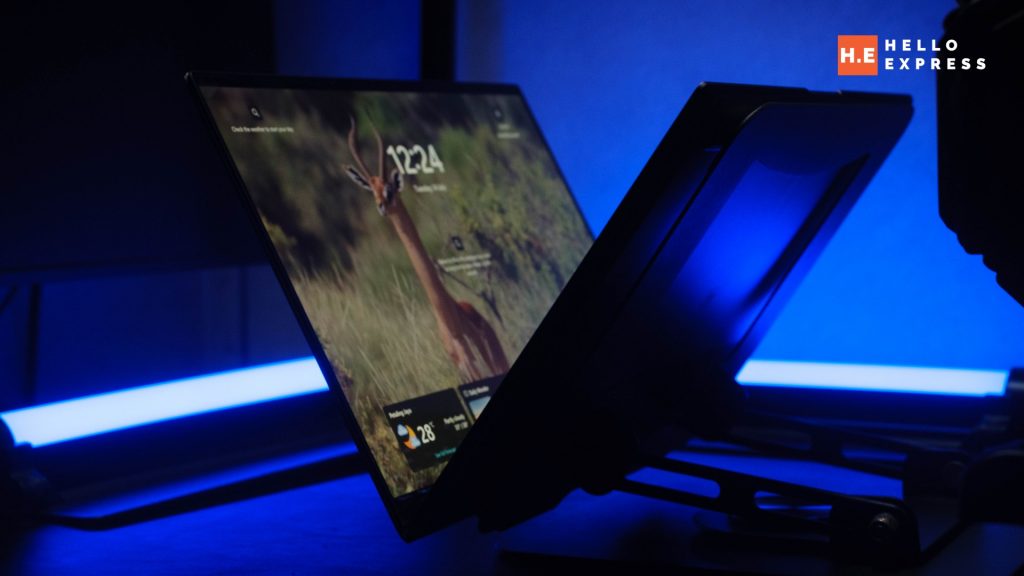
The ASUS Zenbook S14 makes a rare argument in the ultrabook space: that design and performance don’t have to trade off against each other. The Ceraluminum chassis is a real differentiator, not a marketing flourish — it looks and feels distinct from every other 14-inch laptop on the shelf, and that distinction holds up under daily handling rather than fading after the first week. Underneath, the Core Ultra 9 386H and 32GB of RAM deliver genuine corporate-workload performance, backed by a display good enough for occasional creative work and a security suite — Pluton in particular — that IT departments will actually appreciate rather than treat as a checkbox.
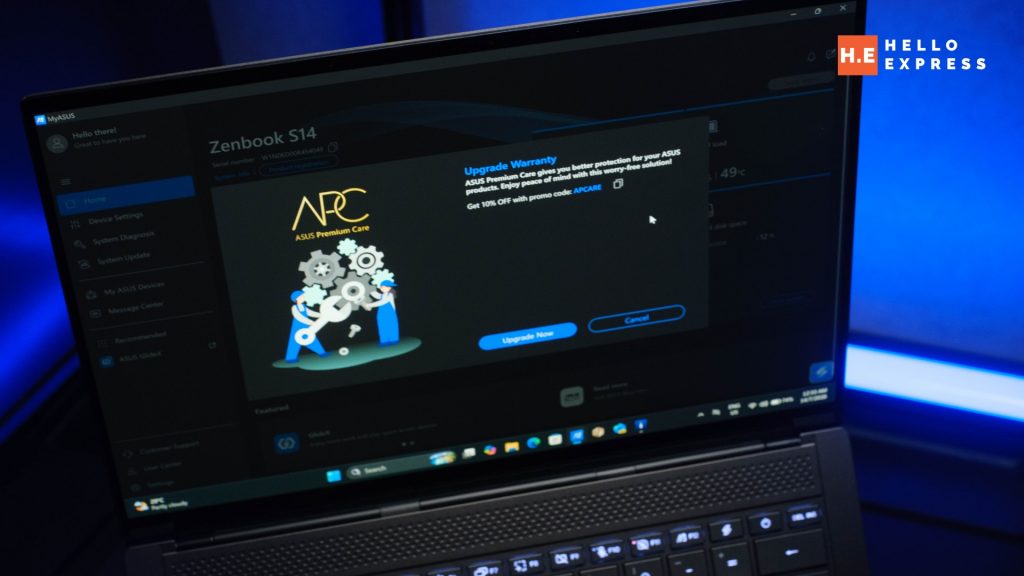
The only real friction is the bundled software situation — generous, well-built in places, but not something you can trim at setup. It’s a minor mark against an otherwise tightly engineered package. For RM9,499 backed by two years of international warranty with a 1-year accidental damage protection, this is one of the strongest work laptops available in Malaysia at this price, and it looks like nothing else in the category — which, in a market where every ultrabook increasingly resembles the last one, is worth more than the spec sheet alone suggests.
Help support us!
If you are interested in the Zenbook S14, we would really appreciate if you purchase it via the links below. The affiliate links won’t cost you any extra, but it will be a great help to keep the lights on here at HelloExpress.
- ASUS Zenbook S14 (Shopee): https://s.shopee.com.my/4LHnKzA6wd
- ASUS Zenbook S14 (Lazada): https://s.lazada.com.my/s.ZXNPbp?c=d&t=p-iGFrso1-s2FuijTL