OpenClaw’s Biggest Update Yet: Skills Made Easier, Teams Overhauled, Security Fixed

v2026.3.23-2 is more Than Just Bug Fixes
OpenClaw is back on its familiar daily update rhythm, but this one’s different. Previous updates mostly addressed minor bugs, but the v2026.3.23-2 release brings substantial improvements that users will actually feel day-to-day. From smoother Skills setup to a completely revamped Teams experience, here’s what’s worth knowing.

Skills Installation Gets a Major Overhaul
If you’ve ever installed a Skill only to find it wouldn’t run with a bunch of confusing error messages, you’re not alone. OpenClaw has completely rethought how Skills get installed.
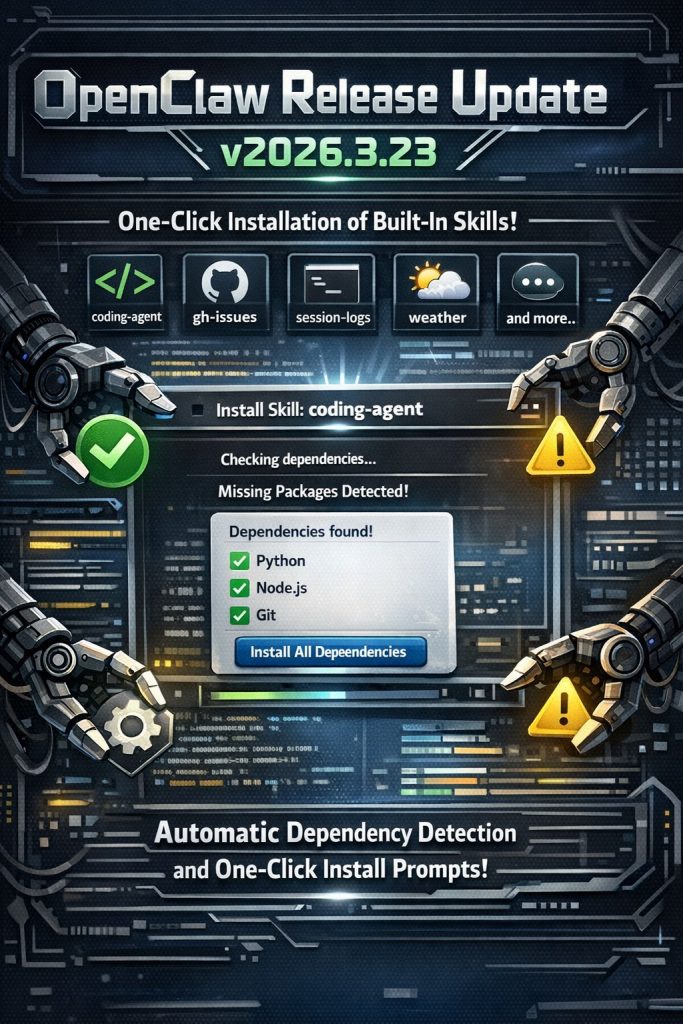
The system now includes one-click installation recipes for built-in Skills like coding-agent, gh-issues, session-logs, weather, and others. When you try to install these, OpenClaw automatically detects which dependencies you’re missing and prompts you to install them directly—no more digging through documentation.
The Skills page in the console has also been redesigned with clearer tabs: All / Ready / Needs Setup / Disabled, each with quantity statistics. Click any Skill and you get a detailed popup showing exactly what it needs, how to configure it, where to find your API Key, and step-by-step installation instructions.
One small but meaningful detail: Skills that lack configuration used to show “missing” in red. Now it says “needs setup”—just one word changed, but the tone is completely different. Instead of blame, it’s guidance.
Console Sidebar Finally Makes Sense
The macOS configuration page has switched to a collapsible tree sidebar with clear hierarchy. Previously it was a horizontal row of capsule buttons where navigating felt like wandering through a maze. Now it works like the file tree in VS Code—expand, collapse, see relationships at a glance. Not revolutionary, but much more convenient.
Critical Security Fix
A media file access bypass vulnerability has been patched. The issue involved an alias in the file access path (mediaUrl/fileUrl) that attackers could theoretically use to bypass OpenClaw’s media access restrictions and obtain files they shouldn’t have been able to reach. This has been completely disabled—neither tool actions nor message actions can break through the media access boundary through this path anymore.
For users running OpenClaw on their own infrastructure, this is the kind of vulnerability you typically never know existed unless someone explicitly reports it. Good that it’s been addressed.
Microsoft Teams Finally Gets Serious
Teams support has always been the underdog in OpenClaw’s channel lineup. This update changes that completely. The underlying layer has been migrated to the official Teams SDK, replacing the previous non-official approach.
The AI-native experience is now genuinely native: streaming replies (watch answers type out bit by bit like ChatGPT), welcome cards with shortcut prompts, “thinking” status indicators while typing, and native AI tags beside messages. It finally feels like a real AI assistant instead of an awkward addition.
Message editing and deletion have also been added. Previously, if the Agent sent out a wrong message, you could only stare at it. Now you can fix it.
Group Chat Bug Fixes Across Platforms
Several platform-specific issues have been resolved:
- WhatsApp groups: OpenClaw was processing its own messages twice, essentially replying to itself. Fixed.
- Telegram forum topics: Messages to the #General theme were being routed incorrectly. Now handled properly.
- Discord: When OpenClaw timed out processing a request, it used to just stop responding silently. Now it sends a timeout prompt to let you know.
These might seem minor individually, but accumulated over daily use, the experience difference is real.
For Developers: RAG Compatibility Improved
Two new endpoints have been added for projects using OpenClaw through the OpenAI-compatible interface: /v1/models and /v1/embeddings. These significantly improve compatibility with RAG (Retrieval-Augmented Generation) applications.
The update also adds Node version checking before running openclaw update. Previously, Node 22.14 users could encounter installation failures due to version incompatibility mid-upgrade, leaving confusing error messages. Now it checks first and tells you exactly what you need before starting.
Our Take
This update shows OpenClaw maturing from “functional tool” to “polished product.” The Skills experience in particular addresses one of the biggest friction points for new users—Skills have always been powerful but could be daunting to set up. Making installation smoother lowers the barrier for everyone.
The Teams overhaul is significant for enterprise users who’ve been stuck with a barely-functional experience. Combined with the security fix and group chat improvements, this feels like an update worth installing sooner rather than later.
If you’ve been putting off trying OpenClaw because the setup seemed complicated, this might be a good time to revisit.