Pixel Desktop Mode Arrives with March Pixel Drop – Turn Your Phone Into a Workstation

TLDR:
– Google officially launches Android Desktop Mode with March Pixel Feature Drop
– Connect Pixel 8 or newer to external display via USB-C for full desktop experience
– Features include multi-window app support, dock interface, and keyboard/mouse compatibility
– Pixel phones unavailable officially in Malaysia – grey market only via Shopee and Lazada

What is Pixel Desktop Mode?
Google has finally brought Desktop Mode to Pixel phones with the March 2026 Pixel Feature Drop, marking a significant milestone in the evolution of Android as a productivity platform. This long-awaited feature transforms your Pixel smartphone into a fully functional desktop computer when connected to an external display, effectively blurring the lines between mobile and desktop computing.
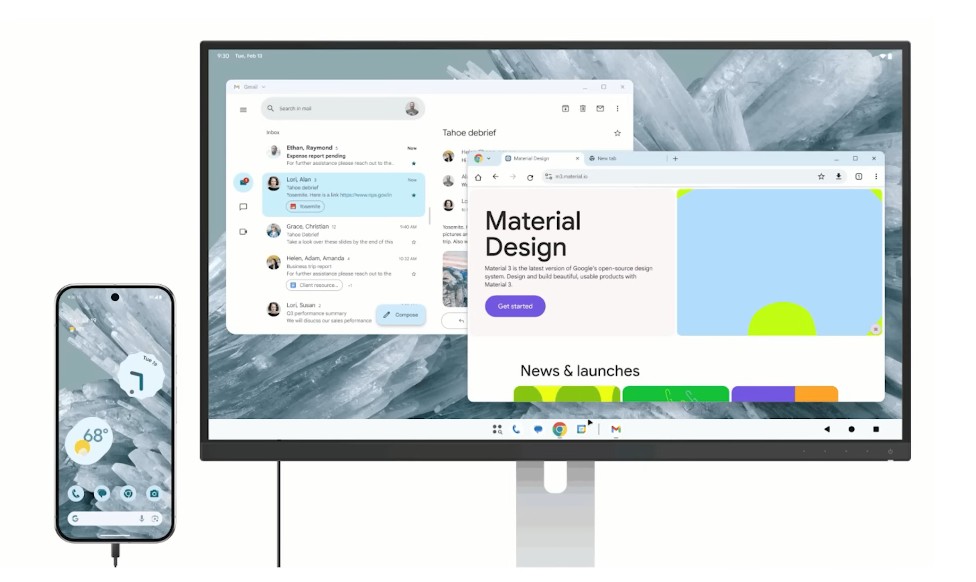
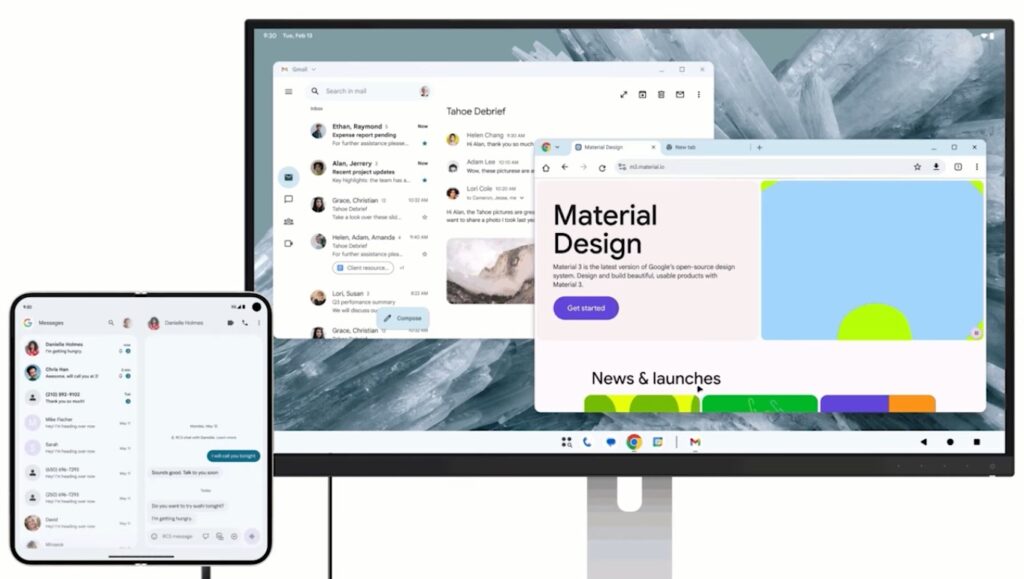
Desktop Mode essentially extends your phone interface onto a larger screen, providing a PC-like experience without needing a separate computer. The mode has been designed to work seamlessly with standard desktop peripherals, allowing users to leverage their existing keyboards, mice, and monitors to get real work done on what is essentially a pocketable device.
The implementation represents years of development in Android large-screen ecosystem, building upon foundation work done in Android 12L and Android 14. Google has refined the experience to ensure that apps function properly in windowed modes, the interface feels intuitive on desktop displays, and productivity workflows can be carried out efficiently.
Supported Devices
Not all Pixel phones are eligible for this new Desktop Mode experience. Google has limited the feature to relatively recent hardware, specifically the Pixel 8 series and newer devices. This includes the Pixel 8, Pixel 8 Pro, Pixel 8a, Pixel 9 series, Pixel 9 Pro Fold, and any future Pixel devices that receive the March 2026 Feature Drop.
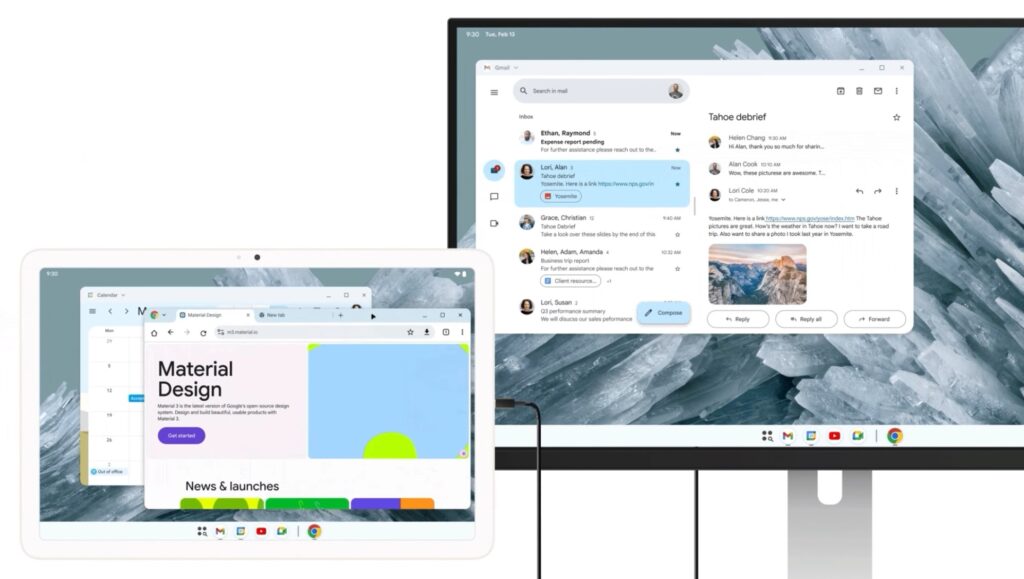
The requirement for Pixel 8 or newer makes sense from a hardware perspective. Desktop Mode demands sufficient processing power to drive both the phone display and an external monitor simultaneously, along with handling multiple windows and desktop-class workflows. The Tensor G3 and newer chipsets found in these devices provide the necessary performance headroom.
For Malaysian users, this is an important consideration when shopping for a Pixel device. Since Google does not officially sell Pixel phones in Malaysia, enthusiasts must rely on grey market importers or online marketplaces like Shopee and Lazada. Prices for imported Pixel devices typically range from RM2,500 to RM4,500 depending on the model and storage configuration, with the Pixel 9 Pro Fold commanding the highest premiums due to its foldable form factor.
How It Works
Getting started with Pixel Desktop Mode is straightforward. Users simply connect their Pixel phone to an external display using a USB-C to HDMI cable or a compatible wireless display adapter. The phone automatically detects the external display and switches to Desktop Mode, presenting a familiar desktop-style interface on the connected monitor.
The connection process has been designed for simplicity. There no complex setup or additional docking station required – a single cable is all it takes to transform your phone into a desktop computer. Google also supports wireless display connections for those who prefer a cleaner setup without cables, though the wired connection provides more reliable performance for productivity tasks.
Once connected, the phone screen becomes a touchpad for cursor control, or you can connect a Bluetooth mouse for more precise pointing. The on-screen keyboard can be used for text input, or you can pair a physical keyboard via Bluetooth or USB-C for typing-intensive tasks. This flexibility means users can adapt the setup to their specific workflow needs.
What You Can Do With It
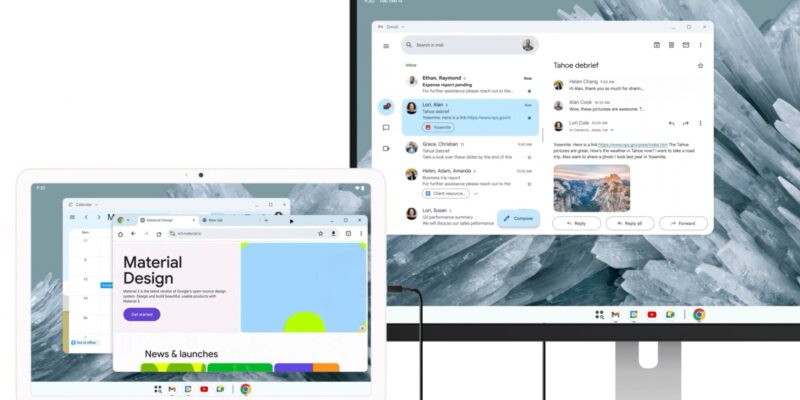
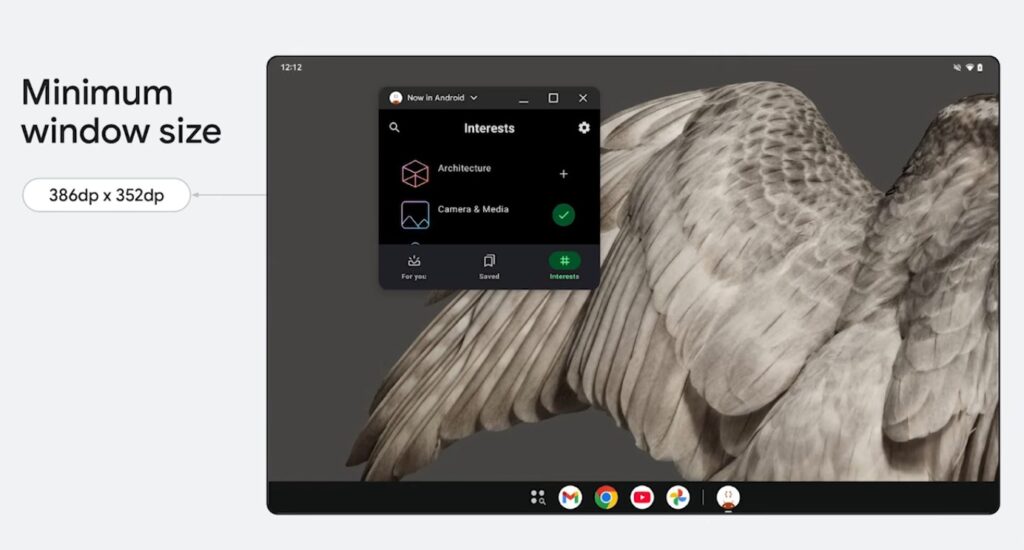
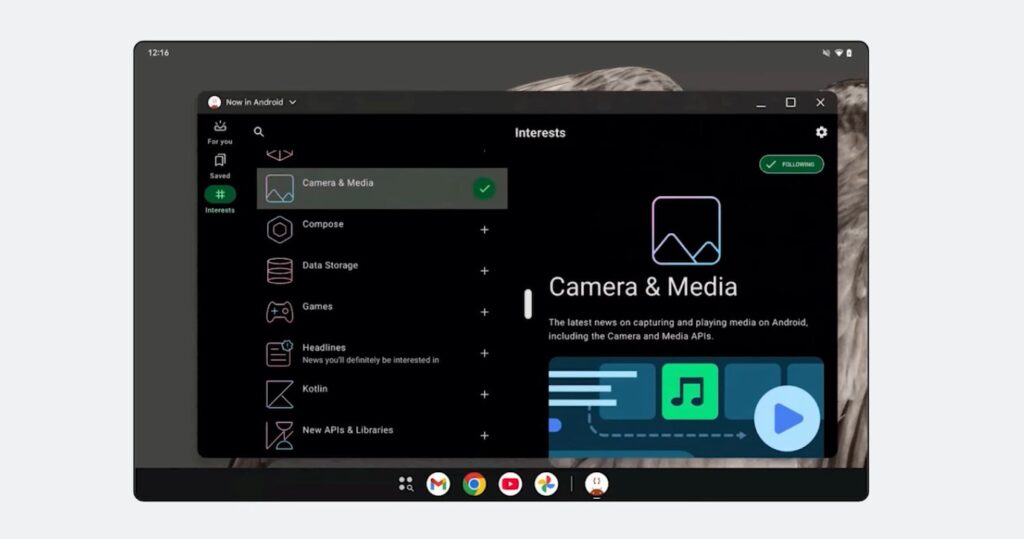
Pixel Desktop Mode opens up a range of productivity possibilities that were previously difficult or impossible on a smartphone. The desktop interface supports multiple resizable windows, allowing you to work on documents, browse the web, check emails, and use productivity apps side by side – just like on a traditional computer.
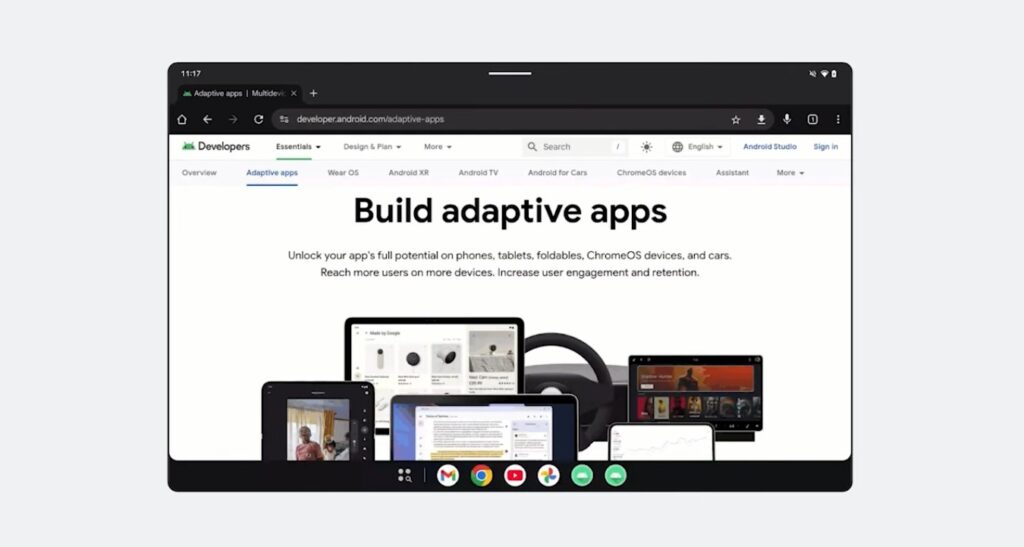
The dock interface provides quick access to your frequently used apps, similar to the taskbar found on Windows or macOS. This makes app switching efficient and keeps your most important tools within easy reach. The file manager has been enhanced with a desktop-style interface, making it simple to navigate and organize your documents, photos, and downloads.
For business users, this means you can potentially leave your laptop at home and travel with just your Pixel phone and a compact display. The ability to run multiple apps simultaneously in windows transforms the phone from a communication device into a genuine productivity tool. Presentations can be prepared on the go, documents can be edited using full desktop versions of productivity suites, and video calls can be conducted on a larger screen with better camera angles using the phone front-facing camera.
Entertainment also benefits from Desktop Mode. Streaming apps can be enjoyed on a larger display, and the multi-window capability means you can watch videos while browsing social media or chatting with friends. The desktop interface makes the most of your external display real estate, whether you are working or relaxing.
Malaysian Context
The arrival of Pixel Desktop Mode is exciting for Malaysian tech enthusiasts, though there are some local considerations to keep in mind. As mentioned earlier, Pixel phones are not officially sold in Malaysia, meaning warranty support and after-sales service are not available through Google or authorized retailers. Purchasing from grey market sellers on Shopee and Lazada means you are relying on the seller return policy if anything goes wrong.
That said, the grey market for Pixel phones in Malaysia is quite robust. Popular sellers offer the full range of Pixel devices, often at competitive prices compared to international pricing when you factor in shipping and import costs. Many Malaysian tech enthusiasts have been using Pixel phones for years despite the lack of official support, drawn to the pure Android experience and excellent camera performance.
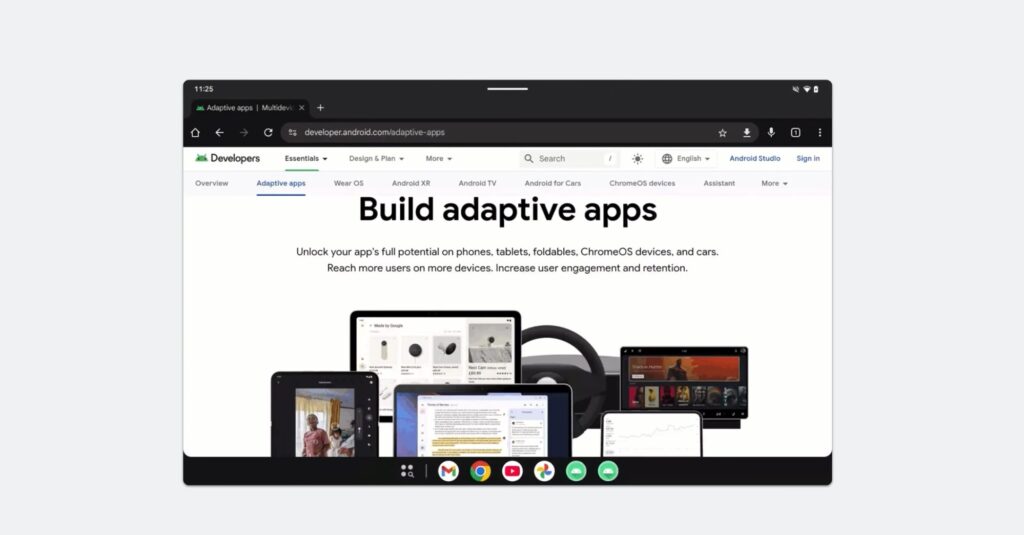
For those considering Desktop Mode as a productivity solution in the Malaysian context, it worth noting that the feature will work with any HDMI-capable monitor or TV. This means you can set up a compact workstation at home using a budget monitor, or use Desktop Mode at the office with your work display. The flexibility of the system means it adapts to various use cases.
Internet connectivity is another consideration. While Desktop Mode works with the phone cellular connection, optimal performance for cloud-based workflows would benefit from Malaysia growing 5G network coverage. Most Pixel 8 and newer devices support 5G bands used by local carriers like CelcomDigi, Maxis, and U Mobile, though it worth verifying compatibility before making a purchase.
Our Take
Pixel Desktop Mode represents a significant step forward in the convergence of mobile and desktop computing. Google has finally delivered on the promise of the smartphone as a productivity device, and the implementation feels mature and well thought out. The requirement for relatively recent hardware ensures good performance, though it does exclude some older Pixel devices that might otherwise have been capable.
For Malaysian users willing to navigate the grey market, Desktop Mode adds another compelling reason to consider Pixel phones. The combination of excellent cameras, clean software updates, and now full desktop productivity in a pocketable form factor makes for an attractive package. Just be prepared to handle support issues yourself if they arise.
The feature also raises interesting questions about the future of laptops and desktop PCs. If your phone can now serve as a fully functional computer when needed, the traditional computing paradigm may need to evolve. We are excited to see how developers optimize their apps for this new use case and how the ecosystem matures over the coming months.