

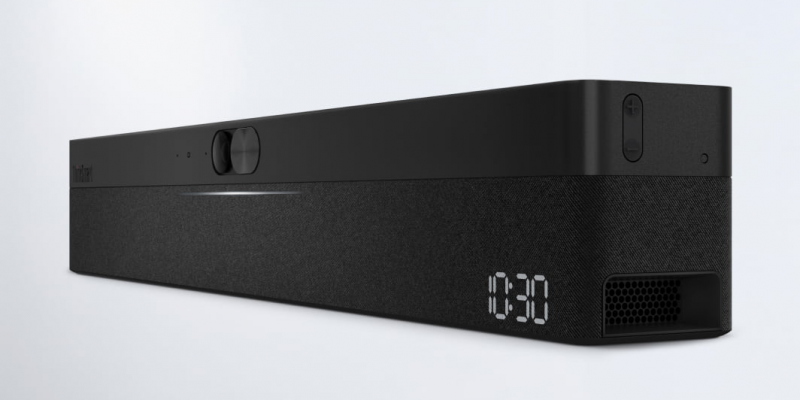
Lenovo ThinkSmart One Pro Launches — All-in-One Meeting Room Solution

TLDR:

- Lenovo ThinkSmart One Pro is a collaboration bar for small meeting rooms and home offices
- Runs Windows 11 IoT Enterprise powered by an embedded Intel Core i5 processor with vPro
- Features AI-powered camera with automatic framing and 180-degree microphone coverage
- Supports Microsoft Teams Rooms, Zoom Rooms, Webex, and Google Meet
- Pricing starts from $2,999 with controller options
—
Lenovo has launched the ThinkSmart One Pro, an all-in-one collaboration solution designed specifically for small meeting rooms and dedicated home office spaces. If you’ve been struggling with awkward video calls in small conference rooms or want to upgrade your work-from-home setup without buying multiple devices, this might be worth a closer look.
What Exactly Is It?
The ThinkSmart One Pro is a “collaboration bar” — a single device that combines a computer, camera, microphone, and speakers into one sleek unit. It runs Windows 11 IoT Enterprise and is powered by an Intel Core i5 processor with vPro technology.
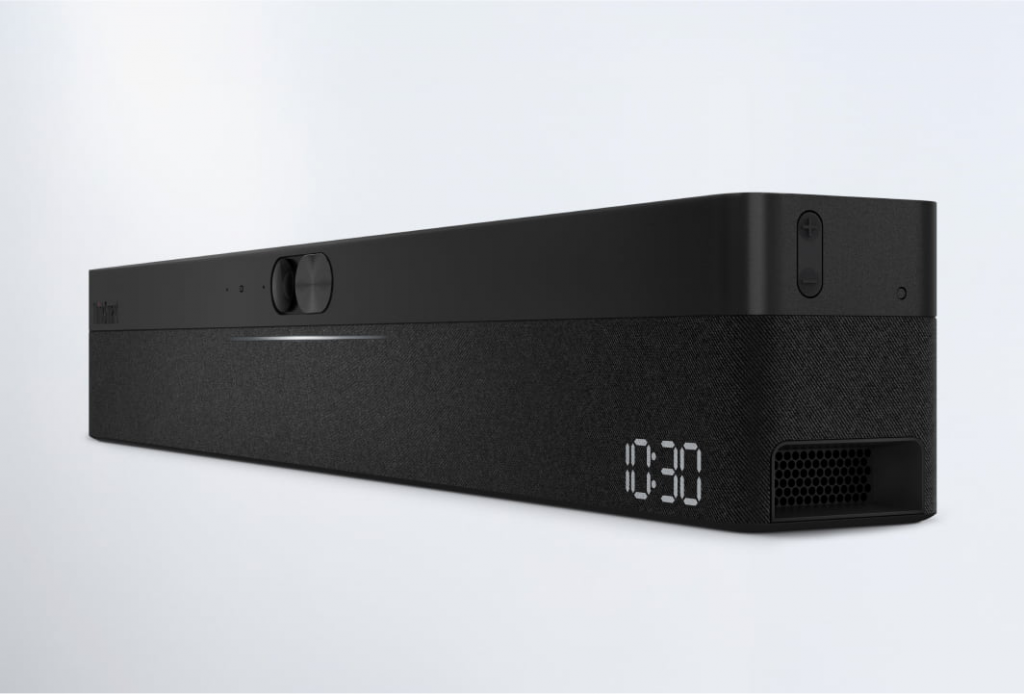
The concept is simple: mount it on a wall or your display, connect the power and any peripherals, and you’ve instantly transformed that space into a professional meeting room. No complex setups, no multiple devices to manage, no technical expertise required.
For Malaysian businesses with small meeting rooms that seat two to six people, this addresses a genuine gap. Traditional video conferencing solutions are often designed for larger conference rooms and feel overkill — and sometimes genuinely awkward — in smaller spaces.
Features That Matter
The AI camera is the standout feature. It includes high-resolution imaging with dynamic composition that automatically frames participants. The intelligent zoom feature adjusts automatically to keep everyone in shot, which means no more awkwardly cropped faces or empty chairs taking up half the frame.
Video fencing takes this further by identifying and focusing on the active speaker while blocking out unwanted background areas. For remote participants, this delivers a much more polished and professional experience than what you get from a basic webcam.
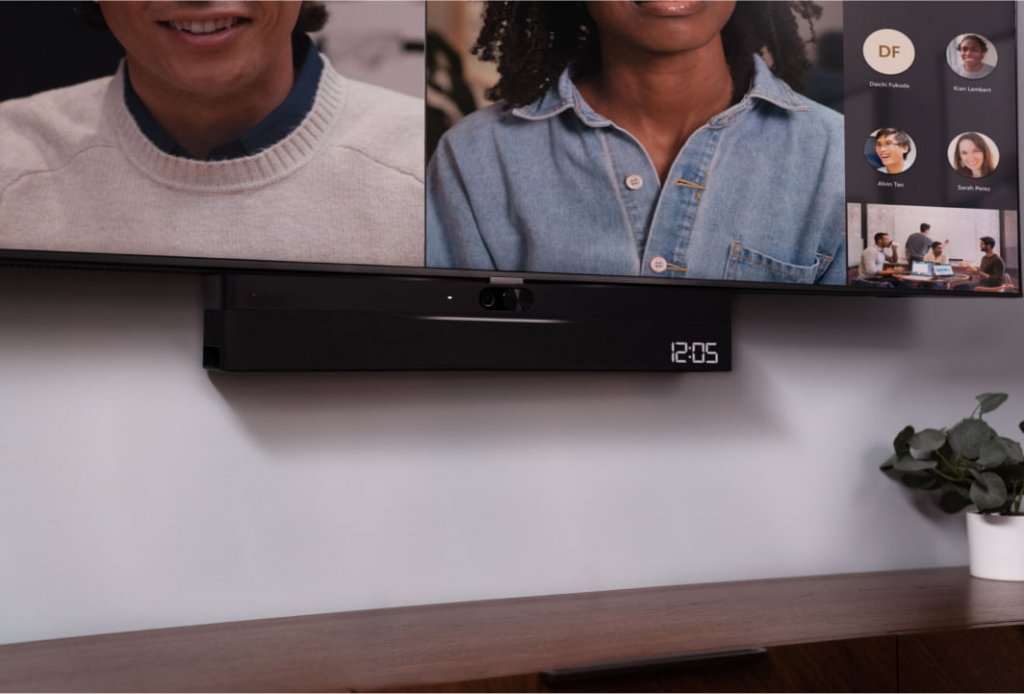
The microphone array features eight microphones with 180-degree wide-range coverage. Combined with digital signal processing for echo cancellation, noise suppression, and audio leveling, this ensures everyone in the room is heard clearly regardless of how loudly they speak. The stereo speakers deliver room-filling audio that makes remote participants feel more present.
For flexibility, the BYOD mode lets you connect your personal laptop and leverage the ThinkSmart’s superior camera and audio while using your preferred video conferencing application. It works with Microsoft Teams Rooms, Zoom Rooms, Webex, and Google Meet — you’re not locked into any particular platform.
What This Means for Malaysian Businesses
For small businesses, the ThinkSmart One Pro solves a practical problem. If you’ve got a small meeting room that nobody really uses for video calls because the experience is poor, this device transforms that space into something useful. The all-in-one design means you don’t need to figure out which camera to buy, which microphone works, and how to make them all work together.
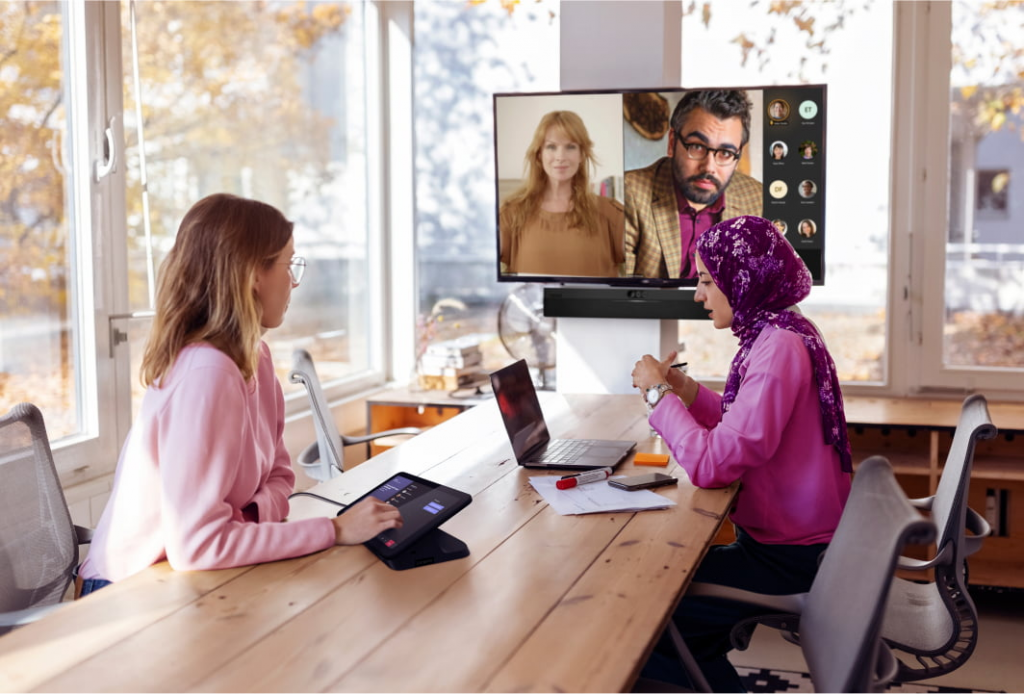
For home offices, the equation is similar. If you’re working from home permanently or hybrid and need better video call quality than your laptop webcam provides, the ThinkSmart One Pro turns your workspace into something that looks and sounds professional. The BYOD mode means you can still use your work laptop while benefiting from superior hardware.
For IT teams, the management capabilities matter. ThinkSmart Manager lets administrators remotely deploy, monitor, manage, and update the entire fleet of ThinkSmart devices from a single console. Three years of support are included with virtual deployment installation, integration support, and security updates. For businesses without large IT departments, this hands-off approach reduces the burden significantly.
The hybrid work reality in Malaysia means video calls aren’t going anywhere. The AI features — automatic framing, noise suppression, echo cancellation — address the specific pain points that make hybrid meetings painful. No more “can you hear me?” or “you’re on mute” or staring at a screen of poorly-lit faces.
Pricing and Availability
The ThinkSmart One Pro + USB Controller bundle starts from $2,999, while the version with the IP Controller starts from $3,499. Prices are in US dollars, and Malaysian pricing has not yet been confirmed.
The device will be available in select markets worldwide. Malaysian customers should check with Lenovo Malaysia for local availability and pricing.
Each bundle includes different controller options. The USB Controller offers straightforward plug-and-play functionality, while the IP Controller provides Power over Ethernet connectivity and HDMI on the table for setups that require it.
Technical Specifications
The ThinkSmart One Pro is powered by an Intel Core i5 1145G7 processor with 16GB of DDR4 memory and 256GB of PCIe SSD storage. The camera offers 100-degree horizontal field of view, and the eight microphones provide 180-degree coverage. Stereo speakers output 15 watts of audio power.
Connectivity options include two HDMI outputs, one HDMI input, USB-C, USB-A, and Ethernet ports. The system supports Wi-Fi for wireless connectivity.
The 10.1-inch touch controller provides intuitive meeting control with an anti-glare, anti-smudge screen designed for the Microsoft Teams Rooms interface.
Our Take
The ThinkSmart One Pro fills a specific niche rather than trying to be everything to everyone. It’s designed for small spaces that need better video calling without the complexity and cost of traditional conference room systems.
The target user is someone who has tried using a laptop webcam or basic webcam for meetings and found the experience lacking, but doesn’t want to become an IT specialist to fix the problem. The all-in-one approach trades some customization for simplicity.
The AI features are the real differentiators. Automatic framing, noise suppression, and echo cancellation are exactly the problems that make video calls frustrating. Having these handled automatically rather than requiring manual adjustment is genuinely valuable.
The main considerations are price — at $3,000+, it’s not inexpensive — and the fact that you need a display to use it. For small businesses, this might represent meaningful investment, but for organizations that rely on regular video meetings, the improvement in meeting quality could be worth it.
For Malaysian businesses still figuring out their hybrid work setup, this is worth evaluating. The simplicity of the all-in-one design has real value when your alternative is cobbling together multiple components and hoping they work together.



[…] Baca versi English: Lenovo ThinkSmart One Pro Launches […]