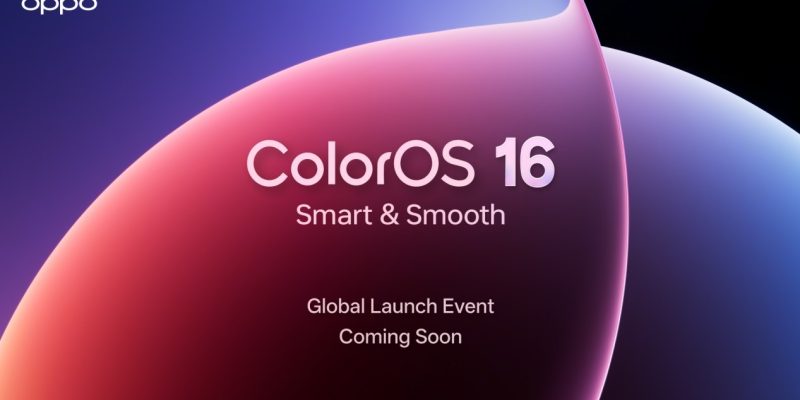
OPPO Unveils ColorOS 16: A Global Milestone in Mobile OS Fluidity, AI, and Cross-Platform Integration

TDLR
- OPPO officially previewed ColorOS 16, the latest mobile operating system update set to debut with the Find X9 Series.
- The OS introduces Seamless Animation and two new core engines—the All-New Luminous Rendering Engine and the All-New Trinity Engine—to ensure world-class, sustained fluidity across all user interactions and demanding applications.
- The platform features a refined, nature-inspired design with a new Flux Home Screen for dynamic icon resizing and full-screen Always-On Display (AOD) capabilities.
- ColorOS 16 enhances creativity with new AI-powered editing tools like AI Portrait Glow and significantly improves ecosystem synergy with O+ Connect support for both Mac and Windows PCs.
OPPO has offered the world a first glimpse of ColorOS 16, its newest mobile operating system iteration, which is slated to launch alongside the forthcoming Find X9 Series. This update is positioned to redefine user expectations, establishing a fresh standard across the critical pillars of responsiveness, integrated intelligence, and comprehensive connectivity.

The company affirms that the new OS is meticulously engineered to deliver world-class fluidity and game-changing cross-platform functionality to OPPO users around the globe, reflecting a sophisticated vision for a universally smarter mobile experience.
Unprecedented System Fluidity and Performance
The foundation of the ColorOS 16 experience is Seamless Animation, a significant evolution from the previous Parallel Animation. This new technology ensures that every single interaction is rendered instantaneously and coherently across the entirety of the operating system.
This enhanced fluidity is immediately perceptible when swiftly launching or dismissing applications from the Home Screen, App Drawer, or Global Search, as well as when executing app-switching gestures or interacting with multiple widgets. Significantly, animations within OPPO’s proprietary applications now emanate from the point of touch and retract smoothly upon dismissal, cultivating a cohesive visual flow that makes the system profoundly more intuitive.
This next-generation responsiveness is powered by two distinct and potent core technologies. First, the All-New Luminous Rendering Engine assumes control of all visual components, rendering them concurrently. This parallel processing architecture effectively eradicates jarring transitions between animations, guaranteeing the OS maintains perfect smoothness, irrespective of the simultaneous activity on the screen.
Secondly, to expertly manage intensive processing demands, such as heavy multitasking and high-load gaming, the All-New Trinity Engine is introduced. This innovation expertly combines chip-level performance enhancements with intelligent resource allocation to ensure sustained operational velocity and superior power efficiency.
Furthermore, acknowledging the need for universal access to this enhanced experience, ColorOS 16 incorporates “Project Breeze,” a dedicated optimisation initiative that extends superior, consistently smooth, and responsive performance even to entry-level devices with more modest hardware specifications.
A Refined and Adaptive Design Language
ColorOS 16 debuts a comprehensively refreshed visual design, drawing its inspiration from the subtle, intricate interplay of light and shadow observed in natural environments. This influence culminates in a cleaner, more intuitive interface that presents a palpable feeling of freshness.
Users gain expansive capabilities to personalise their devices, including the option to set Motion Photos or videos as dynamic wallpapers. They can select from an extensive range of fonts or leverage AI to suggest text styles that harmoniously match their chosen wallpaper.
Going beyond conventional capabilities, ColorOS 16 introduces a full-screen Always-On Display (AOD), allowing users to view their lock screen wallpaper alongside key notifications and information. A simple tap then transitions the AOD smoothly into the full lock screen, achieving ultimate visual cohesion.
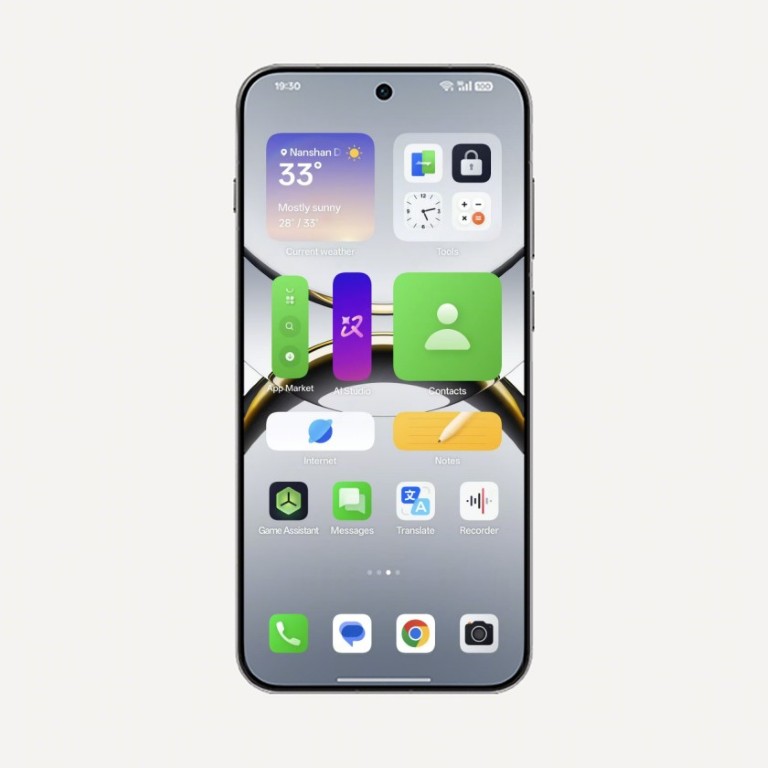
A central design innovation is the Flux Home Screen, which grants users the ability to long-press any folder or application icon and resize it dynamically into varied formats—such as tall, wide, or large shapes. As the element is resized, the surrounding Home Screen layout adapts instantaneously and fluidly, an effect expertly animated by the All-New Luminous Rendering Engine.
AI-Powered Creativity and Enhanced Photo Editing
The latest iteration significantly augments the user’s creative toolkit with the addition of AI Portrait Glow to its photo editing suite. This new feature meticulously improves portraits captured in suboptimal lighting conditions by automatically optimising skin tones and precisely balancing the light with a simple one-tap action.
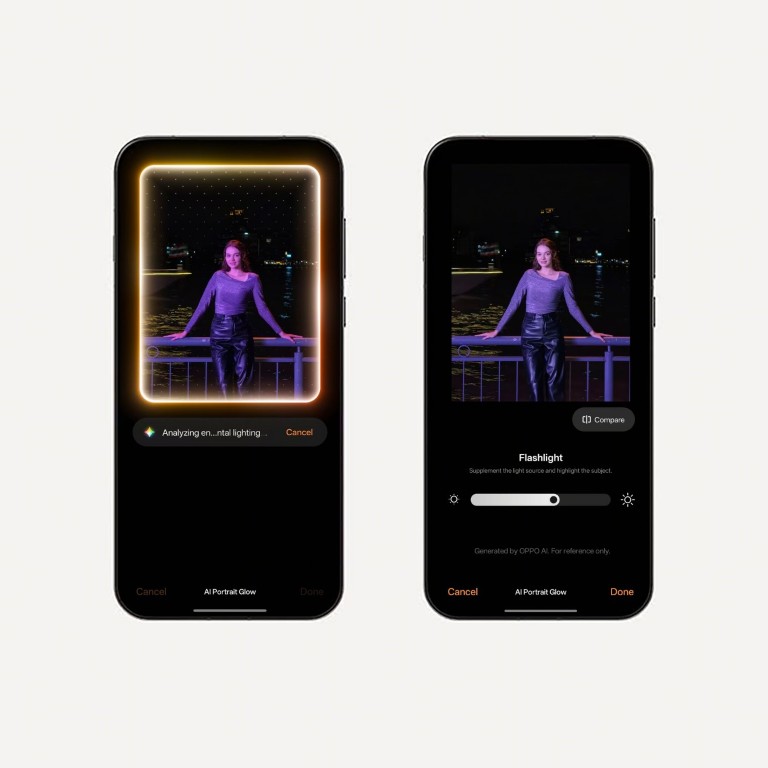
AI Portrait Glow seamlessly integrates with OPPO’s existing, potent suite of AI editing solutions, which includes AI Eraser, AI Unblur, and AI Reflection Remover, collectively providing quick, efficient, one-tap methods for users to refine their photographic content.
The built-in video editor is also substantially upgraded with Master Cut, an intuitive feature offering precise trimming, speed controls, music integration, cropping, text overlays, filters, and granular manual adjustments for contrast, brightness, and saturation.
Seamless Cross-Ecosystem Connectivity
OPPO maintains its commitment to facilitating effortless device usage across multiple ecosystems. Building on the previous generation’s innovations, ColorOS 16 profoundly enhances cross-platform functionality with the evolution of O+ Connect.
Originally supporting advanced Mac integration, O+ Connect now supports both Mac and Windows PCs. This feature empowers users to comprehensively manage their phone files directly from their computer interface or, conversely, to remotely control their computer from their phone, greatly improving workflow continuity.
Furthermore, the new Screen Mirroring function permits users to cast and control up to five simultaneous phone applications on their PC using a mouse and keyboard. This capability proves exceptionally useful in scenarios where directly manipulating the phone is inconvenient, such as during professional meetings or academic lectures.