ASUS ExpertBook P1 Review Refreshed: User-repairability +5

ASUS ExpertBook P1
The ASUS ExpertBook P1 is a rugged and secure workhorse, earning a silver award for its fantastic value.
Positives
- Durable, military-grade build
- Great user-repairability with a tool-free battery replacement
- Strong suite of security features
- A comfortable and functional keyboard
- Comprehensive I/O port selection with reinforced ports
- Great value with the 3-year warranty package
Negatives
- Lackluster display with poor color gamut coverage
- Annoying display calibration bug
- Utilitarian aesthetic that may not appeal to all users
Table of Contents
When we first reviewed the original ASUS ExpertBook P1, we were impressed by its no-nonsense, business-centric design and its ability to provide just enough power to get the job done.

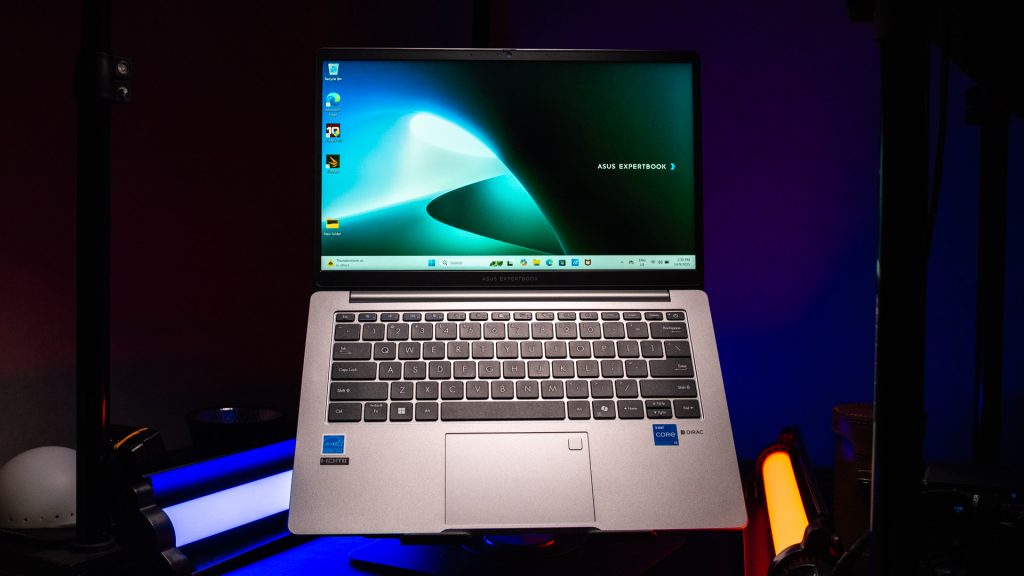
Now, with the launch of the refreshed variant, we’re eager to see if it retains the same quality and, more importantly, if it offers anything more to its users.
This review will dive into the details to see if the new model lives up to its predecessor’s reputation as a reliable workhorse.
ASUS ExpertBook P1 Overview
Build
The ASUS ExpertBook P1 P1403 CVA is a testament to practicality. Its design is unpretentious and professional, presented in a business-appropriate aesthetic that is both functional and resilient. Built with a durable plastic chassis, it feels solid and dependable.

A standout feature is the lay-flat hinge, which allows the screen to open to a full 180 degrees. This is incredibly useful for collaborative environments, making it easy to share content with a colleague or client seated across from you.

Sticking to its professional identity, the laptop forgoes any flashy RGB features, maintaining a minimalist and focused appearance.
In terms of durability, the ExpertBook P1 is engineered to withstand the rigors of daily use. It boasts a lightweight design at just 1.4 kg, making it easy to carry, and it holds a military-grade MIL-STD-810H certification. This means it can endure a range of environmental extremes and physical shocks.
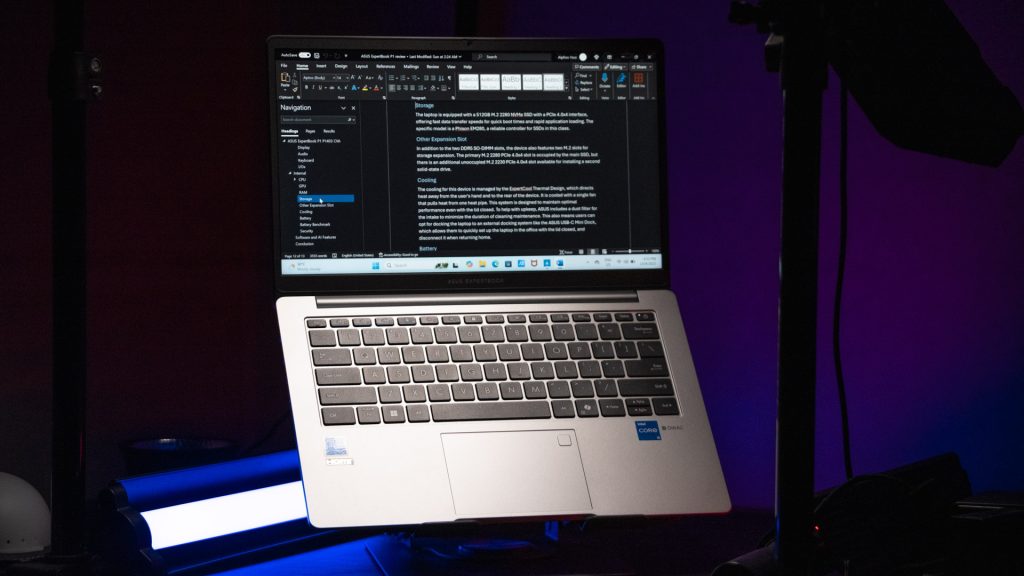
To further demonstrate its sturdiness, ASUS even had someone weighing 120 kg stand on the laptop, and it survived—a true sign of its robust construction.
Display

The laptop is equipped with a 14-inch FHD NanoEdge display featuring an IPS-level panel with LED backlighting. This combination ensures wide viewing angles and consistent color reproduction.
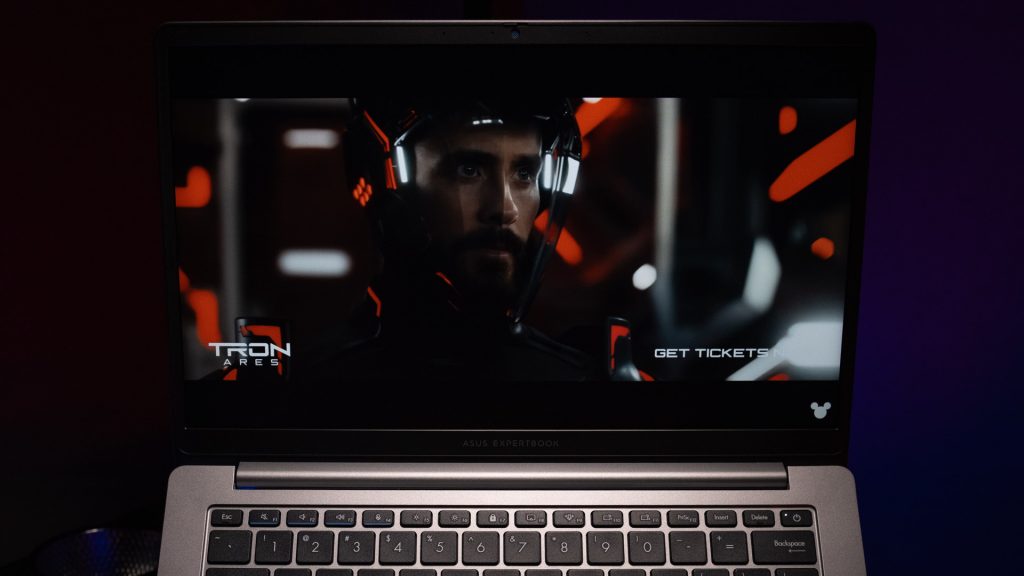
The brightness peaks at 300 nits, and the official color coverage is 45% NTSC. The screen-to-body ratio is an impressive 87%, thanks to its slim bezels. However, the display’s performance is, at best, “just enough” for an entry-level professional device.
Benchmark

Our benchmark results confirm this, with a Delta E*76 value of an average 0.16, a maximum of 5.08, and an RMS of 0.68. The color gamut coverage is similarly lackluster, covering 54.6% of sRGB, 38.3% of AdobeRGB, and 39.2% of DCI-P3. For most office tasks, this is acceptable, but for any color-sensitive work like photo editing or video creation, an external monitor would be highly recommended.

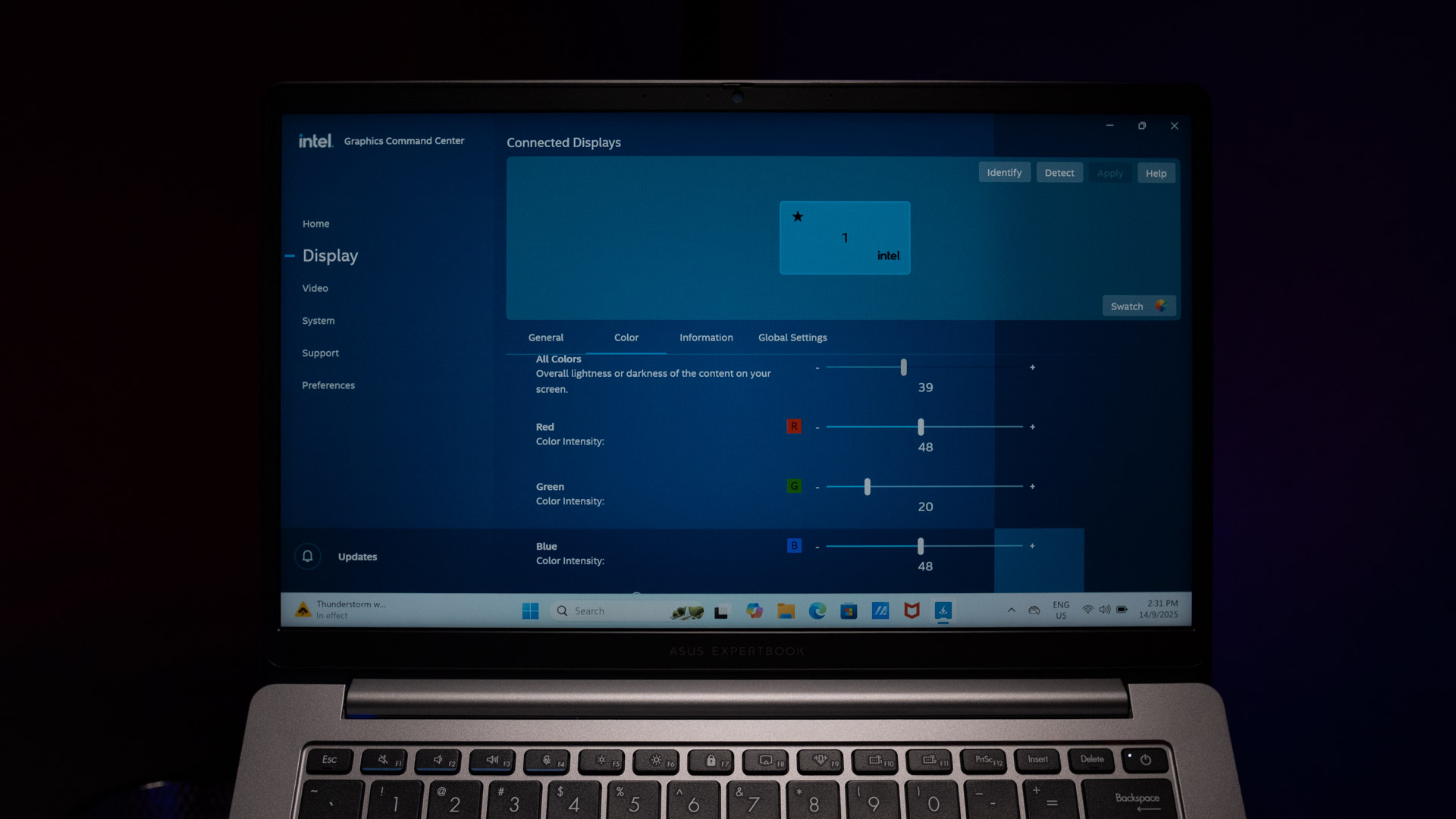
We also encountered an annoying bug where, after calibrating the display, the settings would unexpectedly snap back to their original configuration.

Audio
For its audio, the ExpertBook P1 features two 2W speakers located on the bottom of the device. These speakers are enhanced with Smart Amp Technology, which helps to produce a clear and rich sound experience despite their small size.

For an enhanced conferencing and media experience, the laptop also incorporates Dirac audio technology, which is designed to optimize sound quality for both calls and media playback.
Keyboard
The keyboard on this model is laid out like a typical 75% keyboard, meaning it is a compact design without a dedicated number pad.

It features an ErgoSense keyboard with a generous amount of spacing between keys. The keys also have a slight cup curvature, designed to cradle the user’s fingertips and guide them to the center of each key strike.

With a key travel of 1.4 mm, it provides a comfortable and tactile typing experience that is well-suited for long hours of document creation.
I/O Ports

This laptop offers a comprehensive array of input/output ports. It includes two full-function USB 3.2 Gen 2 Type-C ports that support power delivery and DisplayPort, two USB 3.2 Gen 1 Type-A ports, an HDMI 1.4b port, a 3.5mm combo audio jack, and a convenient RJ45 LAN port.

Each of these ports is reinforced with a metal bracket and has been tested to withstand up to 9 kg of pulling force, which helps prevent a port from being accidentally yanked out during a mishap.
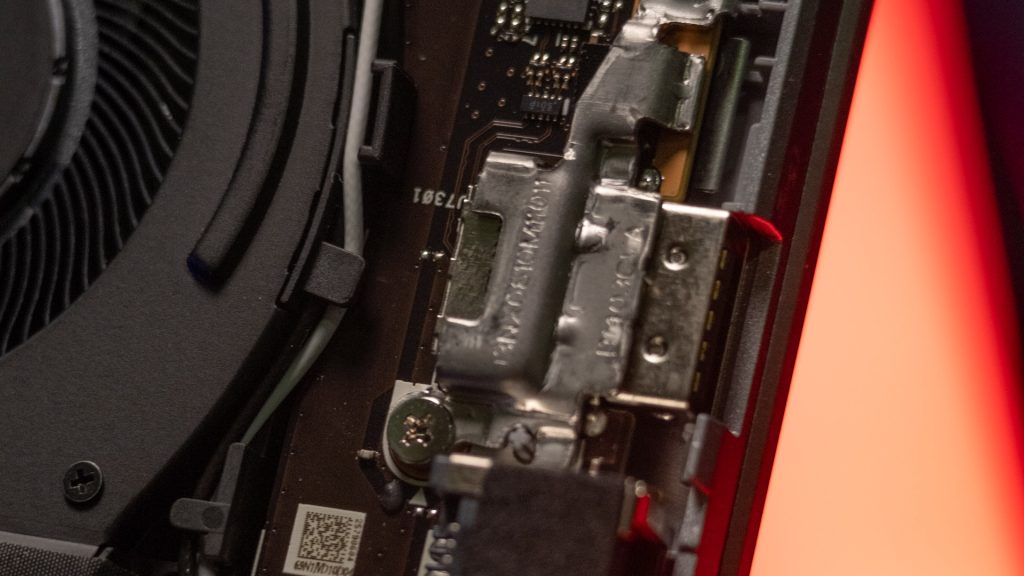
While some may consider the full-sized RJ45 port an eyesore, its reinforced design is built to last.
ASUS ExpertBook P1 Internal Components
CPU
The model we reviewed is powered by the Intel Core i5 13420H Processor. This is a powerful 13th-Gen Intel H-series CPU with 8 cores and 12 threads, boasting a base clock of 2.1 GHz and a turbo boost up to 4.6 GHz.

With a 12MB Cache and a 35W TDP rating, it’s well-suited for intensive multitasking and high-performance demands. Its architecture is optimized with Intel’s processor power management algorithm, ensuring a good balance between raw performance and energy efficiency.
CPU Benchmark
To gauge its real-world performance, we ran UL Benchmark’s PCMark application test. The laptop scored 10,091 in essentials, 8,001 in productivity, and 5,887 in digital content creation, leading to a total score of 5,595 in PCMark 10.
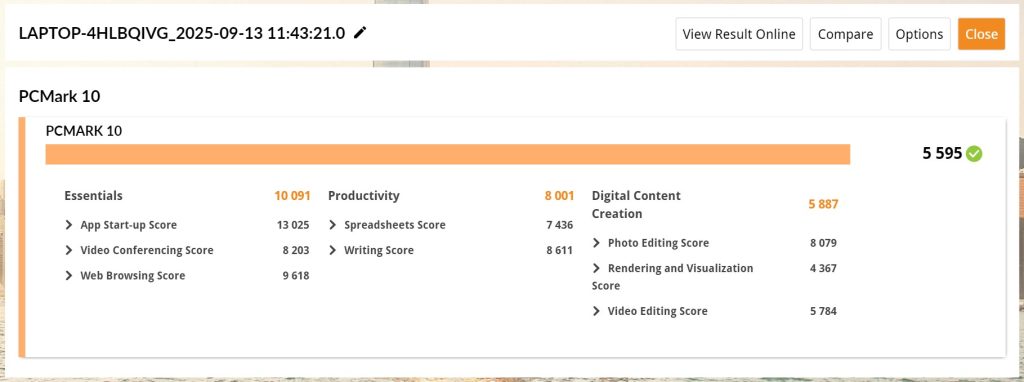
These numbers indicate that the laptop excels at everyday business and administrative tasks, such as word processing, spreadsheet management, and web conferencing. It is more than capable of handling the daily workload of most professionals, although it may not be the ideal choice for those heavily involved in tasks like video editing or 3D rendering.
GPU

This particular model uses the integrated Intel UHD Graphics for 13th Gen Intel Processors. This GPU is well-suited for everyday business tasks, including creating documents and presentations, as well as handling video playback. However, it is not designed for demanding graphical applications, serious gaming, or other GPU-intensive workloads.
RAM
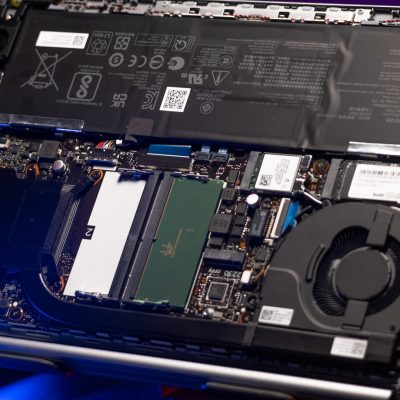
The ExpertBook P1 comes with 16GB of DDR5-5200 SO-DIMM RAM in a single-stick configuration. The laptop features a total of two DDR5 SO-DIMM slots, leaving one unoccupied.

This provides excellent future-proofing, as users can easily and immediately upgrade their memory by adding a second stick of RAM to enable a dual-channel configuration.
Storage
For storage, the laptop is equipped with a 512GB M.2 2280 NVMe SSD with a PCIe 4.0×4 interface. This setup ensures fast data transfer speeds, resulting in quick boot times and rapid application loading.
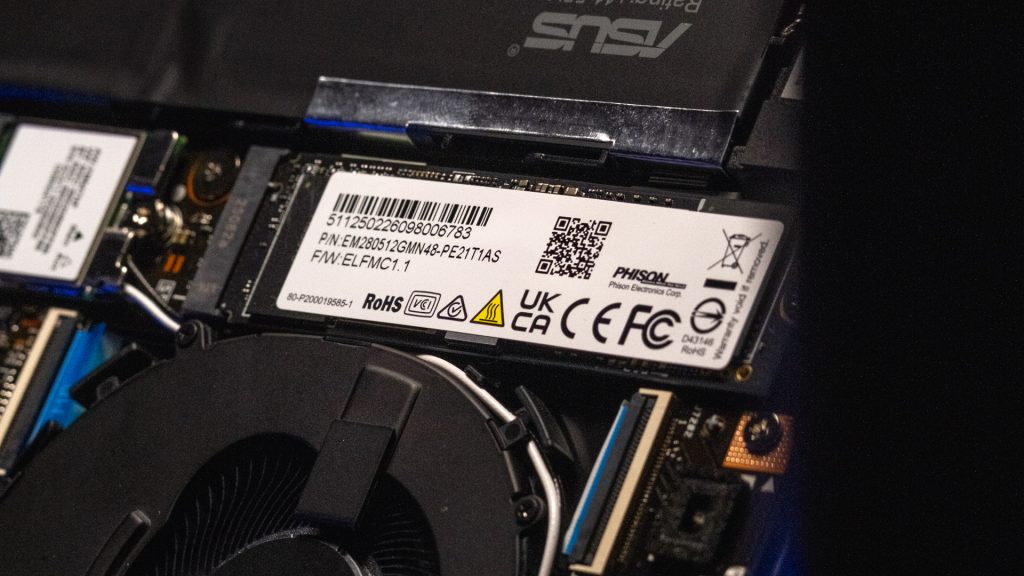
The specific model is a Phison EM280, a reliable controller that is common in SSDs of this class.
Other Expansion Slots
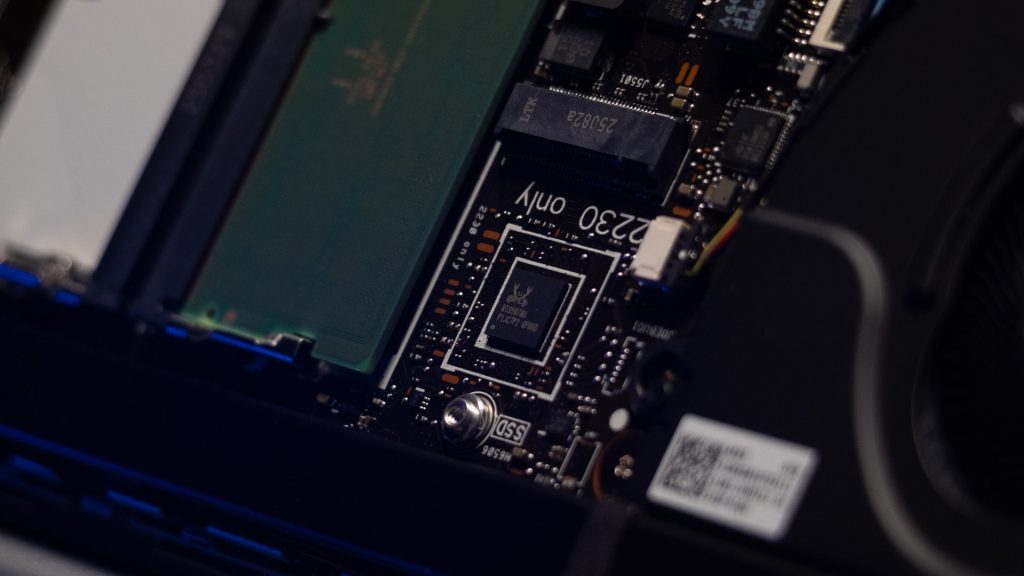
In addition to the two DDR5 SO-DIMM slots, the device also features two M.2 slots for storage expansion. The primary M.2 2280 PCIe 4.0×4 slot is occupied by the main SSD, but there is an additional unoccupied M.2 2230 PCIe 4.0×4 slot available for installing a second solid-state drive.
Cooling

The cooling system is managed by the ExpertCool Thermal Design, which directs heat away from the user’s hands and toward the rear of the device for a more comfortable experience. It’s cooled by a single fan that draws heat from a single heat pipe.
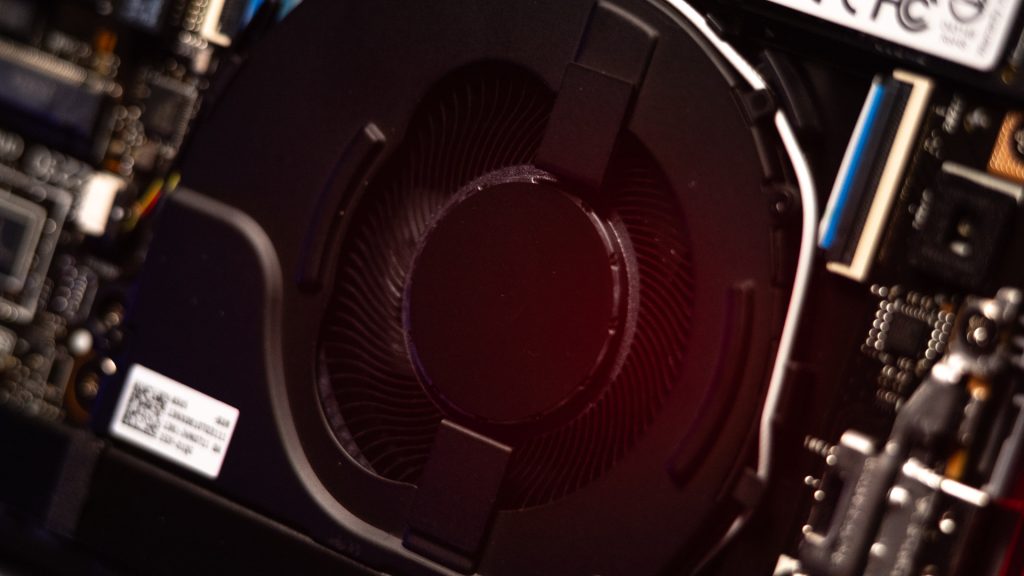
This design is also efficient enough to maintain optimal performance even with the lid closed. To simplify upkeep, ASUS has included a dust filter for the intake vent, which helps to minimize the frequency of cleaning. This is particularly useful for users who might dock their laptop with an external monitor and keyboard, as it can be set up quickly without worrying about overheating.
Battery
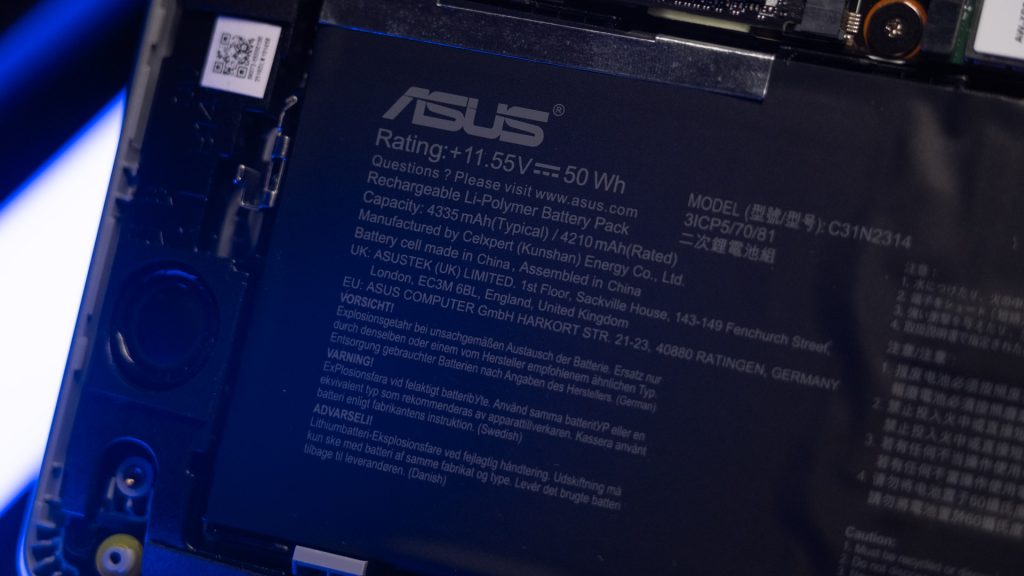
The laptop is powered by a 50Wh Li-Polymer Battery, rated at 4210 mAh. Interestingly, the battery features a screw-free lock design, which allows users to easily remove it by hand for a quick replacement. The laptop can be charged via its USB-C port, and it comes bundled with a 65W charger.
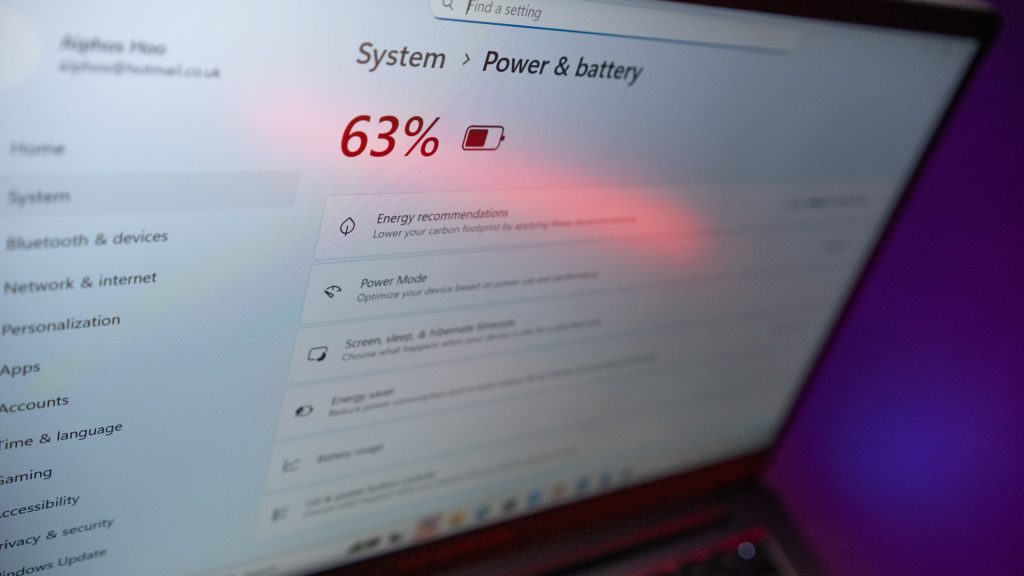
Battery Benchmark

Running UL Benchmark’s PCMark battery test, the device managed to achieve 6 hours and 12 minutes with full screen brightness. This is a respectable amount of uptime for a workhorse laptop. While it might not last an entire day away from an outlet, it provides enough juice for commutes or working in between locations where a power source is available.
ASUS ExpertBook P1 Security
Despite being an entry-level unit, the ASUS ExpertBook P1503CVA is equipped with several enterprise-level security features. It is NIST SP 800-155 compliant, which meets the gold standard for BIOS security.
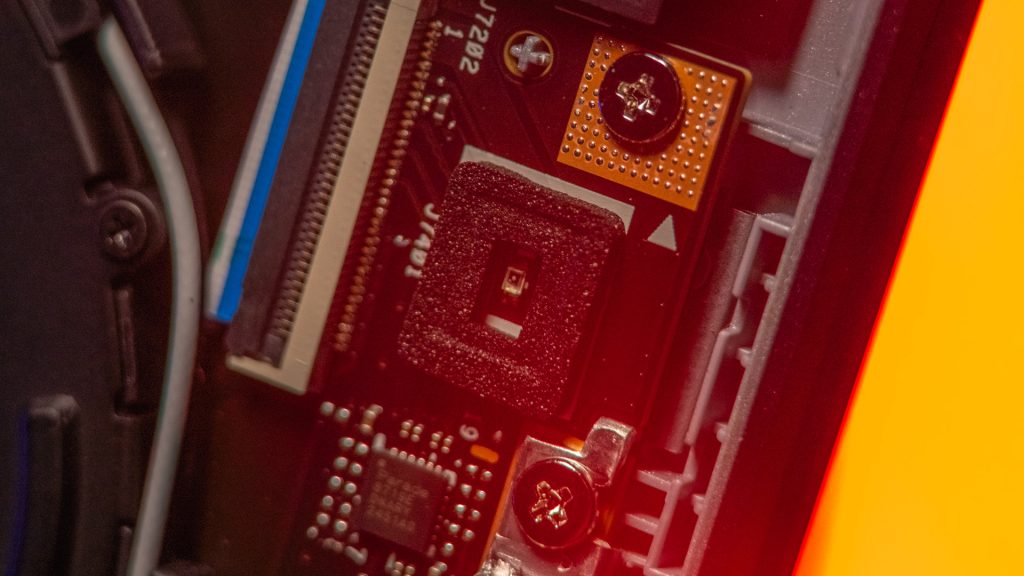
It also includes a discrete TPM 2.0 chip, providing a hardware-level security layer to protect sensitive data by securely storing encryption keys, passwords, and certificates.

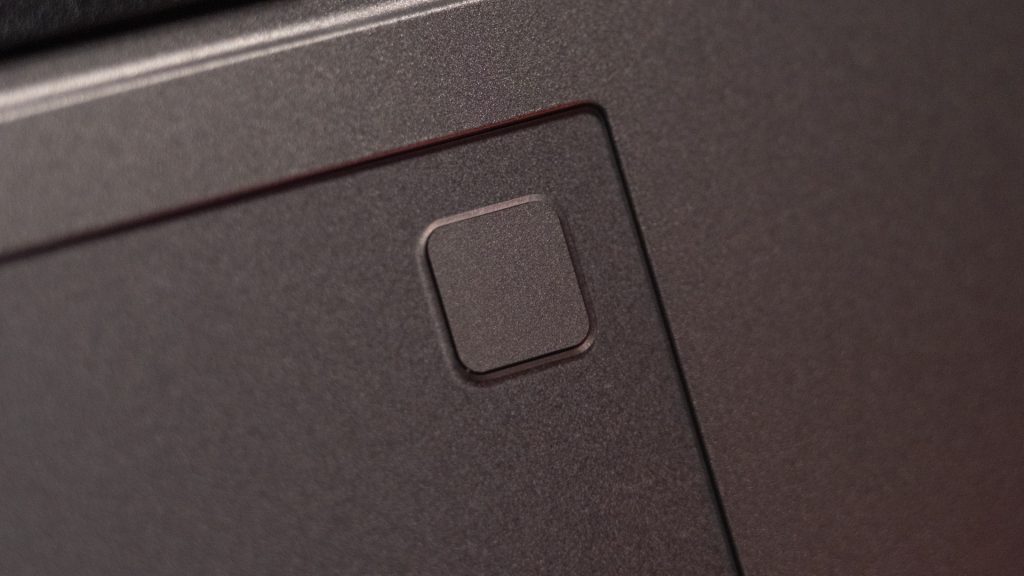
Externally, the laptop has a Chassis Intrusion Detection sensor that alerts the user if the chassis has been opened, providing a warning against any physical tampering. It also comes with a fingerprint sensor for an extra layer of security and convenient sign-in, a physical webcam shield for privacy protection, and a Nano Kensington lock slot.
To top it off, it includes a three-year McAfee+ Premium membership.
Software and AI Features
The ExpertBook P1 features several AI-powered software functions to enhance productivity and collaboration. These include AI-powered noise cancellation technology, which effectively removes background noise during conference calls. There’s also a feature that can transcribe meetings and generate a concise summary by capturing important details.
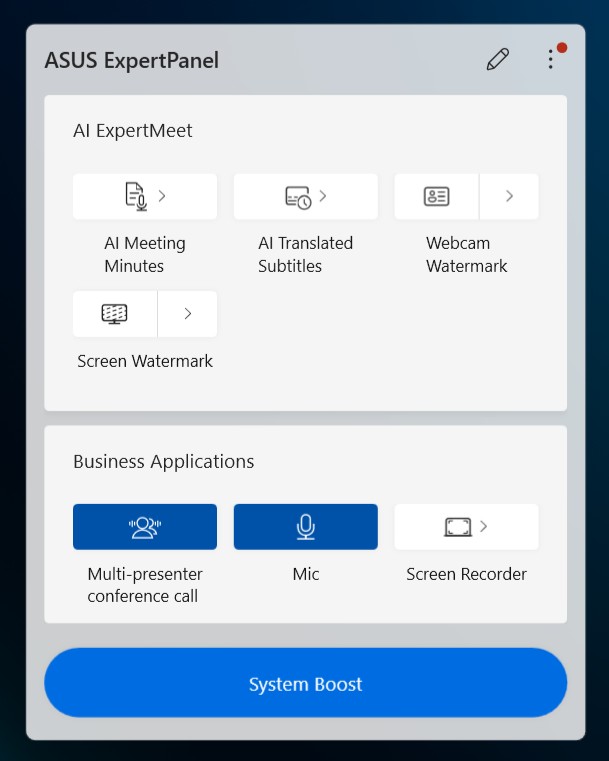
ASUS’s AI ExpertMeet includes AI Meeting Minutes, which automatically translates meeting content and can recognize valuable insights from files to provide a transcript and summary, all while ensuring your data remains securely stored on your laptop. AI Translated Subtitles uses local AI models to translate content without needing an internet connection. Additionally, features like Webcam Watermark can embed a QR code with contact information into your webcam feed, while Screen Watermark helps prevent information leaks by making it impossible for someone to secretly photograph your screen.
ASUS ExpertBook P1 User Experience

Aesthetically, the laptop looks very utilitarian, and this is by design. Everything on the ExpertBook P1 is meant to serve a function. It’s light and durable, and while some of its features may not pass for “good design” in a sleek, modern context, they are built to last. The full-sized RJ45 port, for example, is a bit of an eyesore but is reinforced with a sturdy frame, making it nearly impossible to break.

The keyboard, which at first glance might look like something from the early 2000s with its tall and curved edges, is among the most comfortable we have used, on par with some higher-end gaming laptops.
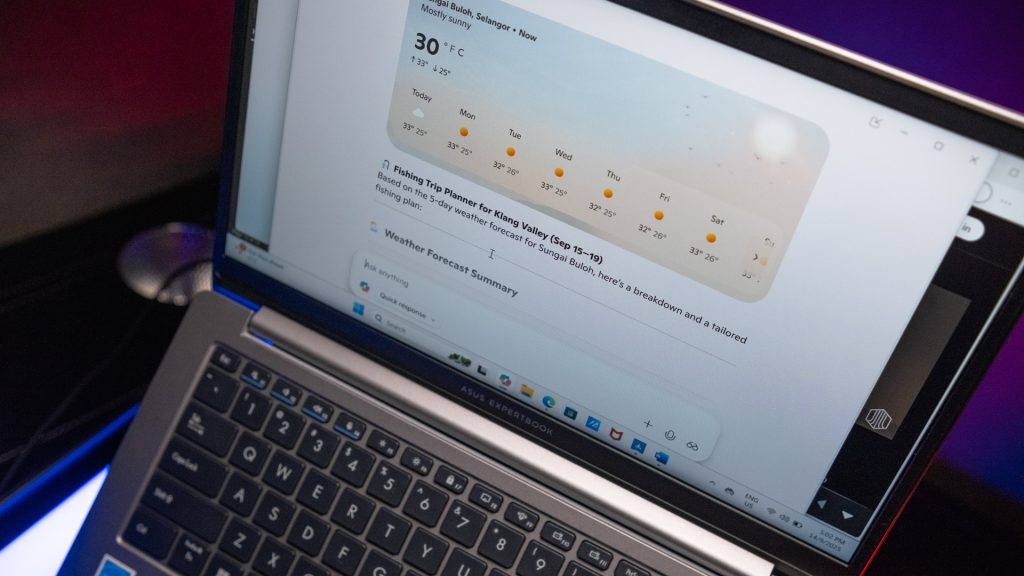
Performance-wise, the laptop is more than sufficient for professional use, handling document and administrative tasks with ease. However, for more demanding content creation tasks, we recommend using an external monitor due to the lackluster display.

Finally, we must mention the degree of user repairability. With only four screws to dismantle the chassis, it’s incredibly easy to access the extra RAM and storage slots. This allows users to easily upgrade the performance and storage themselves. Surprisingly, this ease of access extends to the battery as well, which can be replaced with no screws, using only a simple lever mechanism.
ASUS ExpertBook P1 Conclusion
Priced from RM4099 and onward, the ASUS ExpertBook P1 offers a great deal of features for its price point. It’s a dependable workhorse that prioritizes durability, security, and functionality over flashy aesthetics. Backed by 3 years of ASUS Expert Care, which includes onsite, international, and battery warranty, next business day onsite service, and a 1-year perfect warranty, it provides excellent long-term value for businesses.
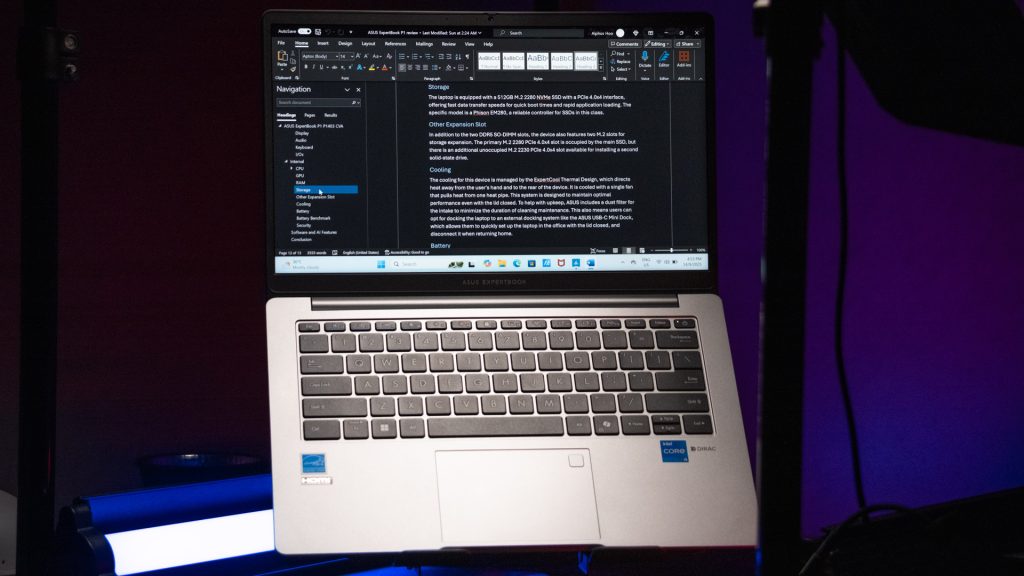
The ASUS ExpertBook P1 has several significant advantages, including its exceptionally durable, military-grade build and a design that prioritizes user-repairability, highlighted by its tool-free battery replacement. It is also equipped with a strong suite of enterprise-level security features and a comfortable, functional keyboard that’s a pleasure to type on. Furthermore, its comprehensive selection of I/O ports, all reinforced for durability, and a powerful CPU for its price point make it a highly capable machine.
This is all compounded by the excellent value provided by the three-year warranty package. However, the laptop does have a few drawbacks. The display is a clear weakness, suffering from a lackluster color gamut and an annoying calibration bug. Additionally, its utilitarian aesthetic, while functional, might not appeal to every user.

Despite its less-than-impressive screen, the ASUS ExpertBook P1 remains an excellent choice for a company planning to deploy laptops for a lower-demand mobile platform, and individual seeking a device with robust protection and dependable performance at a great price. We recommend this laptop, award it with our silver award.
ASUS ExpertBook P1 (P1403CVA) Specifications
| Processor | Intel Core i5-13420H Processor 2.1 GHz (12MB Cache, up to 4.6 GHz, 8 cores, 12 Threads) |
| Memory | 16GB DDR5 SO-DIMM, Memory Max Up to:64GB |
| Graphics | Intel UHD Graphics |
| Storage | 512GB M.2 2280 NVMe PCIe 4.0 SSD |
| Display | Non-touch screen, 14.0-inch, FHD (1920 x 1080) 16:9, Wide view, Anti-glare display, LED Backlit, 300nits, NTSC: 45%, Screen-to-body ratio:87 % |
| Connectivity | Wi-Fi 6(802.11ax) (Dual band) 2*2 + Bluetooth® 5.4 Wireless Card 2x USB 3.2 Gen 1 Type-A 2x USB 3.2 Gen 2 Type-C support display / power delivery 1x HDMI 1.4 1x 3.5mm Combo Audio Jack 1x RJ45 Gigabit Ethernet |
| Audio | Stereo speakers Audio by Dirac Array microphone |
| Power | 50WHrs, 3S1P, 3-cell Li-ion Long life rechargeable lithium polymer battery. 65W USB-C power adapter |
| Dimensions | 32.45 x 21.44 x 1.97 ~ 1.97 cm |
| Weight | 1.4kg |
| Included Accessories | Backpack & Mouse |
Help support us!
If you are interested in the ASUS ExpertBook P1 (P1403 CVA) we would really appreciate if you purchase it via the links below. These affiliate links won’t cost you any extra, but it will be a great help to keep our lights on here at HelloExpress.
- ASUS ExpertBook P1: https://s.shopee.com.my/3fuIx25vc8