
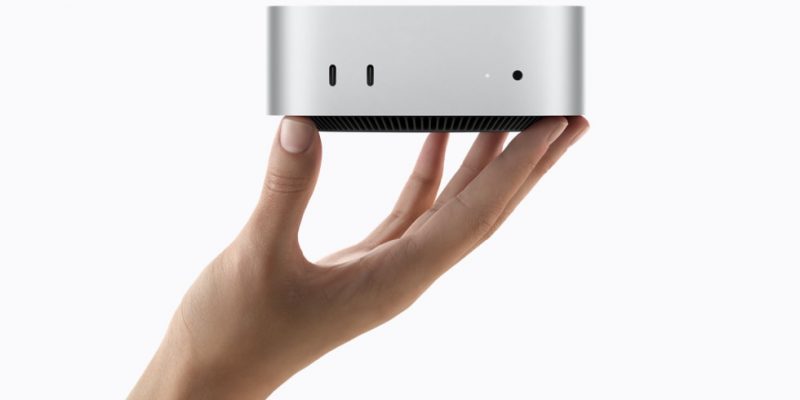
Mac Mini M6 Pricing Guide 2026: Every Configuration Compared

TLDR
- Mac mini M6 starts at $899 (education: $799); M5 Pro starts at $1,699 (education: $1,599); M4 still available at $599
- Configure-to-order upgrades: RAM ($200 for 16→32GB on M6), SSD ($200 per 512GB tier), 10Gb Ethernet ($100)
- Apple Trade In can offset $200-$1,500+ depending on the Mac you’re replacing
- Fully maxed M6 (32GB + 2TB SSD + 10GbE) runs ~$2,099; fully maxed M5 Pro (64GB + 4TB + 10GbE) runs ~$3,799
- For most users, the base configuration is the best value — upgrading RAM to 32GB on M6 is the only upgrade we’d strongly recommend
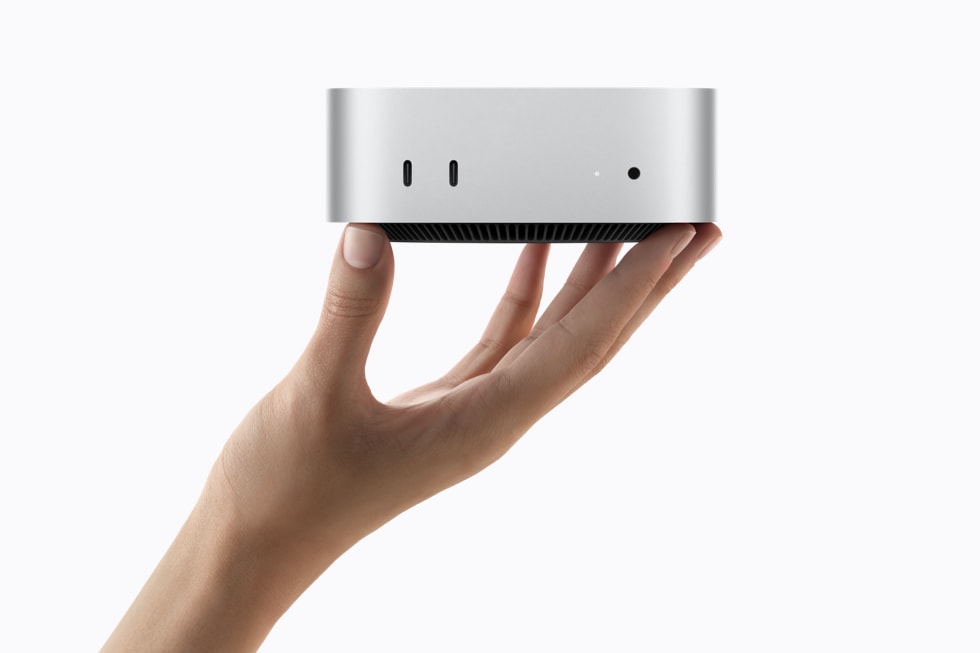
Base pricing for the Mac mini lineup (2026)
Most pricing guides just list every model in a table and call it a day. That works if you already know what you want. If you’re still figuring it out — and most people are — let me walk you through who each Mac mini actually makes sense for, at what price, and why.
Scenario 1: The college student or light user. You’re typing papers, browsing, watching YouTube, maybe doing some light photo editing. You don’t need a Mac Studio, you need a Mac. The Mac mini M4 at $599 (or $499 with education pricing) is genuinely all you need. The M4 chip is fast enough for everything except heavy creative work. The $100 education discount is meaningful — it covers a textbook or two. Skip the M6 here; the AI features are wasted on your workflow.
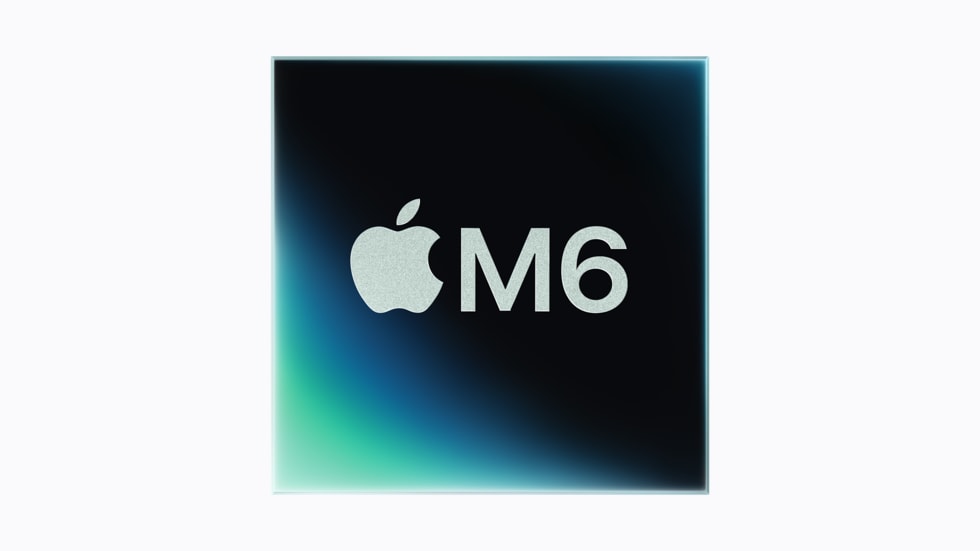
Scenario 2: The mainstream user who wants Apple Intelligence. You’re doing real work — managing photos, running Docker containers, writing code, using AI tools daily. You want the 4x faster AI performance, Wi-Fi 7, and Thunderbolt 5. The Mac mini M6 at $899 is your sweet spot. Spend the extra $200 on the 32GB RAM upgrade (16GB is tight in 2026 for serious work) and you’re at $1,099 for a machine that should last 4-5 years. The M6’s AI performance is the reason to upgrade from M4, not just the spec sheet numbers.
Scenario 3: The creative professional on a budget. You’re a freelance video editor, music producer, or photographer doing real client work. You need real performance for Final Cut Pro, Logic Pro, or Lightroom, but you’re not running a studio. The Mac mini M6 at $1,099 with 32GB handles most of what you do. But if you regularly hit RAM limits on big projects, jump to the Mac mini M5 Pro at $1,699 — the 64GB memory ceiling matters more for creative work than raw CPU speed.
Scenario 4: The serious pro. You’re running 4K multicam edits in DaVinci, Blender renders, or fine-tuning LLMs locally. You need 64GB+ memory, sustained performance, and Thunderbolt 5 for fast storage. The Mac mini M5 Pro at $1,699 (base) or $2,799 (64GB + 2TB SSD) is genuinely your answer. The $300 jump from M5 Pro to Mac Studio M5 Max only makes sense if you specifically need more GPU cores or more than 64GB memory.
Scenario 5: The team or business buyer. You’re outfitting a small office or a school. The M4 at $599 handles most office work — email, docs, spreadsheets, video calls. The M6 at $899 makes sense if you’re running AI-powered tools or want future-proofing for the next 4 years. The M5 Pro at $1,699 is overkill for most office roles but right for design studios, video production agencies, and ML research teams. Apple Business pricing can add another 3-5% off volume orders — talk to your Apple rep.
That’s the lineup at a glance. For the full CTO upgrade costs, trade-in values, and education pricing details, see the tables below.
Education pricing and how to get it
If you’re eligible, Apple’s education pricing is a no-brainer — $100 off the M6, $100 off the M5 Pro. The savings might not sound huge, but on a $1,699 purchase that’s meaningful. The eligibility requirements are also slightly broader than some people think:
- Current college students (undergraduate and graduate)
- Newly accepted college students (with acceptance letter)
- Parents buying on behalf of a college student
- K-12 teachers, faculty, and staff
- Homeschool teachers (varies by state)
Verification: Apple uses a third-party service (likely SheerID) to confirm education status. The process takes a few minutes at checkout. Once verified, you can use the education pricing indefinitely for personal purchases.
The education store is at apple.com/us-edu/store (US) or your local Apple education equivalent.
| Model | Standard price | Education price | You save |
|---|---|---|---|
| Mac mini M4 | $599 | $499 | $100 |
| Mac mini M6 | $899 | $799 | $100 |
| Mac mini M5 Pro | $1,699 | $1,599 | $100 |
Standard apple.com/store also offers education pricing after sign-in with a verified education account.
Configure-to-order options (CTO)
Apple’s base configurations are deliberately functional but minimal — they want you to upgrade. For most users, one or two CTO upgrades actually make sense. Here’s what each costs and whether it’s worth it:
Mac mini M6 CTO upgrades:
- Memory: 16GB → 32GB costs $200. This is the upgrade we’d most strongly recommend. Apple’s unified memory is not user-upgradable after purchase, so buying what you need upfront matters.
- Storage: 256GB → 512GB costs $200, → 1TB costs $400, → 2TB costs $800. Buy what you need today plus 2-3 years of growth. External Thunderbolt SSDs are a cost-effective option if you have large media files.
- Ethernet: Gigabit → 10Gb Ethernet costs $100. Only relevant if you have a 10GbE network infrastructure or NAS. Most home users don’t need this.
Mac mini M5 Pro CTO upgrades:
- Memory: 24GB → 48GB costs $200, → 64GB costs $400. 64GB is the practical max for most creative work; higher configs exist but Apple doesn’t list them publicly.
- Storage: 512GB → 1TB costs $200, → 2TB costs $600, → 4TB costs $1,200. For video editors with 4K/6K RAW footage, larger SSDs are worth the investment.
- Ethernet: 2.5Gb → 10Gb Ethernet costs $100. Same considerations as M6.
Full maxed configurations:
- Mac mini M6 fully maxed (32GB / 2TB SSD / 10GbE): ~$1,999
- Mac mini M5 Pro fully maxed (64GB / 4TB SSD / 10GbE): ~$3,699
When to upgrade and when to skip
Decision framework based on what matters most to you:
RAM (most important upgrade decision): Apple’s unified memory cannot be upgraded after purchase. Buy what you’ll need 3-4 years from now, not just today. 16GB is tight for serious work in 2026 — if you keep machines 3+ years or run VMs / Docker / multiple apps simultaneously, go 32GB on M6. For M5 Pro, 64GB is the sweet spot for creative work.
Storage (frequently overbought): Apple’s SSD upgrades are expensive ($200 per 512GB tier). External Thunderbolt 4/5 SSDs deliver 3-5 GB/s speeds for $100-$150 per TB. Unless you specifically need internal SSD speed (large video projects where you’re feeding directly from internal storage), consider buying a smaller internal SSD + a large external Thunderbolt SSD.
Ethernet (rarely needed): 10Gb Ethernet ($100) is only worth it if you have a 10GbE network at home or office. The default Gigabit or 2.5Gb is plenty for most users, even for streaming large video files locally.
Apple Trade In
If you’re trading in an older Mac, Apple’s program can soften the blow of the price jump. A few caveats though, based on past experience:
- Mac mini M1 (2020): Typically $200-$300 trade-in value
- Mac mini M2 (2023): Typically $300-$400 trade-in value
- Mac mini M4 (2024): Typically $400-$500 trade-in value
- Mac Studio M1 Max (2022): Typically $800-$1,200 trade-in value
- MacBook Pro M1/M2/M3: Typically $400-$900 trade-in value depending on config and condition
Trade-in values vary based on condition, specs, and current market. Use Apple’s trade-in estimator at apple.com/shop/trade-in for a specific quote. The values above are general estimates as of September 2026.
Note: Trade-in typically comes as Apple Store credit rather than cash back. If you want cash, third-party services like Decluttr, SellCell, or Back Market often offer similar or slightly higher values.
Refurbished Mac mini alternatives
Apple’s certified refurb store is one of the best-kept secrets in tech. These are like-new units (typically returns or display models) with full Apple warranty, often 15-20% off retail. Current refurb stock typically includes:
- Mac mini M4 (16GB / 256GB): ~$510 (vs $599 new)
- Mac mini M2 Pro (32GB / 512GB): ~$1,100 (vs $1,299 launch)
Refurbished Mac minis make sense if you want a quality used Mac with warranty and don’t need the absolute latest specs. For new M6 or M5 Pro, you’ll need to wait for Apple’s refurb stock to build up.
Apple refurb stock is at apple.com/shop/refurbished and changes frequently. Check back regularly if you’re looking for a deal.
When to step up to Mac Studio
The Mac Studio M5 Max ($1,999 starting) makes sense over the M5 Pro Mac mini ($1,699) for specific workflows:
| Your workflow needs | Mac mini M5 Pro | Mac Studio M5 Max |
|---|---|---|
| More than 64GB unified memory | ❌ (maxes at 64GB) | ✅ (up to 128GB) |
| More than 4TB internal SSD | ❌ (max 4TB) | ✅ (up to 8TB) |
| Sustained 8K or multi-cam 6K RAW video | ⚠️ Workable but tight | ✅ Designed for this |
| Heavy 3D animation with fast render times | ⚠️ Workable | ✅ Significantly faster |
| Standard 4K video + creative work | ✅ Excellent | ✅ Overkill but works |
| Best value for pro work | ✅ Better ($300 less) | ❌ Only if you need the above |
Bottom line: Upgrade to Mac Studio M5 Max only if your workflow specifically needs more memory, more storage, or sustained high-end rendering. For 90% of professional creative work, the M5 Pro Mac mini is enough — and $300 cheaper.
For most users, the $300 upgrade from M5 Pro Mac mini to Mac Studio M5 Max doesn’t justify the cost unless you specifically need the GPU cores or memory ceiling. The M5 Pro handles 90% of professional creative work; the Mac Studio M5 Max is a meaningful upgrade for sustained high-end workloads.
The Mac Studio also offers M5 Ultra configuration ($3,999 starting) for users doing 8K video editing or heavy 3D animation. This is the right tool for post-production houses and VFX studios, not for typical freelance or in-house creative work.
Pricing tiers at a glance
The Mac mini lineup has five practical price tiers. Pick the one that matches your workload — the jump from one tier to the next is what buys you real capability, not just bigger numbers.
| Tier | Model | RAM | SSD | Price | Best for |
|---|---|---|---|---|---|
| Budget | Mac mini M4 | 16GB | 256GB | $599 | Basic productivity, students, web/email/docs |
| Standard | Mac mini M6 | 16GB | 256GB | $899 | Mainstream users who want Apple Intelligence + AI acceleration |
| Recommended | Mac mini M6 | 32GB | 512GB | $1,299 | The sweet spot — 32GB RAM, enough storage for 3-4 years |
| Pro | Mac mini M5 Pro | 24GB | 512GB | $1,699 | Creative work, local LLMs, video editing, 3D modeling |
| Pro Maxed | Mac mini M5 Pro | 64GB | 2TB | $2,799 | Pro workflows that need the headroom (large AI models, 4K video projects) |
CTO upgrade costs
Apple charges a premium for configure-to-order upgrades. The table below shows exactly what each upgrade costs on each model. The two upgrades worth considering for most users: 16GB→32GB RAM on M6 (+$200) and 10Gb Ethernet (+$100) if you have a fast NAS. SSD upgrades are usually overpriced vs. external Thunderbolt SSDs.
| Upgrade | Mac mini M6 | Mac mini M5 Pro | Verdict |
|---|---|---|---|
| RAM: 16GB → 32GB | +$200 | n/a | ✅ Recommended for most M6 buyers |
| RAM: 24GB → 48GB | n/a | +$200 | OK if budget-constrained; consider 64GB instead |
| RAM: 24GB → 64GB | n/a | +$400 | ✅ Best for creative work + LLMs |
| SSD: 256GB → 512GB | +$200 | n/a | Only if you need internal storage |
| SSD: 512GB → 1TB | +$200 | +$200 | Skip — external SSD is cheaper |
| SSD: 1TB → 2TB | +$400 | +$400 | Skip — external SSD is much cheaper |
| SSD: 2TB → 4TB | n/a | +$800 | Skip — external SSD is much cheaper |
| Ethernet: 1Gb → 10Gb | +$100 | +$100 | Only if you have 10Gb NAS/network |
Trade-in values
If you’re replacing an older Mac, Apple’s trade-in program can offset the cost. Trade-in values fluctuate with condition and market demand; check apple.com/shop/trade-in for an exact quote.
| Mac you’re replacing | Estimated trade-in value |
|---|---|
| Mac mini M1 (2020) | $200–$300 |
| Mac mini M2 (2023) | $300–$400 |
| Mac mini M4 (2024) | $400–$500 |
| Mac Studio M1 Max (2022) | $800–$1,200 |
| MacBook Pro M1/M2/M3 | $400–$900 |
| Intel Mac mini (2018 or older) | $100–$200 |
Effective price after trade-in: a $1,699 M5 Pro with a $400 M4 trade-in effectively costs $1,299. Trade-in typically comes as Apple Store credit; third-party services like Back Market sometimes offer slightly more in cash.
FAQ
Is the Mac mini M6 worth $300 more than the M4?
If you use Apple Intelligence features, run on-device AI workloads, or do creative work like photo or video editing, yes — the 4x AI performance and 40% faster CPU are noticeable upgrades. For basic productivity (email, web, docs), the M4 at $599 is probably enough. The $300 difference is real money, so this isn’t a no-brainer upgrade unless you’ll use the AI capabilities.
Should I upgrade RAM to 32GB on M6?
Yes, for most users. 16GB is tight in 2026 for anything beyond basic productivity. 32GB lets you keep more browser tabs, run Docker or VMs, edit photos with large raw files, or have multiple development environments open. The $200 upgrade is the most worthwhile CTO option.
Is education pricing worth applying for?
If you’re eligible, absolutely. The $100 savings on M6 or M5 Pro is significant, and the process is straightforward. There’s no downside to applying; if you don’t qualify, the site will redirect you to standard pricing.
Can I add RAM or SSD later?
No. Apple’s unified memory is soldered onto the M6/M5 Pro chips and cannot be upgraded after purchase. The SSD is also not user-replaceable in current Mac minis. Buy what you’ll need for the life of the machine (typically 4-6 years for most users).
Should I buy from Apple or a reseller?
Apple is usually the safest option for new releases (best return policy, immediate availability). For older models, authorized resellers like Adorama, B&H, and Amazon often match Apple pricing and occasionally offer small discounts. For refurb, Apple is the best source for warranty-backed units.
Is AppleCare+ worth it for Mac mini?
Mac mini has no moving parts (SSD, fan) and is very reliable. AppleCare+ ($60-$100 for 3 years) is worth it if you want accidental damage coverage, but for most users the standard 1-year warranty is sufficient. Power surges, drops, and spills are less of a concern with a desktop than a laptop.
Our Take
After pricing this out for several different buyer types, here’s my honest take: the Mac mini M6’s pricing is actually more reasonable than it looks at first glance.
$899 feels like a lot for a Mac mini — that’s $300 more than the M4. But the M6 brings real upgrades (the 4x AI performance, Wi-Fi 7, Thunderbolt 5 ready) that justify it for anyone doing modern workflows. For basic productivity, the M4 at $599 remains the smarter buy, and I’d say that’s actually the right choice for students and light users who don’t need the new features.
The M5 Pro at $1,699 is where it gets interesting. If you need 64GB memory (and for serious creative work you do), the M5 Pro with 24GB base is actually a better value than a maxed-out M6. You’d be spending $400 less for more cores, more GPU, and 64GB ceiling. That math surprised me when I worked it out.
The one thing I’d flag: Apple’s CTO upgrades are wildly expensive. A $200 RAM upgrade on the M6 is roughly double what the chip actually costs. If you can save up for a higher config from the start, do it. If not, external Thunderbolt SSDs are way cheaper than Apple’s internal storage upgrades.
Bottom line: pick the tier that matches what you’ll actually do. The $300 jumps between tiers buy real capability, not just bigger numbers. Don’t over-buy on spec sheets you won’t use, but don’t under-buy and hit walls in 18 months either.
Related on HelloExpress
- Apple Unveils Mac Mini M6 and M5 Pro — the official announcement with full specs and pricing
- Mac Mini M6 vs M5 Pro vs M4 Comparison — which Mac mini should you buy?
- Apple M6 Chip Deep Dive — what the 4x faster AI performance actually means
Versi Bahasa Malaysia: Cubatek.net
Sources
- Apple — Mac mini buy page (current pricing and CTO options)
- Apple Newsroom — Mac mini M6 and M5 Pro press release (August 25, 2026)
- Apple Trade In — trade-in estimator for older Macs
- Apple Certified Refurbished — refurbished Mac mini options
Keyword: mac mini m6 price