

Are you tired of your Windows 11 PC feeling sluggish? Does it come pre-loaded with apps you never use, constantly pushing ads, and hogging your system resources? You’re not alone! Windows 11, while packed with features, often comes with a significant amount of bloatware that can hinder performance and user experience. But what if there was a simple, effective solution to reclaim your PC’s power?



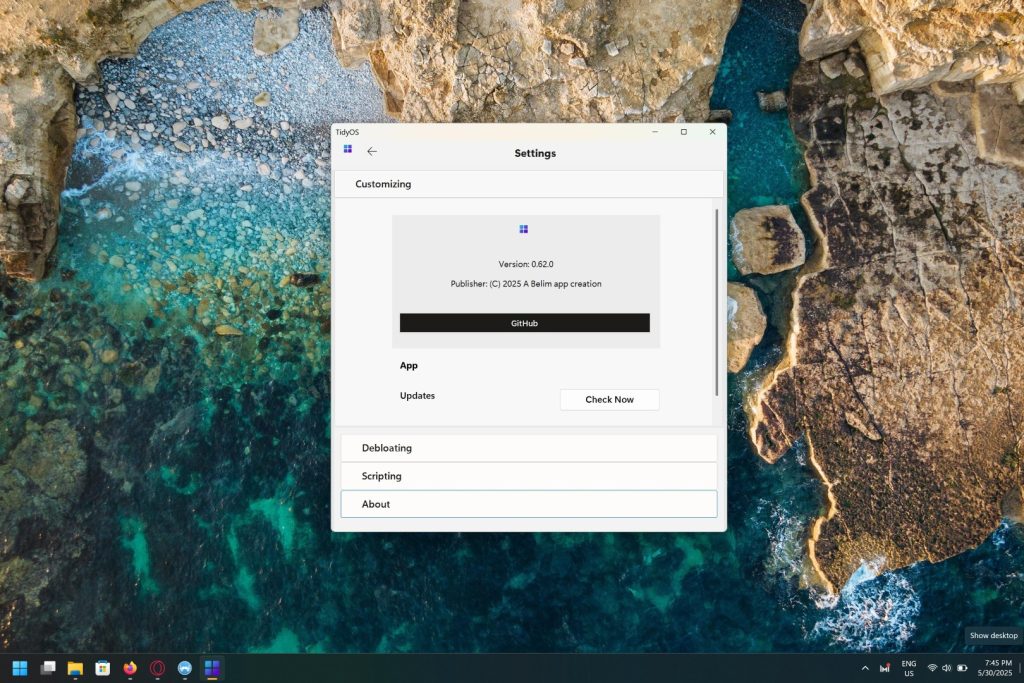
At HelloExpress.net, we’re always on the lookout for tools that genuinely make a difference for Malaysian tech users. Today, we’re excited to introduce you to TidyOS, a powerful and user-friendly utility developed by Belim App, designed to transform your Windows 11 experience. Say goodbye to unnecessary clutter, intrusive ads, and wasted resources – TidyOS is here to help you unlock your PC’s full potential.
Why Debloat Windows 11? The Benefits of a Leaner System
Before we dive into how TidyOS works its magic, let’s understand why de-bloating your Windows 11 installation is crucial for optimal performance:


- Improved Speed and Responsiveness: Less bloatware means fewer background processes consuming your RAM and CPU, leading to a snappier and more responsive system.
- More Free Storage Space: Unnecessary pre-installed apps can take up valuable disk space. Removing them frees up room for your important files and applications.
- Enhanced Privacy: Some bundled apps collect user data. Removing them can contribute to a more private computing experience.
- Reduced Resource Consumption: Fewer processes running means lower power consumption, which can be particularly beneficial for laptops.
- Less Annoying Ads and Notifications: Windows 11 can sometimes push ads and notifications from pre-installed apps. Debloating helps minimize this.
Introducing TidyOS: Your All-in-One Windows 11 Optimization Solution
TidyOS by Belim App is more than just a debloater; it’s a comprehensive optimization suite designed to streamline your Windows 11 PC in three key ways:
1. Customizing Windows for a Leaner Experience

TidyOS empowers you to fine-tune your Windows 11 settings to minimize resource usage and reduce intrusive elements. This includes:
- Reducing Advertisements: Take control of the ads and promotional content that Windows 11 sometimes displays, giving you a cleaner interface.
- Optimizing Resource Consumption: TidyOS helps you tweak system settings to ensure your PC prioritizes essential tasks and uses fewer resources on non-critical processes.
- Disabling Unnecessary Features: Turn off features you don’t use that might be running in the background and consuming valuable system resources.
2. Debloating Windows by Removing Unnecessary Bundle Apps
This is where TidyOS truly shines as a debloating tool. It intelligently identifies and allows you to remove pre-installed Windows 11 applications that are often considered bloatware by many users. Think of apps like:
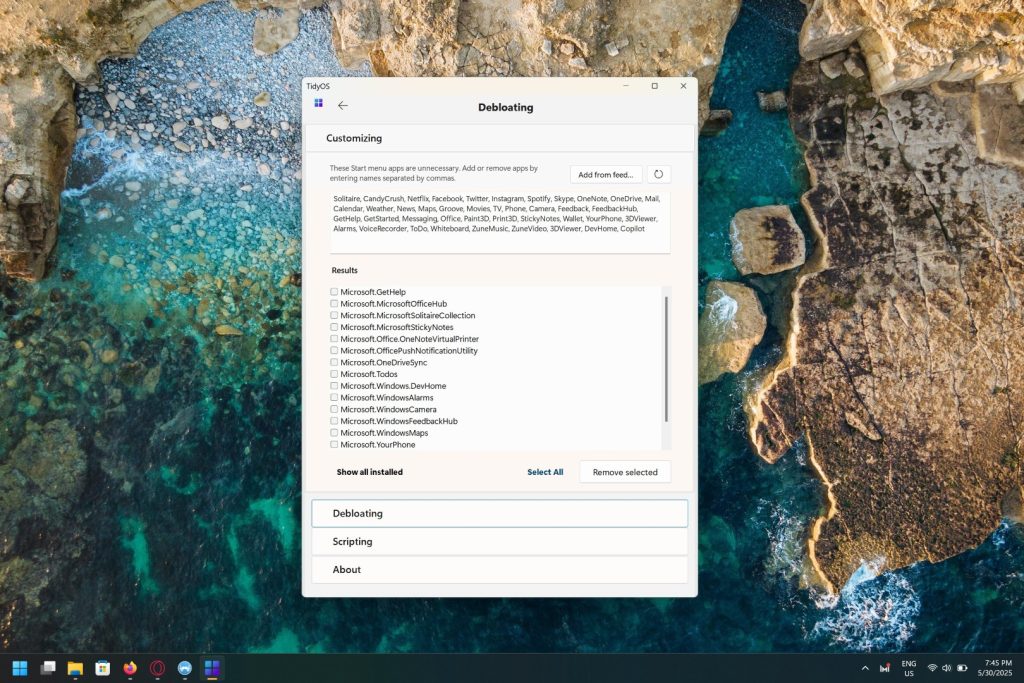
- Windows Camera (if you use a dedicated webcam or prefer third-party apps)
- Windows Maps
- Get Help
- Mixed Reality Portal
- And many more!
By safely removing these applications, TidyOS helps you reclaim disk space and reduce background processes, leading to a noticeably faster system.
3. Running Scripts for Optimized Windows Experience
TidyOS goes beyond just removing unwanted elements; it also provides a convenient way to enhance your Windows 11 experience through automated scripts. This feature allows you to:
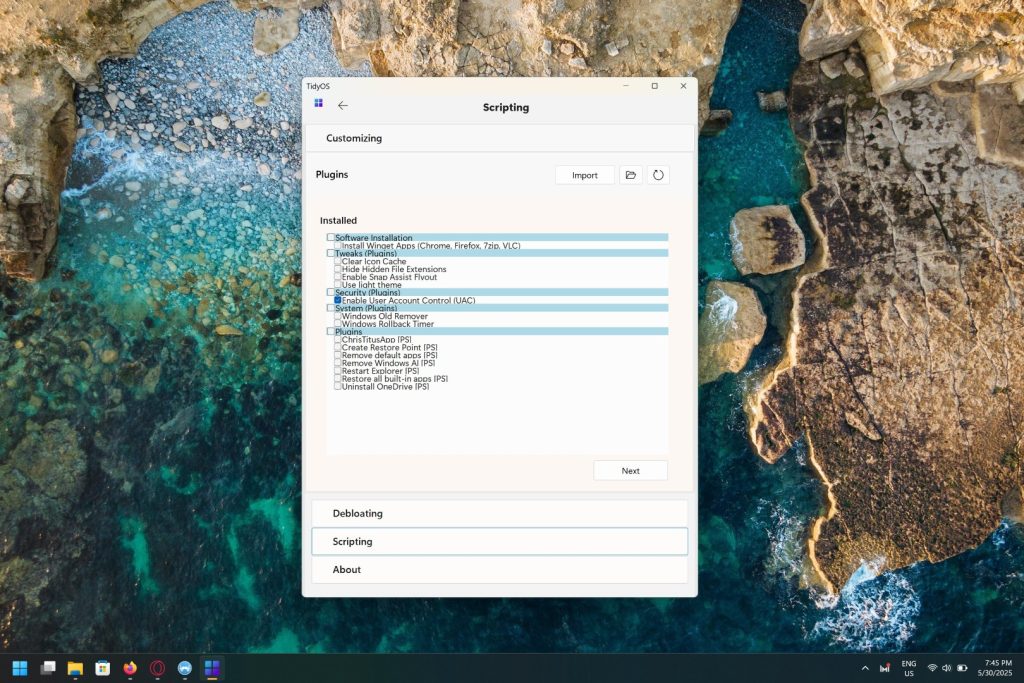
- Install Essential Starter Software: Quickly set up your new or debloated Windows 11 installation by automatically installing commonly used software like:
- Google Chrome
- Mozilla Firefox
- 7-Zip (for file compression/decompression)
- And other basic utilities you might need.
- Remove OneDrive: For users who prefer alternative cloud storage solutions or don’t use OneDrive, TidyOS offers a straightforward option to remove it.
- Perform Other Handy Optimizations: The scripting capabilities can extend to other useful tweaks and optimizations that further enhance your Windows 11 performance and usability.
How to Use TidyOS to Debloat Your Windows 11 PC (Step-by-Step Guide)
Using TidyOS is straightforward, even for those who aren’t tech experts. Here’s a general guide to get you started:
- Download TidyOS: Visit the official Belim App website to download the latest version of TidyOS. (Always download software from official sources to ensure safety.)
- Run TidyOS: Once downloaded, run the TidyOS application. You might need to grant administrative privileges.
- Explore the Options: TidyOS presents a clear interface with various options for customization, debloating, and running scripts.
- Select Your Preferences:
- For Customization: Navigate to the customization section and choose your preferred settings to reduce ads and optimize resource usage.
- For Debloating: Go to the debloating section. Here, you’ll typically see a list of pre-installed apps. Carefully select the applications you wish to remove. (Pro Tip: If you’re unsure about an app, it’s safer to leave it. You can always research its function online.)
- For Scripts: Access the scripting section to select and run scripts for installing essential software or performing other optimizations like removing OneDrive.
- Apply Changes: Once you’ve made your selections, initiate the process. TidyOS will then execute the chosen actions.
- Reboot (if necessary): Some changes might require a system reboot to take full effect.
Important Considerations:
- Create a Restore Point: Before making significant changes to your system, it’s always a good practice to create a system restore point. This allows you to revert to a previous state if anything goes wrong.
- Understand What You’re Removing: While TidyOS helps identify bloatware, ensure you understand the function of any app you choose to remove.
Is TidyOS Safe to Use?
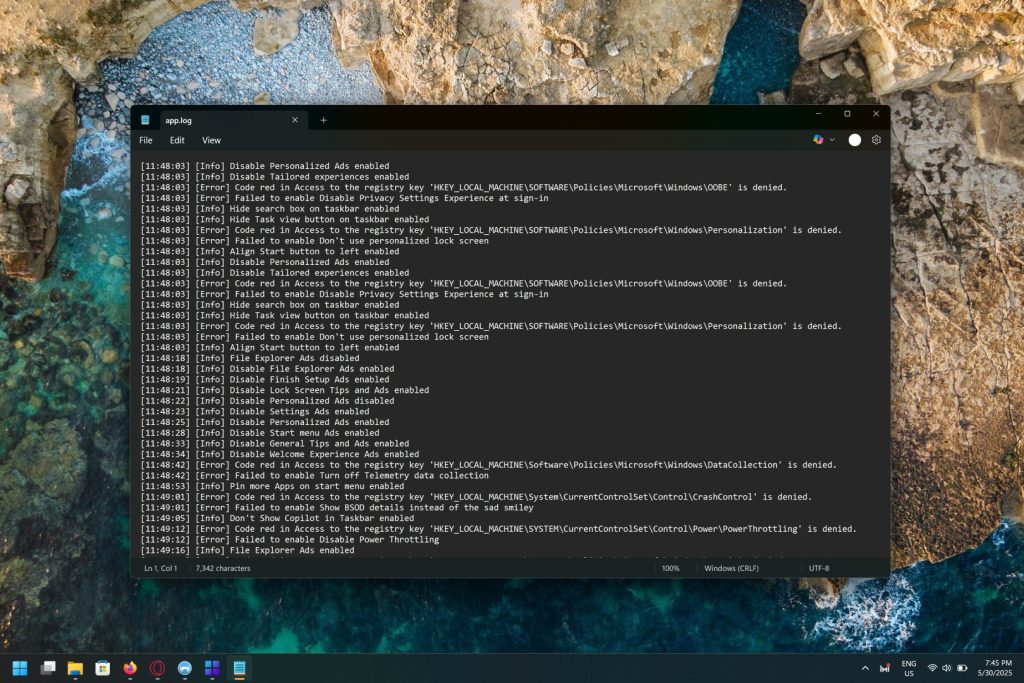
TidyOS, developed by Belim App, is designed with user safety in mind. It primarily focuses on removing non-essential bundled applications and optimizing system settings, rather than critical system components. However, as with any system modification tool, it’s crucial to:
- Download from the Official GitHub: Always get TidyOS directly from the official source.
- Read User Reviews: Check out reviews from other users to get a broader perspective on their experiences.
- Proceed with Caution: While the tool is generally safe, always understand the implications of the changes you’re making.
Conclusion: Reclaim Your Windows 11 with TidyOS
If your Windows 11 PC feels bogged down by unnecessary software and advertisements, TidyOS by Belim App offers a compelling and easy-to-use solution. By empowering you to customize settings, debloat unwanted applications, and automate essential installations, TidyOS helps you achieve a leaner, faster, and more enjoyable Windows 11 experience.
Ready to give your Windows 11 PC the performance boost it deserves? Download TidyOS today and experience the difference!
Has TidyOS helped you optimize your Windows 11 PC? Share your thoughts and experiences in the comments below!